cancel
Showing results for 
Search instead for 
Did you mean: 

July 7 - July 17 | Round 2 of the Power BI Dataviz World Championships. Don't miss your chance! Learn more

Reply
contapapo
Frequent Visitor

RLS problem with shared dataset

Hello, I'm new using RLS
I created a dataset with several tables, some linked, others not.
And I created a rule for user to acess some data from the linked tables, the others tables can be acessed wit no restritition.
The I used this dataset to create a report that I added new tables, but this tables and pages are free to all users and no RLS.
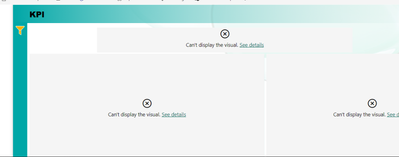
The problem is that when I share the report, users can't see anything.

contapapo_0-1707392769853.png

I gave authorization to the users at the report, and added same users at Security pane for dataset
Could you please help me with that?
Thanks 

3 REPLIES 3
Anonymous
Not applicable

Hi @contapapo


If the problem is due to the RLS settings, you will not normally get an error like this.


You can check if the RLS is set up correctly in Power BI Desktop first and if it is working properly.


Then you can go to Power BI Service to check whether the connection to the data source is correct, and whether the gateway and the credentials of the data source have been configured correctly.


Regards,

Nono Chen

If this post helps, then please considerAccept it as the solution to help the other members find it more quickly.

Hi Nono Chen
Thanks for your reply
Before splitting dataset and visuals, it worked as a charm.
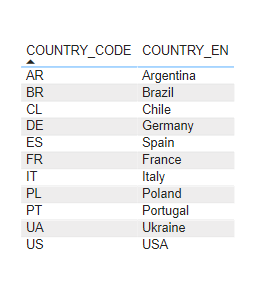
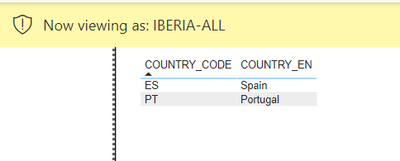
When I test only the dataset, It works too 

contapapo_1-1707467080375.png

contapapo_0-1707466964448.png

For example, here Iberia is Portugal and Spain. Perfect.
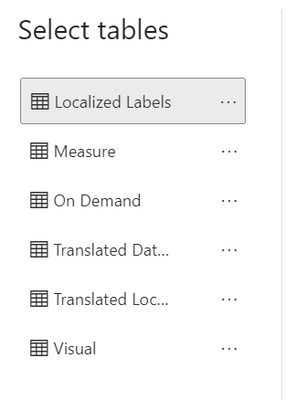
Can't test when I connect the DS to the visual, because can't acces the linked tables (Country) at 'Manage Roles'

contapapo_2-1707467182954.png

The problem is for sure at web service, maybe it's when I share the report. And can't see where is my mistake


contapapo
Frequent Visitor

More images to help with solution
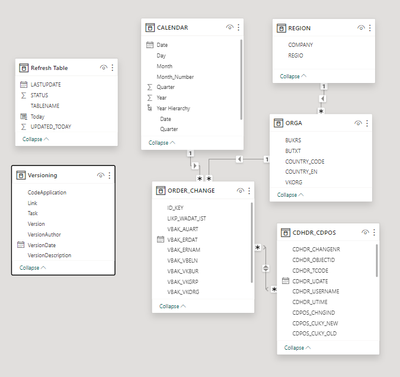
The RLS is based on table 'REGION'

contapapo_0-1707394693171.png

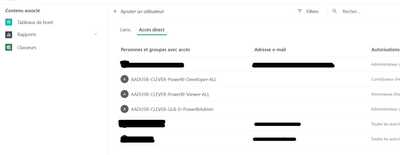
Image from final report settings

contapapo_1-1707394747001.png

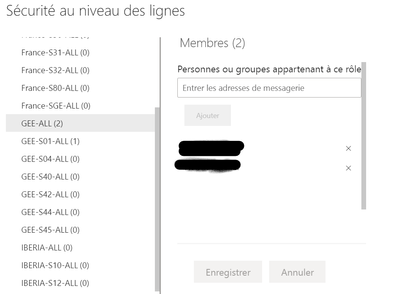
And this from Security pane from dataset

contapapo_2-1707394816368.png


Helpful resources

Announcements
FabCon and SQLCon Barcelona 2026

FabCon & SQLCon – Barcelona 2026

Join us in Barcelona for FabCon and SQLCon, the Fabric, Power BI, SQL, and AI community event. Save €200 with code FABCMTY200.

60 days of Data Days Carousel

Data Days 2026

Join Fabric Data Days 2026: 60 days of free live/on-demand sessions, challenges, study groups, and certification opportunities.

Power BI DataViz World Championships carousel

Power BI DataViz World Championships - June 2026

A new Power BI DataViz World Championship is coming this June! Don't miss out on submitting your entry.