
cancel
Showing results for 
Search instead for 
Did you mean: 

The Power BI Data Visualization World Championships is back! Get ahead of the game and start preparing now! Learn more

Reply
Anonymous
Not applicable

RLS doesnt work in POWERBI (but it does work in SSAS).

I have in SSAS some complex security requirements; that I have solved using roles and the next tables:

ovonel_0-1671448718951.png

It works fine!


When I test it (from SSAS you can use only excel to test) it works fine.


I recreate the exact same tables, roles, everything in Power BI but it doesnt work, why is it?? I thought it was the same software...

1 ACCEPTED SOLUTION
Anonymous
Not applicable

Hi @Anonymous ,

You can configure RLS for data models imported into Power BI with Power BI Desktop. You can also configure RLS on datasets that are using DirectQuery, such as SQL Server. For Analysis Services or Azure Analysis Services lives connections, you configure Row-level security in the model, not in Power BI Desktop. The security option will not show up for live connection datasets.

For more details, you can read related document: Row-level security (RLS) with Power BI - Power BI | Microsoft Learn


Best regards,
Community Support Team_Binbin Yu
If this post helps, then please consider Accept it as the solution to help the other members find it more quickly.

View solution in original post

3 REPLIES 3
Anonymous
Not applicable

Hi @Anonymous ,

You need not to recrate the same table in Power BI Desktop, when you have created the model and RLS in SSAS, you could connect to this model by live connector, this is a build-in connection type in Power BI Desktop.

For more details, you can read related document: Using DirectQuery in Power BI - Power BI | Microsoft Learn


Best regards,
Community Support Team_Binbin Yu
If this post helps, then please consider Accept it as the solution to help the other members find it more quickly.

Anonymous
Not applicable

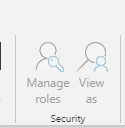
But the feature of "viewing as", that I can only do in excel, how can I do it from power bi, if using SSAS?

ovonel_0-1671520832093.png


Anonymous
Not applicable

Hi @Anonymous ,

You can configure RLS for data models imported into Power BI with Power BI Desktop. You can also configure RLS on datasets that are using DirectQuery, such as SQL Server. For Analysis Services or Azure Analysis Services lives connections, you configure Row-level security in the model, not in Power BI Desktop. The security option will not show up for live connection datasets.

For more details, you can read related document: Row-level security (RLS) with Power BI - Power BI | Microsoft Learn


Best regards,
Community Support Team_Binbin Yu
If this post helps, then please consider Accept it as the solution to help the other members find it more quickly.

Helpful resources

Announcements
Power BI DataViz World Championships

Power BI Dataviz World Championships

The Power BI Data Visualization World Championships is back! Get ahead of the game and start preparing now!

November Power BI Update Carousel

Power BI Monthly Update - November 2025

Check out the November 2025 Power BI update to learn about new features.

FabCon Atlanta 2026 carousel

FabCon Atlanta 2026

Join us at FabCon Atlanta, March 16-20, for the ultimate Fabric, Power BI, AI and SQL community-led event. Save $200 with code FABCOMM.