Hi,
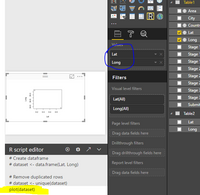
I'm a begginer in Power Bi Desktop and I'm trying to run a simple R Script ...
I click on "R", drag Sales and Average Ticket and on the script I just wrote
plot(dataset)
Below I posted the error mensage.
Thank you
Riad
The error mensage is
Feedback Type:
Frown (Error)
Timestamp:
2017-10-10T12:09:09.2061830Z
Local Time:
2017-10-10T09:09:09.2061830-03:00
Product Version:
2.50.4859.502 (PBIDesktop) (x64)
Release:
September 2017
IE Version:
11.0.9600.17498
OS Version:
Microsoft Windows NT 6.3.9600.0 (x64 pt-BR)
CLR Version:
4.5.2 or later [Release Number = 379893]
Workbook Package Info:
1* - pt-BR, Query Groups: 1, fastCombine: Disabled, runBackgroundAnalysis: True.
Peak Working Set:
362 MB
Private Memory:
263 MB
Peak Virtual Memory:
1.83 GB
Error Message:
An unexpected error occurred while processing the R script.
Error details:
Running the R script encountered the following error:
Failed to retrieve error code string from System ->317
Make sure R is properly installed on your machine.
User ID:
f5122281-bee6-4200-9817-5580df60541f
Session ID:
4db34e72-3394-4284-add0-db322187266e
Telemetry Enabled:
True
Model Default Mode:
Import
Snapshot Trace Logs:
C:\Users\User\AppData\Local\Microsoft\Power BI Desktop\FrownSnapShot1516512280.zip
Performance Trace Logs:
C:\Users\User\AppData\Local\Microsoft\Power BI Desktop\PerformanceTraces.zip
Enabled Preview Features:
PBI_EnableReportTheme
PBI_daxTemplatesEnabled
Disabled Preview Features:
PBI_shapeMapVisualEnabled
PBI_numericSlicerEnabled
PBI_SpanishLinguisticsEnabled
CustomConnectors
Disabled DirectQuery Options:
PBI_DirectQuery_Unrestricted
Cloud:
GlobalCloud
Activity ID:
null
Time:
Tue Oct 10 2017 09:09:03 GMT-0300 (Hora oficial do Brasil)
Client Error Code:
ServiceErrorToClientError
Error Details:
An unexpected error occurred while processing the R script.
Error details:
Running the R script encountered the following error:
Failed to retrieve error code string from System ->317
Make sure R is properly installed on your machine.
Stack Trace:
Microsoft.PowerBI.ExploreServiceCommon.ScriptHandlerException: An unexpected error occurred while processing the R script.
Error details:
Running the R script encountered the following error:
Failed to retrieve error code string from System ->317
Make sure R is properly installed on your machine. ---> Microsoft.PowerBI.Radio.RUnexpectedException: An unexpected error occurred while processing the R script.
Error details:
Running the R script encountered the following error:
Failed to retrieve error code string from System ->317
at Microsoft.PowerBI.Radio.RScriptWrapper.RunScript(String originalScript, Int32 timeoutMs)
at Microsoft.PowerBI.Client.Windows.R.RScriptHandler.GenerateVisual(ScriptHandlerOptions options)
--- End of inner exception stack trace ---
at Microsoft.PowerBI.Client.Windows.R.RScriptHandler.GenerateVisual(ScriptHandlerOptions options)
at Microsoft.PowerBI.ExploreServiceCommon.ScriptVisualCommandFlow.RunInternal(Stream dataShapeResultStream, QueryBindingDescriptor& bindingDescriptor)
at Microsoft.PowerBI.ExploreServiceCommon.ScriptVisualCommandFlow.Run(Stream dataShapeResultStream, QueryBindingDescriptor& bindingDescriptor)
at Microsoft.PowerBI.ExploreHost.SemanticQuery.ExecuteSemanticQueryFlow.TransformDataShapeResult(QueryCommand transformCommand, String dataShapeId, SemanticQueryDataShapeCommand command, Stream dataShapeResultStream, QueryBindingDescriptor& bindingDescriptor)
at Microsoft.PowerBI.ExploreHost.SemanticQuery.ExecuteSemanticQueryFlow.ProcessAndWriteDataQuery(IQueryResultDataWriter queryResultDataWriter, DataShapeGenerationContext dsqGenContext, EntityDataModel model, DataQuery query, ServiceErrorStatusCode& serviceErrorStatusCode)
at Microsoft.PowerBI.ExploreHost.SemanticQuery.ExecuteSemanticQueryFlow.ProcessAndWriteSemanticQueryCommands(IQueryResultsWriter queryResultsWriter, ExecuteSemanticQueryRequest request, IConceptualSchema conceptualSchema, EntityDataModel model)
DPI Scale:
100%
Supported Services:
Power BI
Formulas:
section Section1;
shared Cadastrolojas = let
Source = Excel.Workbook(File.Contents("C:\Users\User\Dropbox\Café\Fechamento\Operações Próprias\Fechamento\2017\basecafepowerbi.xlsx"), null, true),
Cadastrolojas_Sheet = Source{[Item="Cadastrolojas",Kind="Sheet"]}[Data],
#"Changed Type" = Table.TransformColumnTypes(Cadastrolojas_Sheet,{{"Column1", type text}, {"Column2", type text}, {"Column3", type text}}),
#"Promoted Headers" = Table.PromoteHeaders(#"Changed Type", [PromoteAllScalars=true]),
#"Changed Type1" = Table.TransformColumnTypes(#"Promoted Headers",{{"Nome Sistema", type text}, {"Loja", type text}, {"Marca", type text}})
in
#"Changed Type1";
shared Cadastroprodutosvenda = let
Source = Excel.Workbook(File.Contents("C:\Users\User\Dropbox\Café\Fechamento\Operações Próprias\Fechamento\2017\basecafepowerbi.xlsx"), null, true),
Cadastroprodutosvenda_Sheet = Source{[Item="Cadastroprodutosvenda",Kind="Sheet"]}[Data],
#"Promoted Headers" = Table.PromoteHeaders(Cadastroprodutosvenda_Sheet, [PromoteAllScalars=true]),
#"Changed Type" = Table.TransformColumnTypes(#"Promoted Headers",{{"Descrição do Produto", type text}, {"Unid.", type text}, {"Grupo", type text}, {"Classificação", type text}, {"Linha de Produto", type any}, {"Preço Venda", type number}, {"NCM (Franqueador)", Int64.Type}, {"Marca", type text}, {"Código Produto & Marca", type text}, {"Grupo (ajustado)", type text}})
in
#"Changed Type";
shared receitaloja = let
Source = Excel.Workbook(File.Contents("C:\Users\User\Dropbox\Café\Fechamento\Operações Próprias\Fechamento\2017\basecafepowerbi.xlsx"), null, true),
receitaloja_Sheet = Source{[Item="receitaloja",Kind="Sheet"]}[Data],
#"Promoted Headers" = Table.PromoteHeaders(receitaloja_Sheet, [PromoteAllScalars=true]),
#"Changed Type" = Table.TransformColumnTypes(#"Promoted Headers",{{"Marca", type text}, {"Loja", type text}, {"mês/ano", type date}, {"Ano", Int64.Type}, {"R.Bruta", type number}, {"Desconto", type number}, {"Cortesia", type number}, {"Cupons", Int64.Type}, {"Qtde. Produtos Vendidos", Int64.Type}})
in
#"Changed Type";
shared receitaproduto = let
Source = Excel.Workbook(File.Contents("C:\Users\User\Dropbox\Café\Fechamento\Operações Próprias\Fechamento\2017\basecafepowerbi.xlsx"), null, true),
receitaproduto_Sheet = Source{[Item="receitaproduto",Kind="Sheet"]}[Data],
#"Promoted Headers" = Table.PromoteHeaders(receitaproduto_Sheet, [PromoteAllScalars=true]),
#"Changed Type" = Table.TransformColumnTypes(#"Promoted Headers",{{"Marca", type text}, {"Loja", type text}, {"mês/ano", type date}, {"Ano", Int64.Type}, {"Código Produto & Marca", type text}, {"Qtde. Produtos Vendidos", Int64.Type}, {"R.Bruta", type number}})
in
#"Changed Type";
shared #"Errors in receitaloja" = let
Source = receitaloja,
#"Added Index" = Table.AddIndexColumn(Source, "Row Number" ,1),
#"Kept Errors" = Table.SelectRowsWithErrors(#"Added Index", {"Marca", "Loja", "mês/ano", "Ano", "R.Bruta", "Desconto", "Cortesia", "Cupons", "Qtde. Produtos Vendidos"}),
#"Reordered Columns" = Table.ReorderColumns(#"Kept Errors", {"Row Number", "Marca", "Loja", "mês/ano", "Ano", "R.Bruta", "Desconto", "Cortesia", "Cupons", "Qtde. Produtos Vendidos"})
in
#"Reordered Columns"
;