cancel
Showing results for 
Search instead for 
Did you mean: 

The Power BI Data Visualization World Championships is back! Get ahead of the game and start preparing now! Learn more

Reply
Anonymous
Not applicable

Question filter Level

Hi All,


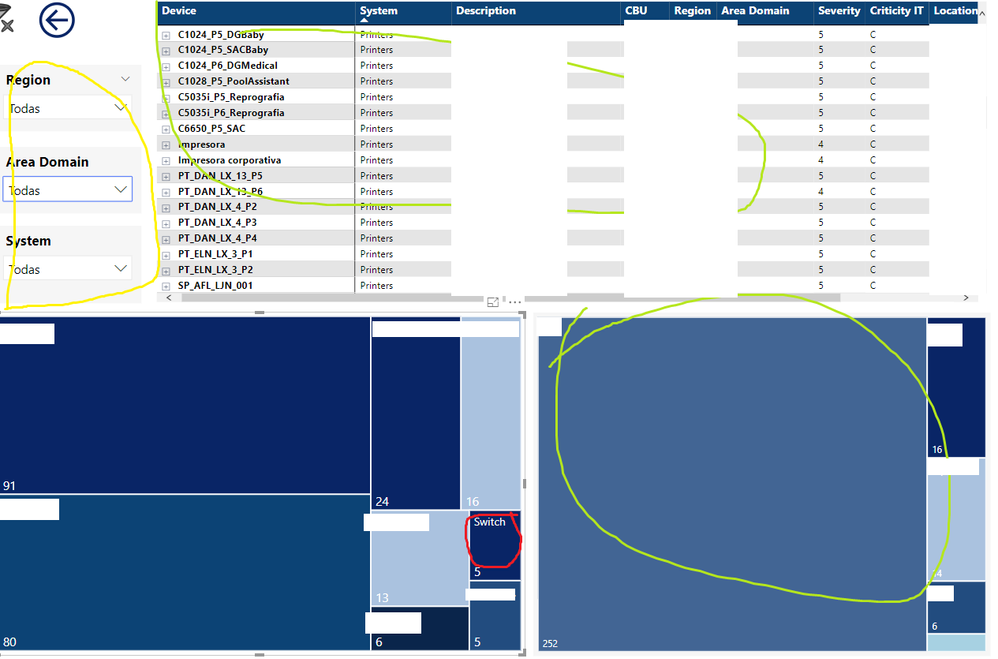
I have a question related to the filters. I have this dashbaord:


qwedwedwdqwqw.png


And when I for example press in the red box, the green parts been affected for the filter but the yellow part isn't filtered. Is it normal or i have to activate something?


1 ACCEPTED SOLUTION

Hi @Anonymous ,


Based on your pbix, I'm afraid that is the default behaviour.


3.The problem is, when you select something in green , red isn't filtering anything still appearing all the registers in the slider.


As visual level filter has the same filter level with Slicer, so it will not filter the slicer.


If you use the report level or page level filter, the silcer will be filtered.


In additon, you could have a good look at this article about highlight and filter.


Best Regards,

Cherry

Community Support Team _ Cherry Gao
If this post helps, then please consider Accept it as the solution to help the other members find it more quickly.

View solution in original post

3 REPLIES 3
v-piga-msft
Resident Rockstar
Resident Rockstar

Hi @Anonymous ,


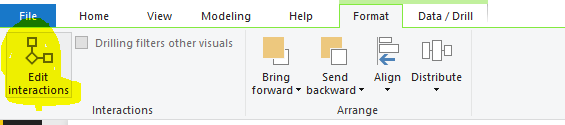
You could have a check if you disable the interaction between the yellow and and the red box?

interactions.PNG


In addition, you could check if the filter range of the red area larger than the filter range of the yellow area?


If you still need help, please share a dummy pbix file which can reproduce the scenario, so that we can help further investigate on it? You can upload it to OneDrive and post the link here. Do mask sensitive data before uploading.)


Best Regards,

Cherry

Community Support Team _ Cherry Gao
If this post helps, then please consider Accept it as the solution to help the other members find it more quickly.
Anonymous
Not applicable

Hi


@v-piga-msft 


https://drive.google.com/drive/folders/1YPPLH11N7Q7_tjsrNaSrQk4zSPNbRB2O?usp=sharing


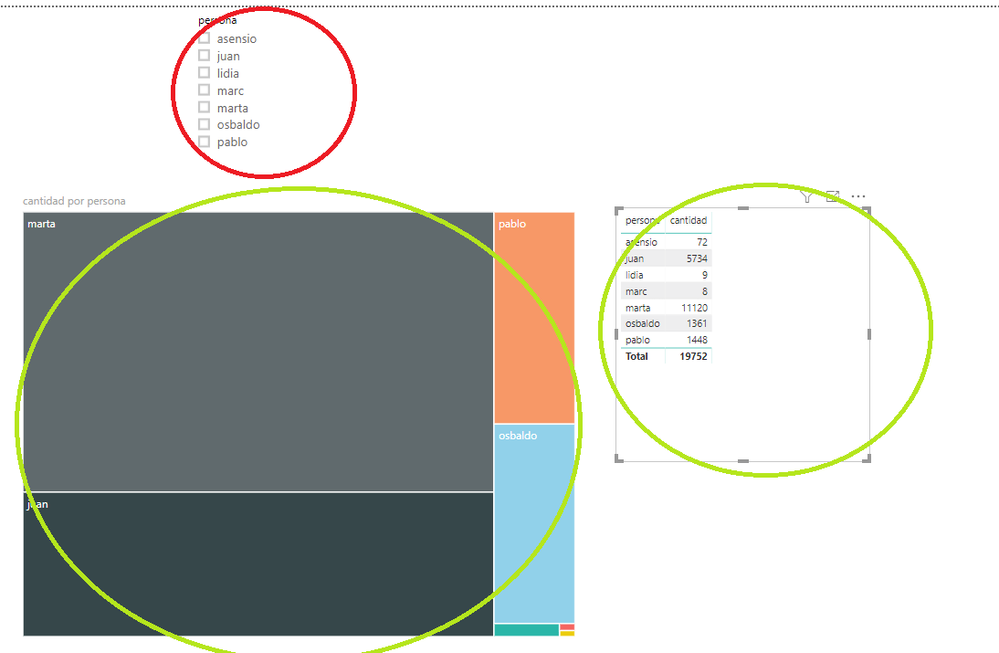
Is not the original data but is a simple test about i want to do/test:


1.When you select somethinfg in red , green is filtered (That's ok standar funtionality)

2.When you select something in green the other green is filtered (That's ok changing the kind of filter)

3.The problem is, when you select something in green , red isn't filtering anything still appearing all the registers in the slider.


qwedwedwdqwqw.png

Hi @Anonymous ,


Based on your pbix, I'm afraid that is the default behaviour.


3.The problem is, when you select something in green , red isn't filtering anything still appearing all the registers in the slider.


As visual level filter has the same filter level with Slicer, so it will not filter the slicer.


If you use the report level or page level filter, the silcer will be filtered.


In additon, you could have a good look at this article about highlight and filter.


Best Regards,

Cherry

Community Support Team _ Cherry Gao
If this post helps, then please consider Accept it as the solution to help the other members find it more quickly.

Helpful resources

Announcements
Power BI DataViz World Championships

Power BI Dataviz World Championships

The Power BI Data Visualization World Championships is back! Get ahead of the game and start preparing now!

December 2025 Power BI Update Carousel

Power BI Monthly Update - December 2025

Check out the December 2025 Power BI Holiday Recap!

FabCon Atlanta 2026 carousel

FabCon Atlanta 2026

Join us at FabCon Atlanta, March 16-20, for the ultimate Fabric, Power BI, AI and SQL community-led event. Save $200 with code FABCOMM.