Learn from the best! Meet the four finalists headed to the FINALS of the Power BI Dataviz World Championships! Register now
HI All,
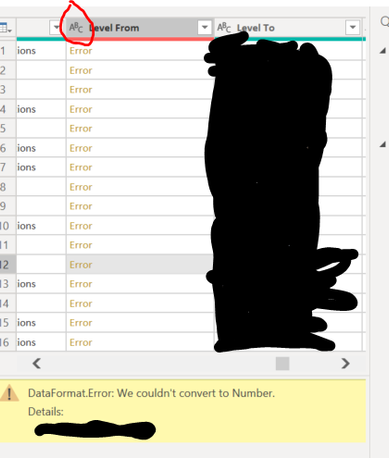
I have received a query error message when loading my data. Upon checking, I found that there is one column that PBI try to convert to Number although I have set the data type to string.
Anyone know why?
Cheers,
Kev
Hi @BigKev ,
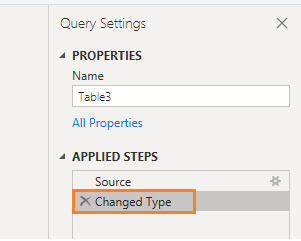
You may enter into Query Editor, select on your issue query, delete the step named "Changed Type" behind of step "Source" , or change the data type of issue column to Text.
Best Regards,
Amy
Community Support Team _ Amy
If this post helps, then please consider Accept it as the solution to help the other members find it more quickly.
Thanks V-xicai
It works.
Fore some reason, that column data type is still on 'Int64.Type', although I have set to 'text' using the UI.
After I changed manually the data type in the script editor, and reload the data, It works!
Cheeers,
Kecv
@BigKev , there some problems to convert number it main contains N/A, null, # etc.
Please change the data type to text and check. Later clean the data and change it back to number
A new Power BI DataViz World Championship is coming this June! Don't miss out on submitting your entry.
Share feedback directly with Fabric product managers, participate in targeted research studies and influence the Fabric roadmap.
| User | Count |
|---|---|
| 48 | |
| 35 | |
| 27 | |
| 15 | |
| 15 |
| User | Count |
|---|---|
| 58 | |
| 56 | |
| 38 | |
| 21 | |
| 21 |