Join us at FabCon Atlanta from March 16 - 20, 2026, for the ultimate Fabric, Power BI, AI and SQL community-led event. Save $200 with code FABCOMM.
Register now!The Power BI Data Visualization World Championships is back! It's time to submit your entry. Live now!
Is it possible to query Azure Active Directory data in Power BI. Everything I have seen says to use the Graph API, but this page says Connecting to Microsoft Graph REST APIs from Power Query isn't recommended or supported (https://learn.microsoft.com/en-us/power-query/connecting-to-graph).
I am trying to load devices data from Azure Active Directory into Power BI.
Solved! Go to Solution.
Hi, @Anonymous
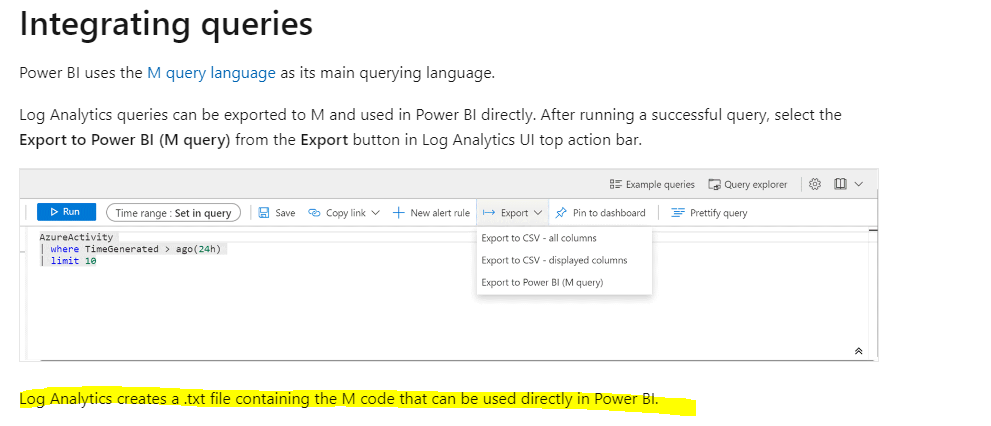
You can export Azure Active Directory logs to your log analysics workspace and then use a blank M query to ingest log analytics data.
Please refer to the similar thread below.
Azure Active Directory Logs in Power BI
Log Analytics integration with Power BI
Best Regards,
Community Support Team _ Eason
Hi, did you find a suitable solution using only Power BI? Or it needs Powerautomate also?
Hi, @Anonymous
You can export Azure Active Directory logs to your log analysics workspace and then use a blank M query to ingest log analytics data.
Please refer to the similar thread below.
Azure Active Directory Logs in Power BI
Log Analytics integration with Power BI
Best Regards,
Community Support Team _ Eason
The Power BI Data Visualization World Championships is back! It's time to submit your entry.
Check out the January 2026 Power BI update to learn about new features.
| User | Count |
|---|---|
| 65 | |
| 44 | |
| 31 | |
| 25 | |
| 23 |
| User | Count |
|---|---|
| 136 | |
| 115 | |
| 58 | |
| 39 | |
| 35 |