Don't miss your chance to take the Fabric Data Engineer (DP-700) exam on us!
Learn moreWe've captured the moments from FabCon & SQLCon that everyone is talking about, and we are bringing them to the community, live and on-demand. Starts on April 14th. Register now
I have a simple dataset that looks like this:
year votes 1999 100 2000 150 2001 200
Trying to plot a simple line chart like this:
import matplotlib.pyplot as plt fig, ax = plt.subplots() ax.plot(dataset.year, dataset.votes) ax.set_xlim(1998, 2002) ax.set_ylim(90, 210) plt.show()
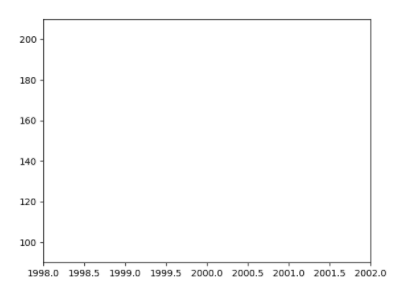
Gives me this result (i.e. nothing is plotted but Python/Power BI give me no errors).
Specifying the same data in lists and then plot them like this works:
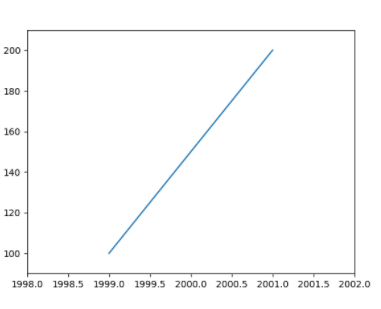
import matplotlib.pyplot as plt fig, ax = plt.subplots() year_array= [1999,2000,2001] votes_array = [100,150,200] ax.plot(year_array, votes_array) ax.set_xlim(1998, 2002) ax.set_ylim(90, 210) plt.show()
Result:
Am I doing something wrong? The data is formatted as Numbers so the problem is not that. I am using Python 3.6.5 Anaconda distribution and Power BI 2.61.5192.601 64-bit (August 2018) on a Windows 10 machine.
Solved! Go to Solution.
My colleague found what the problem was. The values were summed when dragged in to the value field, i chose "Don't Summarize" and now it works like a charm.
Hi @Anonymous,
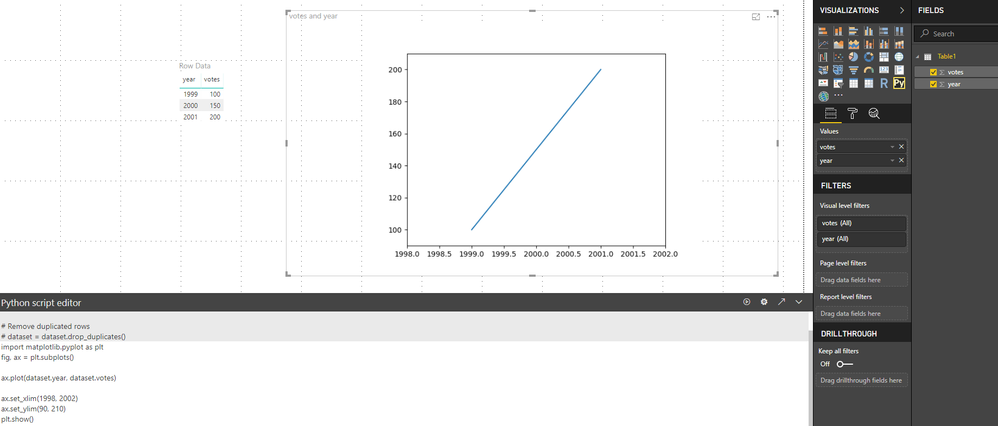
Based on my test, When I used the code as below. It worked well as well. Did you add the both columns to the Python visual and enter the code?
import matplotlib.pyplot as plt fig, ax = plt.subplots() ax.plot(dataset.year, dataset.votes) ax.set_xlim(1998, 2002) ax.set_ylim(90, 210) plt.show()
Regards,
Frank
Yes I did, i reckon I would have gotten `KeyError` otherwise and I got no error now. I will try on a collegaues computer and also try uninstalling and installing Power BI otherwise. Python seems to working fine outside of Power BI Python visuals so I assume there is something wrong with Power BI.
If you have recently started exploring Fabric, we'd love to hear how it's going. Your feedback can help with product improvements.
A new Power BI DataViz World Championship is coming this June! Don't miss out on submitting your entry.
Share feedback directly with Fabric product managers, participate in targeted research studies and influence the Fabric roadmap.
| User | Count |
|---|---|
| 55 | |
| 40 | |
| 35 | |
| 19 | |
| 18 |
| User | Count |
|---|---|
| 71 | |
| 70 | |
| 38 | |
| 35 | |
| 23 |