We've captured the moments from FabCon & SQLCon that everyone is talking about, and we are bringing them to the community, live and on-demand. Starts on April 14th. Register now
Hello.
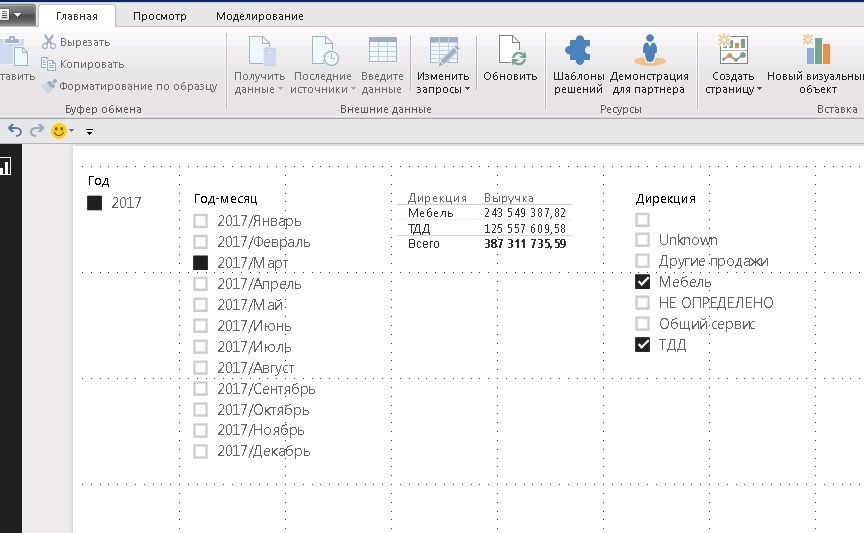
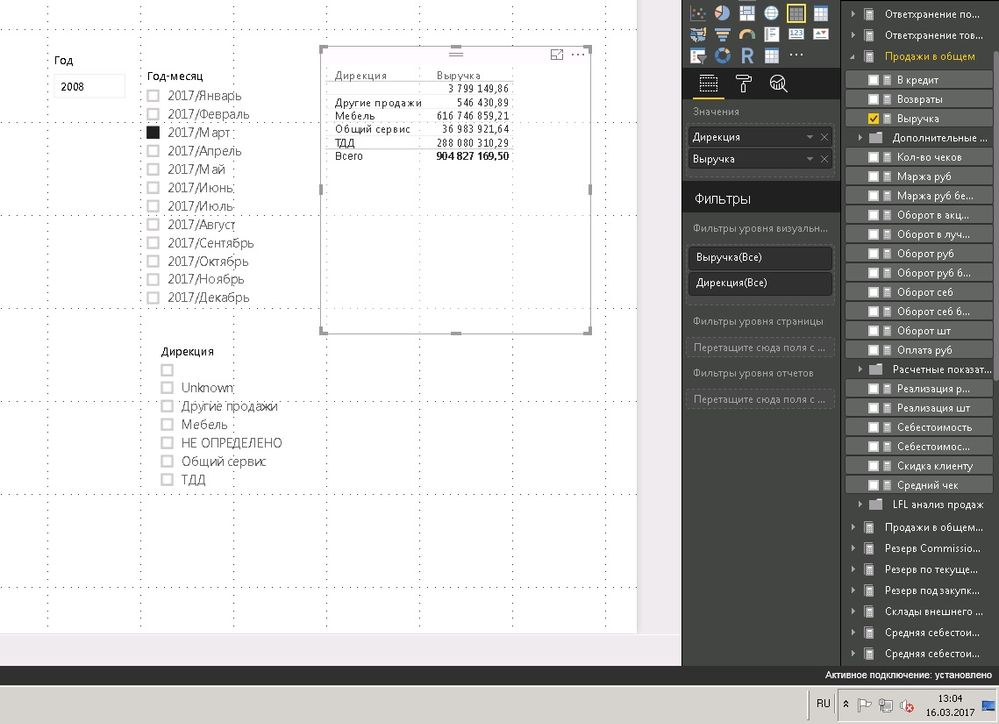
I have a problem with displaying data for live connection to analisys analysis services database. When I put a filter by categories, total sum is calculated without it:
I think that the total sum is taken from the cache, which has a bug. The cache-clearing feature in powerBI does not help.
without filter
with filter
This should be as designed since Power BI has a client query result cache to reduce the amount of query data request to server. If the query generated by user interaction was cached, then user will see the cached data unless they click the refresh button.
You can also try to set the maximum cash size to be smaller in Options – Data Load to see if it helps. And There is a related idea here.
Best Regards,
Herbert
Refresh and decreasing the cache to 0 does not help.
Is the problem in something else?
For the total sum, is it a defined measure? If yes, could you please check the formula of it to see if it ignores the category.
Best Regards,
Herbert
Hello.
Total sum is not a defined measure, it is standart feature for visual element 'table'.
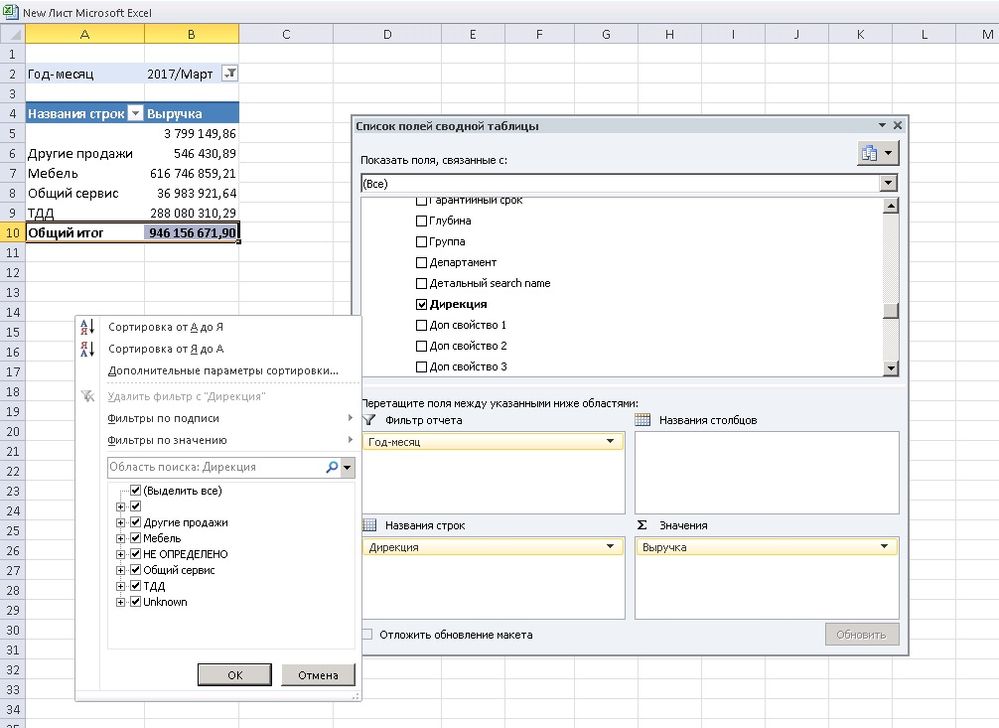
'Выручка' is defined measure in olap-cube, but in excel shows right value.
If you have recently started exploring Fabric, we'd love to hear how it's going. Your feedback can help with product improvements.
A new Power BI DataViz World Championship is coming this June! Don't miss out on submitting your entry.
Share feedback directly with Fabric product managers, participate in targeted research studies and influence the Fabric roadmap.
| User | Count |
|---|---|
| 57 | |
| 38 | |
| 33 | |
| 19 | |
| 16 |
| User | Count |
|---|---|
| 68 | |
| 66 | |
| 41 | |
| 34 | |
| 24 |