Don't miss your chance to take the Fabric Data Engineer (DP-700) exam on us!
Learn moreWe've captured the moments from FabCon & SQLCon that everyone is talking about, and we are bringing them to the community, live and on-demand. Starts on April 14th. Register now
Hi I need some help with progress bars. Thank you so much in advance to anyone that takes the time to help me.
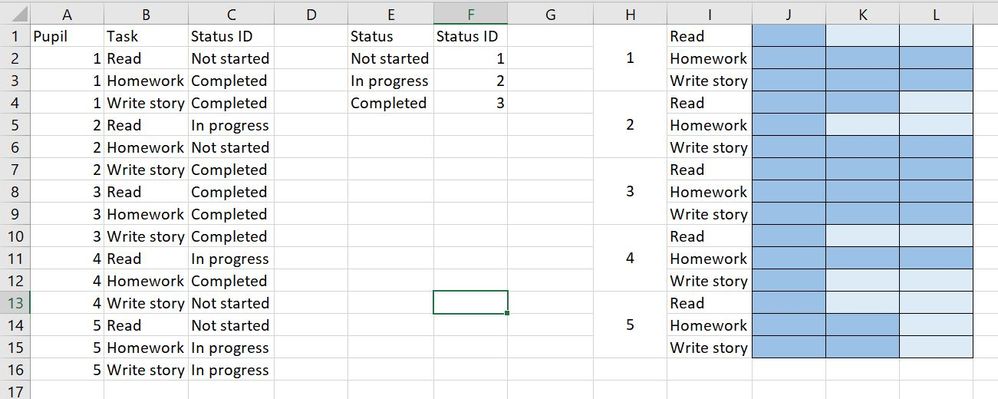
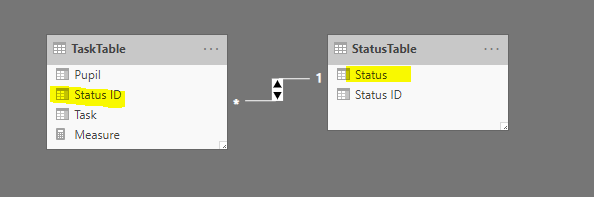
I will like to be able to track the progress of 3 task each with 3 milestones (not started, in progress and completed) for multiple pupils. I will paste the sample tables below which I have in power bi as well as the kind of visual I would like. Also please could you let me know what the relationship between the 2 tables should be just so I can check I have that right.
Solved! Go to Solution.
Hi @victoriashenton ,
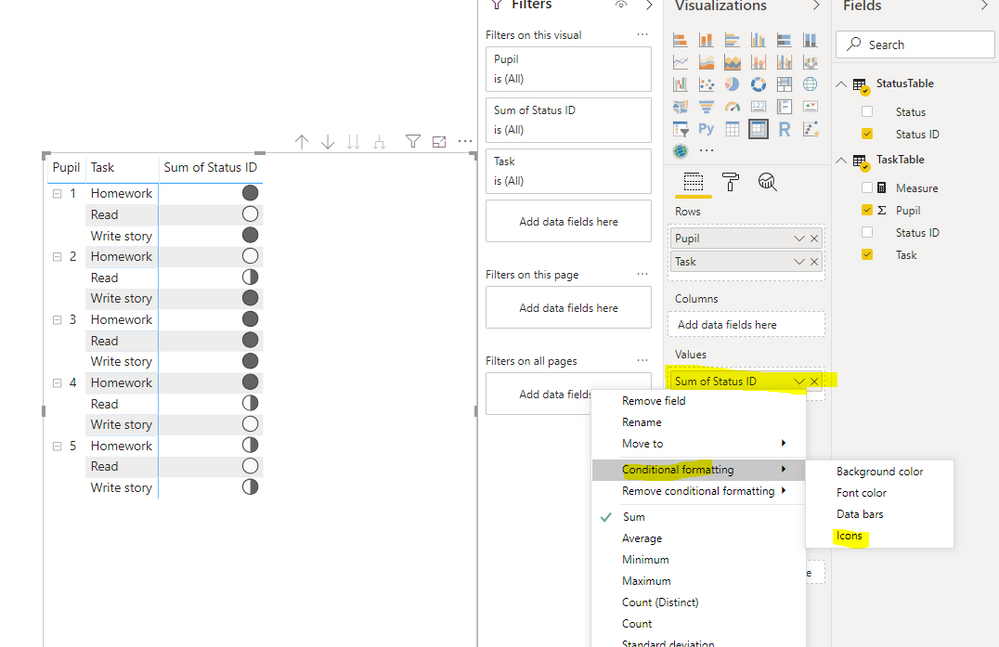
We can use the condition format in matrix visual to meet your requirement, but the progress bars is the round.
OR you can try to use the measure
ProgressBar =
SWITCH (
MAX ( 'StatusTable'[Status ID] ),
1, UNICHAR ( 9646 ) &UNICHAR ( 9647 ) & UNICHAR ( 9647 ),
2, UNICHAR ( 9646 ) & UNICHAR ( 9646 ) & UNICHAR ( 9647 ),
3, UNICHAR ( 9646 ) &UNICHAR ( 9646 ) & UNICHAR ( 9646 )
)
We can also use the bullet visual, please refer to this similar thread: https://community.powerbi.com/t5/Desktop/How-to-get-a-way-to-make-a-Progress-bar/td-p/94612
BTW, pbix as attached.
Best regards,
Community Support Team _ Dong Li
If this post helps, then please consider Accept it as the solution to help the other members find it more quickly.
Hi @victoriashenton ,
We can use the condition format in matrix visual to meet your requirement, but the progress bars is the round.
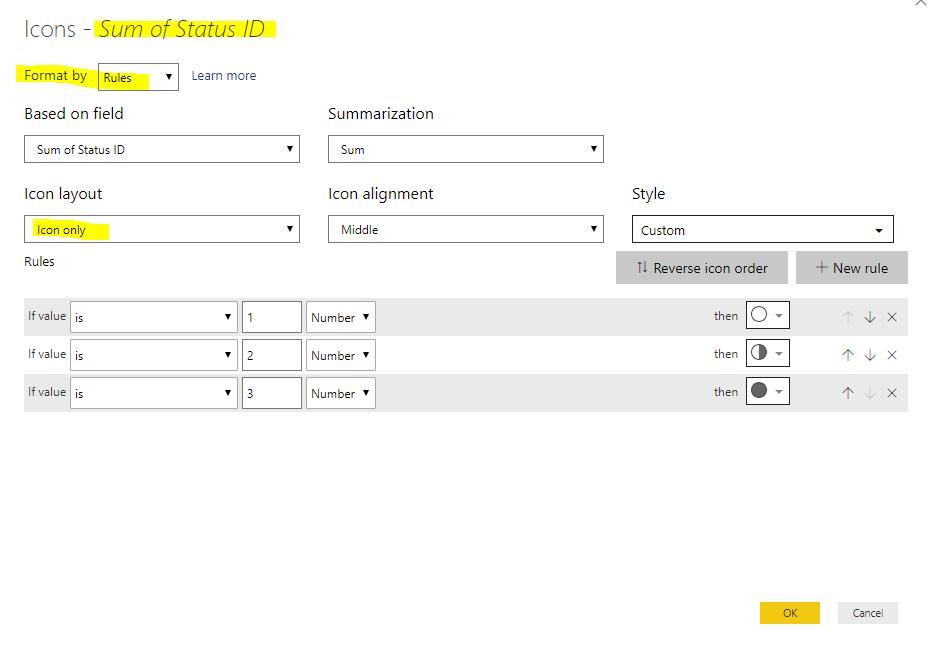
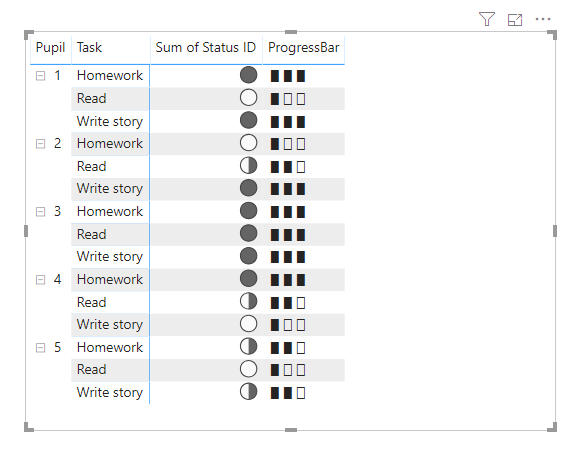
OR you can try to use the measure
ProgressBar =
SWITCH (
MAX ( 'StatusTable'[Status ID] ),
1, UNICHAR ( 9646 ) &UNICHAR ( 9647 ) & UNICHAR ( 9647 ),
2, UNICHAR ( 9646 ) & UNICHAR ( 9646 ) & UNICHAR ( 9647 ),
3, UNICHAR ( 9646 ) &UNICHAR ( 9646 ) & UNICHAR ( 9646 )
)
We can also use the bullet visual, please refer to this similar thread: https://community.powerbi.com/t5/Desktop/How-to-get-a-way-to-make-a-Progress-bar/td-p/94612
BTW, pbix as attached.
Best regards,
Community Support Team _ Dong Li
If this post helps, then please consider Accept it as the solution to help the other members find it more quickly.
That's great thank you very much for the assistance. It was just what I was looking for!
can you attach the excel file?
thanks
If you have recently started exploring Fabric, we'd love to hear how it's going. Your feedback can help with product improvements.
A new Power BI DataViz World Championship is coming this June! Don't miss out on submitting your entry.
Share feedback directly with Fabric product managers, participate in targeted research studies and influence the Fabric roadmap.
| User | Count |
|---|---|
| 56 | |
| 40 | |
| 35 | |
| 19 | |
| 18 |
| User | Count |
|---|---|
| 71 | |
| 70 | |
| 38 | |
| 35 | |
| 23 |