Hi.
I'm having a problem to get the total for a measure I've created.
The total show 0, and I really need the total.
I'm aiming to show the total for the measure to create a trend over time.
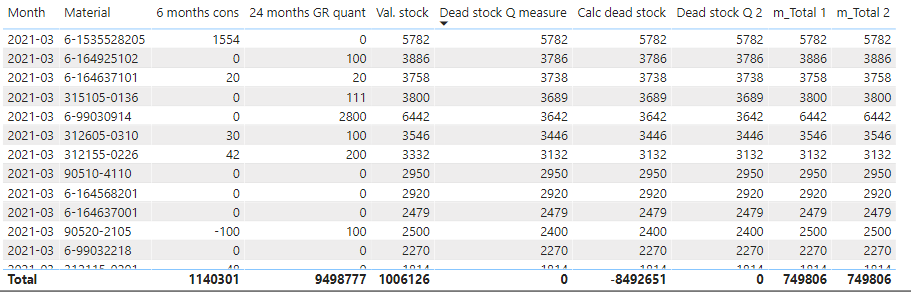
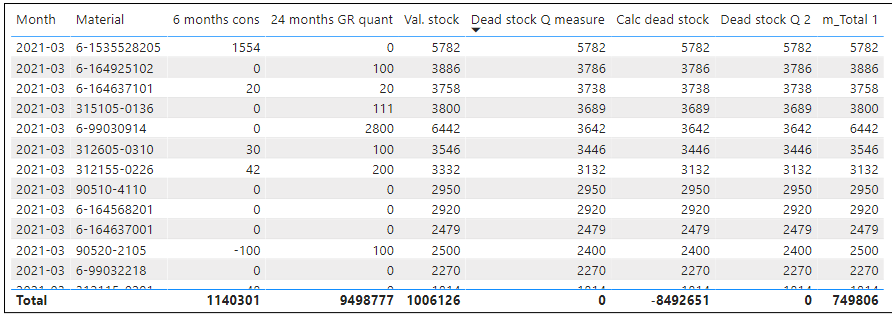
The visual Table looks like this (filtered on Month 2021-03)
My first 2 Measures (6 months cons, 24 months GR quant) show correct values on row level and totals.
Val.stock is a column from data table and is correct.
Dead stock Q measure and Dead stock Q 2 shows correct values on row level, but not on totals. Expected total = 112 054
Calc dead stock show correct on totals and so does m_Total 1, but they are not correct on row level anyway.
Dead stock quantity is what I really want to get (and then add value to it as well).
Dead stock = Actual stock quantity in current month - Received quantity last 24 months. (If Dead stock < 0, then it should be 0.)
And I want to be able to see it on material level.
My measures (some are just attempts to solve my issue):
24 months GR quant =

Calculate (

Sum ( 'Stock data'[Val.stk(R)]),

// DATEADD (Data[Month], -6, MONTH)

DATESBETWEEN('Stock data'[Month],FIRSTDATE(DATEADD ('Stock data'[Month], -23, MONTH)),LASTDATE(DATEADD ('Stock data'[Month], -0, MONTH)))

)
Dead stock Q measure = CALCULATE(IF(CALCULATE(SUM('Stock data'[Val. stock])>[24 months GR quant]),CALCULATE(sum('Stock data'[Val. stock])-[24 months GR quant]),0))
Calc dead stock = CALCULATE(sum('Stock data'[Val. stock])-[24 months GR quant])
Dead stock Q 2 = CALCULATE(IF([Calc dead stock]<0,0,[Calc dead stock]))
m_Total 1 =

VAR __table = SUMMARIZE('Stock data','Stock data'[Material],"__value",[Dead stock Q measure])

RETURN

IF(HASONEVALUE('Hedge stock Data'[Material]),[Dead stock Q measure],SUMX(__table,[__value]))
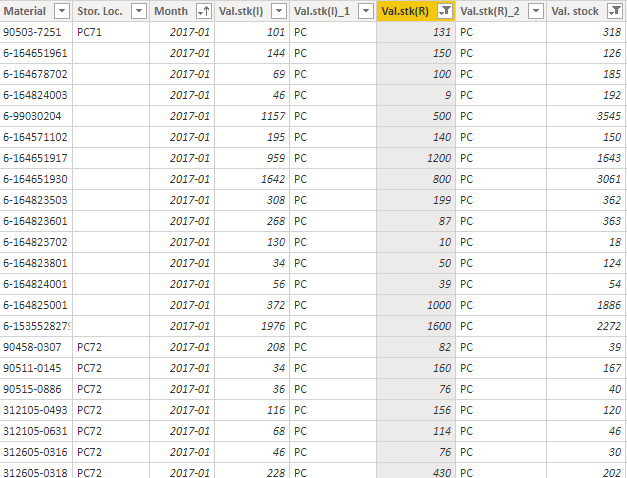
Samples of source data:
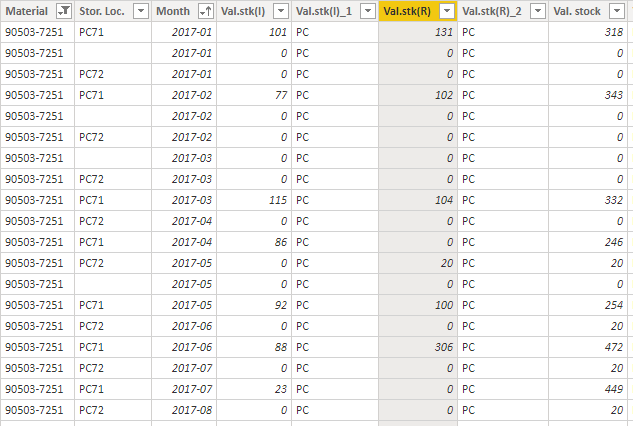
Sample for 1 material, to see what it looks like. Same material will appear on more than 1 row for every month.
I hope someone can help me. I guess one or more of my measures is wrong in some way.