This is best Fabric, Power BI, SQL and AI community event. How do we know? The last event sold out! Save €200 with code FABCMTY200.
Register nowA new Data Days event is coming soon! This time we’re going bigger than ever. Fabric, Power BI, SQL, AI and more. Don't miss out.
Hi everbody ,
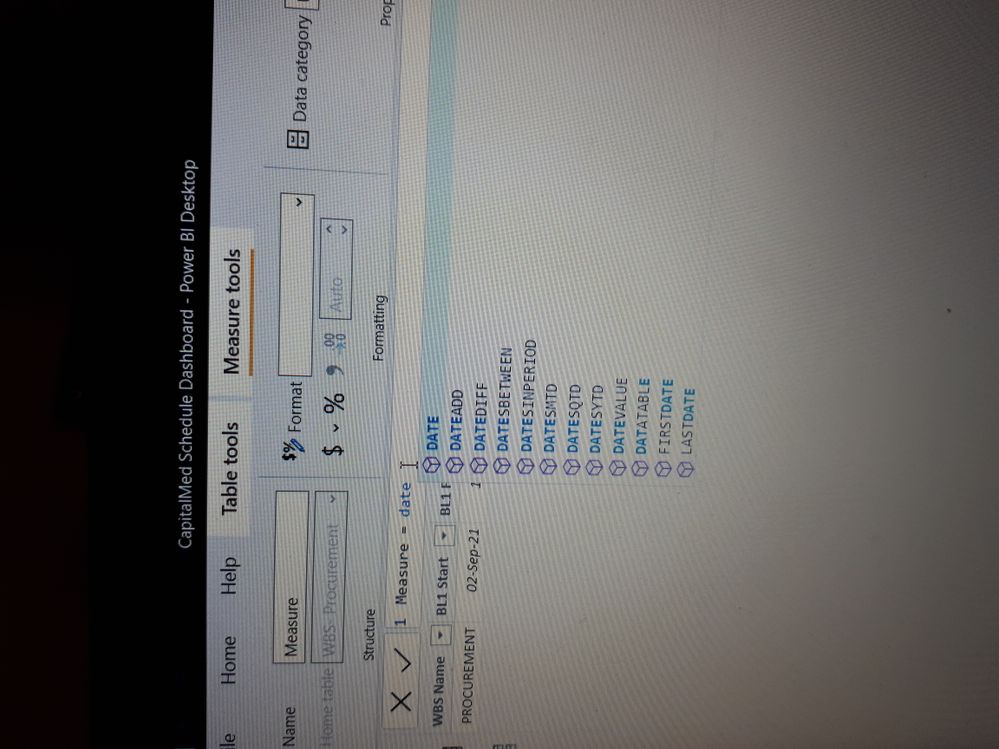
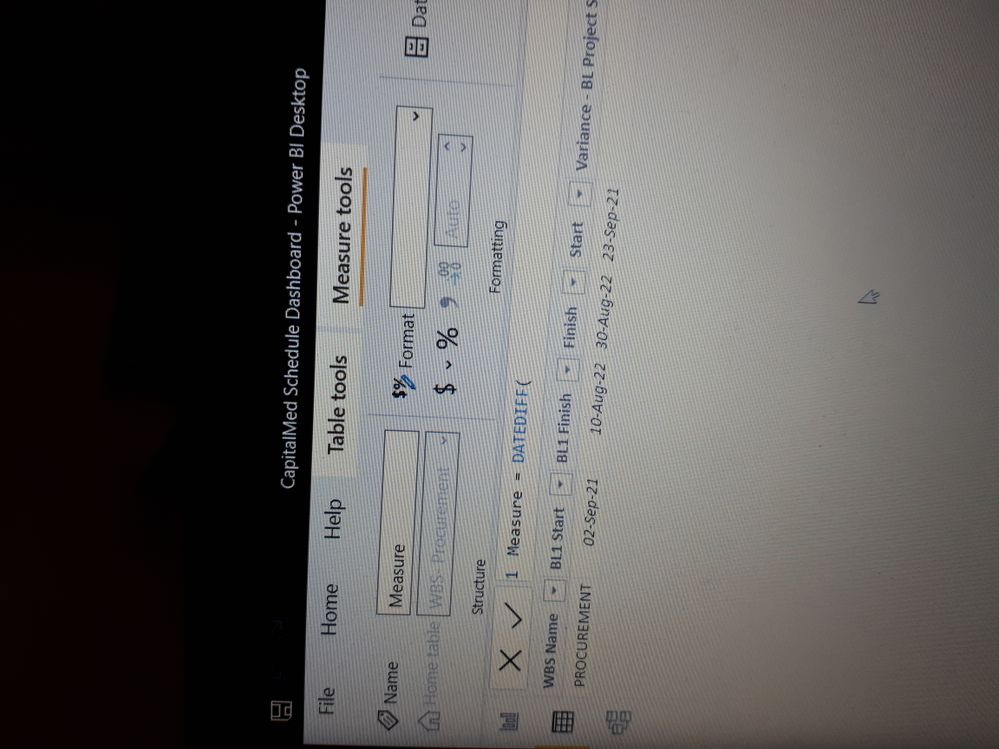
I`m trying creating a measure , when using a DATEDIFF function its not working !, the function is displayed in a way i`m not used to, not able to enter parameters of the function (pls see attached images ) , i tried also to add a column to the table and use the function but still the same problem occured , whats going on ?!🤔☹️
Solved! Go to Solution.
Hi @Gomaa72 ,
According to your description, in the latest version of Powerbi Desktop the DAX public bar prompt has been changed to M style and no longer displays parameter prompts. However, this is not explicitly stated in the new updated documentation.
If you still prefer the previous dax style, you can use the old version before October.
Best Regards,
Henry
If this post helps, then please consider Accept it as the solution to help the other members find it more quickly.
Hi @Gomaa72 ,
According to your description, in the latest version of Powerbi Desktop the DAX public bar prompt has been changed to M style and no longer displays parameter prompts. However, this is not explicitly stated in the new updated documentation.
If you still prefer the previous dax style, you can use the old version before October.
Best Regards,
Henry
If this post helps, then please consider Accept it as the solution to help the other members find it more quickly.
Try reinstalling Power BI desktop or going back to the previous version.
A few people have been reporting the same problem this week.
Check out the May 2026 Power BI update to learn about new features.
Sign up to receive a private message when registration opens and key events begin.
If you have recently started exploring Fabric, we'd love to hear how it's going. Your feedback can help with product improvements.
| User | Count |
|---|---|
| 31 | |
| 26 | |
| 23 | |
| 22 | |
| 13 |
| User | Count |
|---|---|
| 61 | |
| 47 | |
| 27 | |
| 23 | |
| 18 |