cancel
Showing results for 
Search instead for 
Did you mean: 

The Power BI Data Visualization World Championships is back! Get ahead of the game and start preparing now! Learn more

Reply
Anonymous
Not applicable

Problem with a line graph

Hi, 
I'm working with a report of sales, but I have a problem with a line graph. I need to switch rows and columns but when I try to do it I got a message that says that a table can't have more than 2200 columns. Of course I won't show all my registers in the graph. I have another page with filters


asdsad.jpg


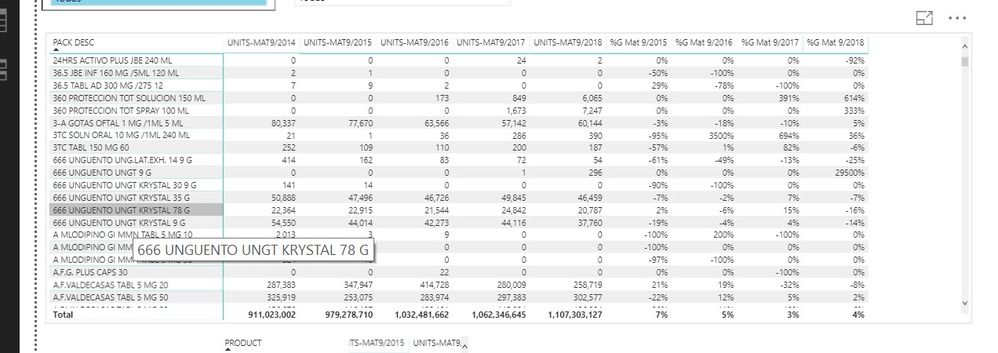
This is part of my table, and the top of the columns are months and years of the sales.


grafica bien.jpg

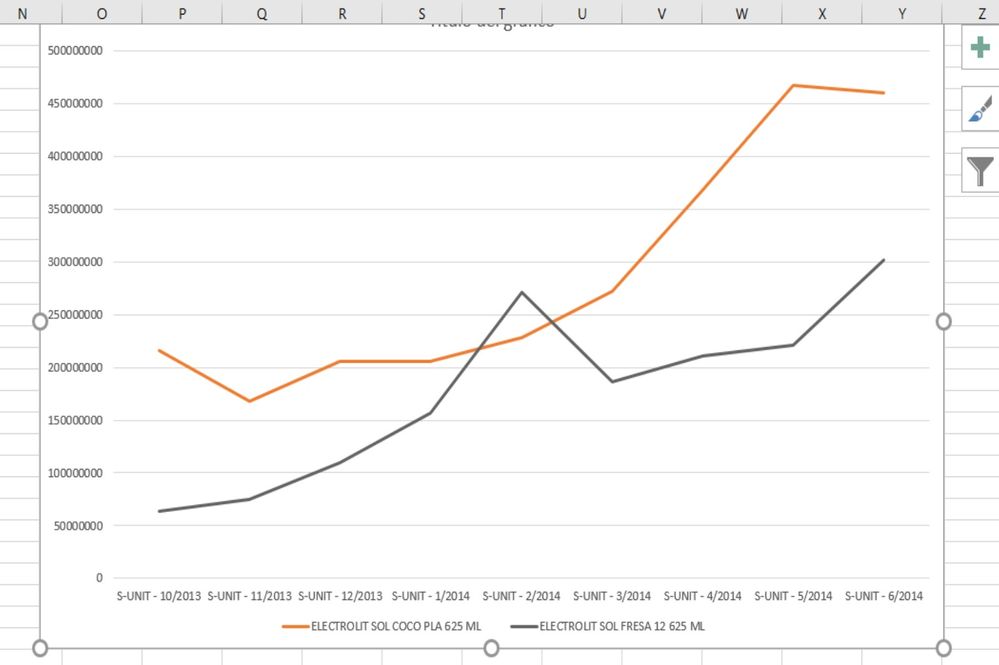
This is how I want to look my graph


And this is what I got

grafica mal.jpg


So what I need is to give a each product a line instead of giving a period of time a line.


Hope you can help me. 

Thanks


1 ACCEPTED SOLUTION
v-yulgu-msft
Microsoft Employee
Microsoft Employee

Hi @Anonymous,


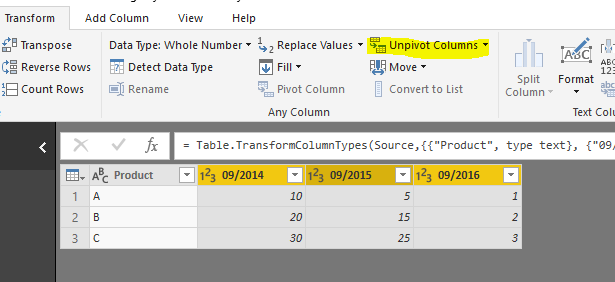
In Query Editor mode, unpivot columns to format the table structure as below:

1.PNG2.PNG


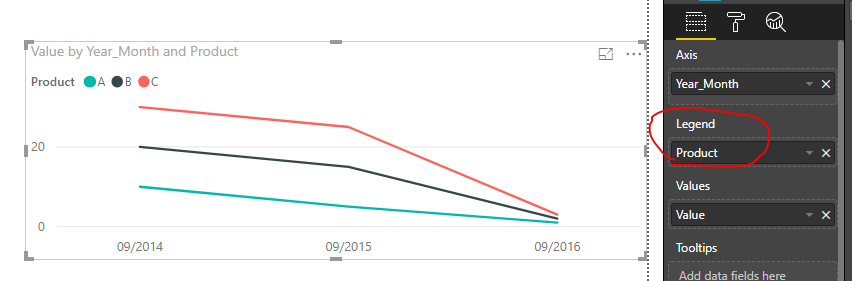
Place [Year_Month] onto X-axis, and place [Product] into legend.

3.PNG


Best regards,

Yuliana Gu

Community Support Team _ Yuliana Gu
If this post helps, then please consider Accept it as the solution to help the other members find it more quickly.

View solution in original post

2 REPLIES 2
v-yulgu-msft
Microsoft Employee
Microsoft Employee

Hi @Anonymous,


In Query Editor mode, unpivot columns to format the table structure as below:

1.PNG2.PNG


Place [Year_Month] onto X-axis, and place [Product] into legend.

3.PNG


Best regards,

Yuliana Gu

Community Support Team _ Yuliana Gu
If this post helps, then please consider Accept it as the solution to help the other members find it more quickly.
Anonymous
Not applicable

Hi
Thank you so mucho for your reply, It has been very helpful.
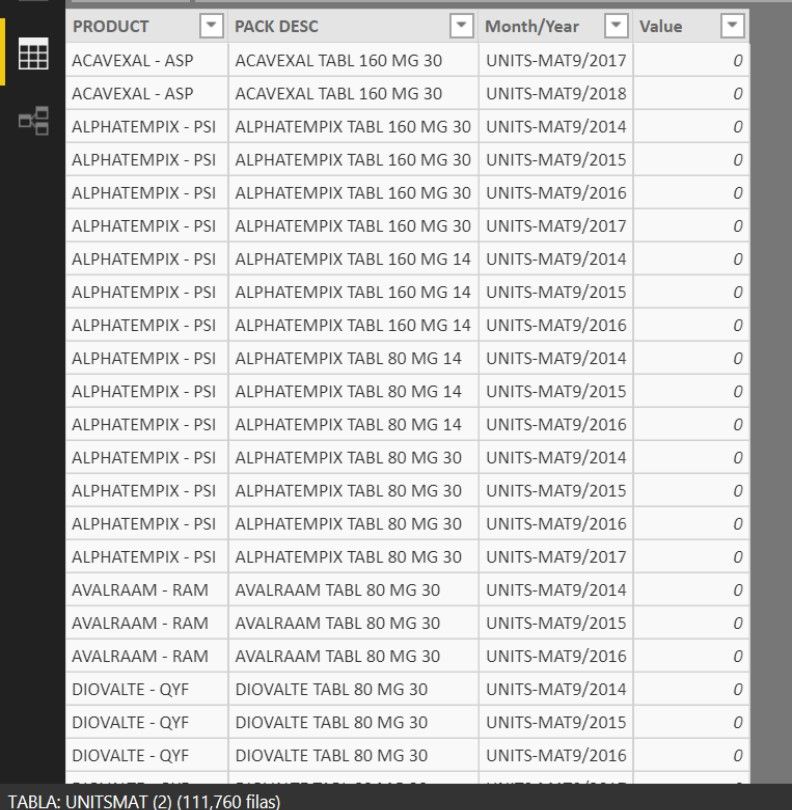
Now I'm having another problem. When I unpivot the table the column of month/year doesn't respect the order

t.jpg

As you can see. 

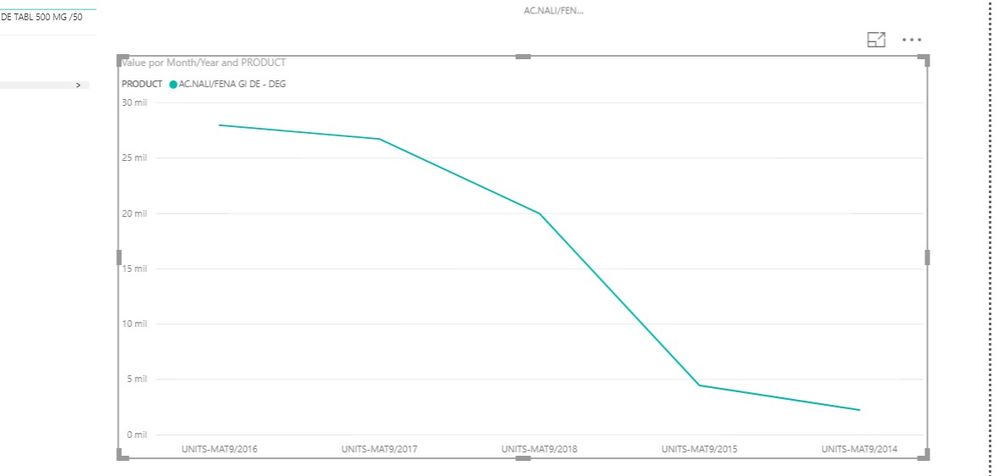
And When I create the graph also It doesn't haver order in the axis

grad.jpg

You know how I can solve this?

Thank you for your help. 


Helpful resources

Announcements
Power BI DataViz World Championships

Power BI Dataviz World Championships

The Power BI Data Visualization World Championships is back! Get ahead of the game and start preparing now!

December 2025 Power BI Update Carousel

Power BI Monthly Update - December 2025

Check out the December 2025 Power BI Holiday Recap!

FabCon Atlanta 2026 carousel

FabCon Atlanta 2026

Join us at FabCon Atlanta, March 16-20, for the ultimate Fabric, Power BI, AI and SQL community-led event. Save $200 with code FABCOMM.