Join us at FabCon Atlanta from March 16 - 20, 2026, for the ultimate Fabric, Power BI, AI and SQL community-led event. Save $200 with code FABCOMM.
Register now!Learn from the best! Meet the four finalists headed to the FINALS of the Power BI Dataviz World Championships! Register now
Hi - I have aproblem with a lack of content in my Sharepoint folder.
Here are the steps:
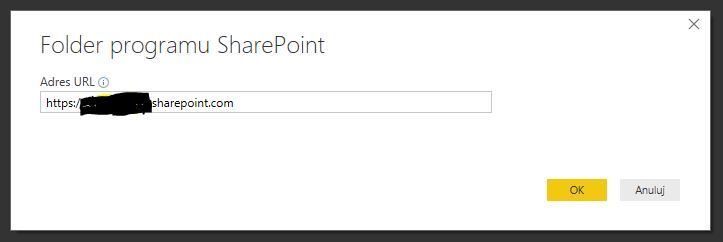
1. I create a new connection to sharepoint
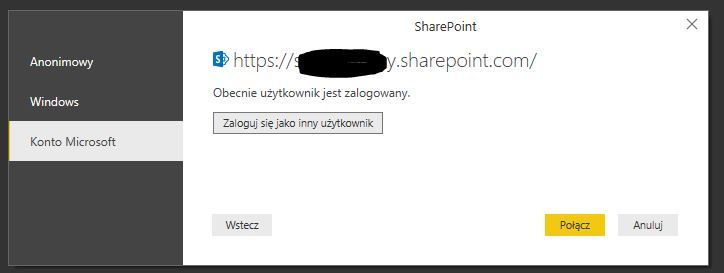
2. I login with my company account
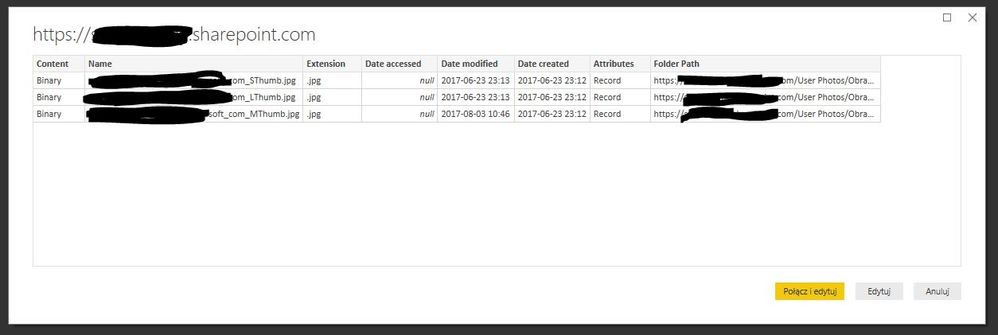
3. Although I have a fully working OneDrive for Business account with a lot of data, I only see some 3 pictures in the content:
Those 3 files are some thumb pictures from "Profile pictures"
Where is the rest of my data???
Regards
RK
Do you have admin rights to the SharePiont folder? You think you could ask your co-worker to try to connect from a different PC, see if they can connect.
Tks, N -
Hi - this is a OneDrive for Business set for only one accout, that is the admin. It is used for o one-person company.
Perhaps I should change some settings in SharePoint?
I have tried this on two computers with the same effect.
Hello,
Yes, I would definitely start experimenting with the different Sharepoint settings. Another advise is to create a list on your sharepoint and try to see if you can access that data with Sharepoint Online List connector.
Nick -
Share feedback directly with Fabric product managers, participate in targeted research studies and influence the Fabric roadmap.
Check out the February 2026 Power BI update to learn about new features.
| User | Count |
|---|---|
| 52 | |
| 50 | |
| 34 | |
| 15 | |
| 14 |
| User | Count |
|---|---|
| 94 | |
| 77 | |
| 41 | |
| 26 | |
| 25 |