cancel
Showing results for 
Search instead for 
Did you mean: 

The Power BI Data Visualization World Championships is back! Get ahead of the game and start preparing now! Learn more

Reply
mau_habert
Helper I
Helper I

Problem with Shape Map visualization

Hello PBI community,


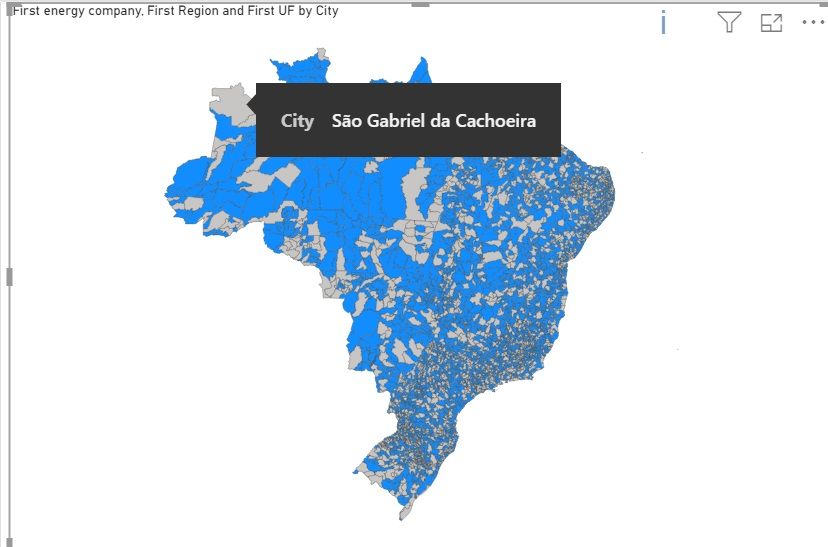
I'm trying to visualize the map of Brazilian cities through the Shape Map in PBI, but I'm dealing with the following problem as shown in the image below:
duvida.JPG

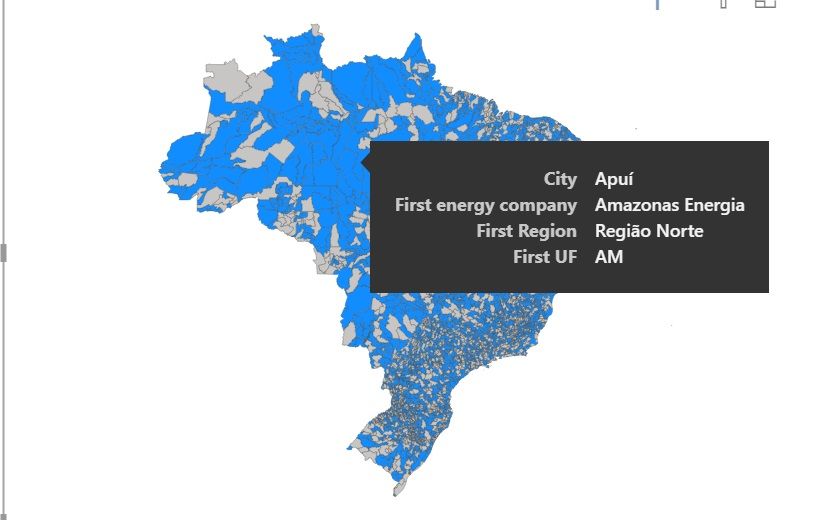
As you can see, many cities are coloured by grey, which means that PBI didnt recognize the key ID for these specific regions, like the selected city in the example: "São Gabriel da Cachoeira". In this case, I can't see the additional information from that region in the tooltip. Here one example of the information that I see to a "recognized" region:
 

duvida2.jpg


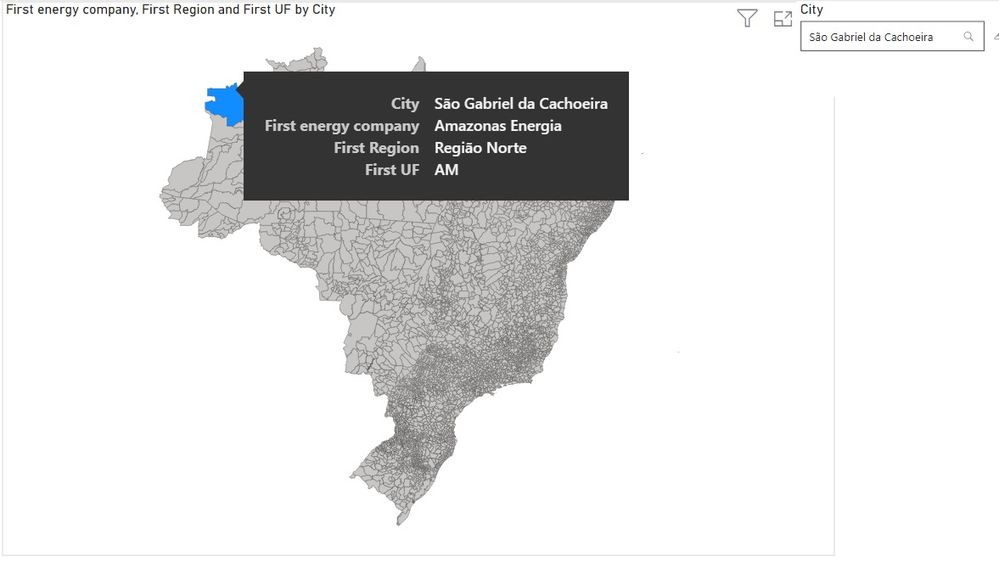
However, when I select with the slicer the name of one specific city previously couloured in grey in the general map vision, here what I get (same city that was in grey "São Gabriel da Cachoeira"):
 

duvida3.jpg


Now, with the slicer selection, the region is recognized and PBI bring me the information to the specific city.


Do you guys have any idea of what is happening here?


I'm sending in the google drive link below the PBI file and the TopoJSON file.


https://drive.google.com/drive/folders/1J22UlUlIOEFiKrh-UMKLwMK3QVtuotUl?usp=sharing


Thanks in advance


1 ACCEPTED SOLUTION
HotChilli
Community Champion
Community Champion

You can see the 'i' in the first screenshot (Too many values)


I think there is an artificial limit on the number of plot points in the shapemap (similar to the other map visuals).

So you can see x amount of plot points but not 5231 

View solution in original post

2 REPLIES 2
HotChilli
Community Champion
Community Champion

You can see the 'i' in the first screenshot (Too many values)


I think there is an artificial limit on the number of plot points in the shapemap (similar to the other map visuals).

So you can see x amount of plot points but not 5231 

Thanks @HotChilli , I didn't realize that "i". That's exactly what you said: "Too many values. Not displaying all data. Filter the data or choose another field."

Helpful resources

Announcements
Power BI DataViz World Championships

Power BI Dataviz World Championships

The Power BI Data Visualization World Championships is back! Get ahead of the game and start preparing now!

December 2025 Power BI Update Carousel

Power BI Monthly Update - December 2025

Check out the December 2025 Power BI Holiday Recap!

FabCon Atlanta 2026 carousel

FabCon Atlanta 2026

Join us at FabCon Atlanta, March 16-20, for the ultimate Fabric, Power BI, AI and SQL community-led event. Save $200 with code FABCOMM.