Join us at FabCon Atlanta from March 16 - 20, 2026, for the ultimate Fabric, Power BI, AI and SQL community-led event. Save $200 with code FABCOMM.
Register now!The Power BI Data Visualization World Championships is back! Get ahead of the game and start preparing now! Learn more
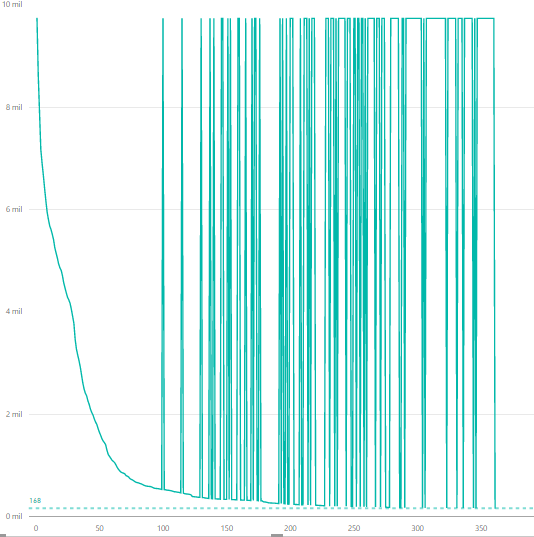
I am trying to plot an accumulative count. When one value is missing in the X-axis, it is replaced by the total value of the counting. I have been trying to fix this setting the VALUES() parameter. But when I do that I can not use the filters with more than one column. Is there something wrong in the following code?
N_acum= CALCULATE(sum(data[NumBills]);filter(ALLSELECTED(Data);data[MDays] >= max(data[MDays])))
N_acum= CALCULATE(sum(data[NumBills]);filter(ALLSELECTED(Data);data[MDays] >= max(data[MDays])); VALUES(data[ID]))
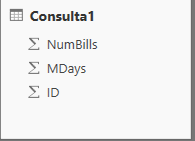
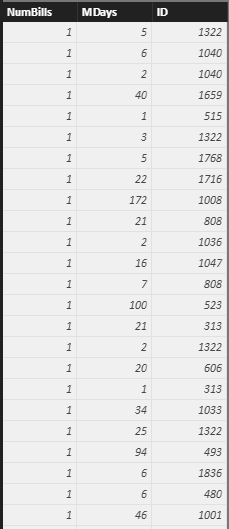
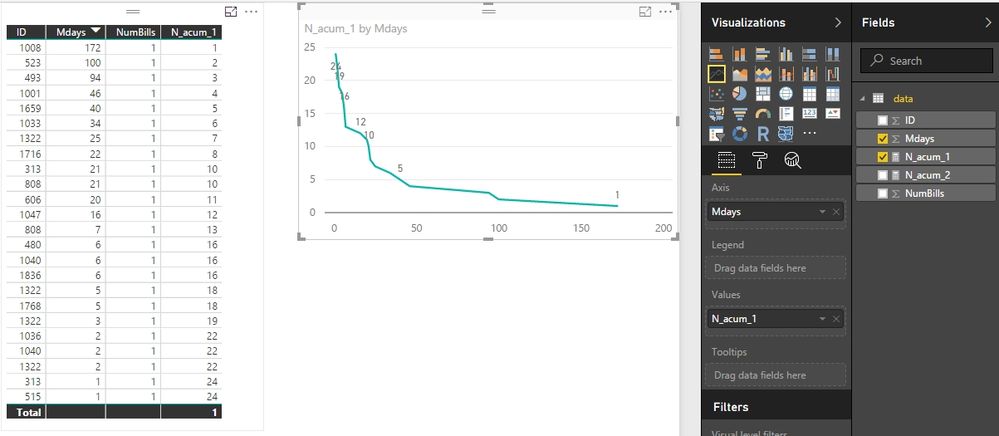
the structure of the data base is like that:
thank you in advance
Solved! Go to Solution.
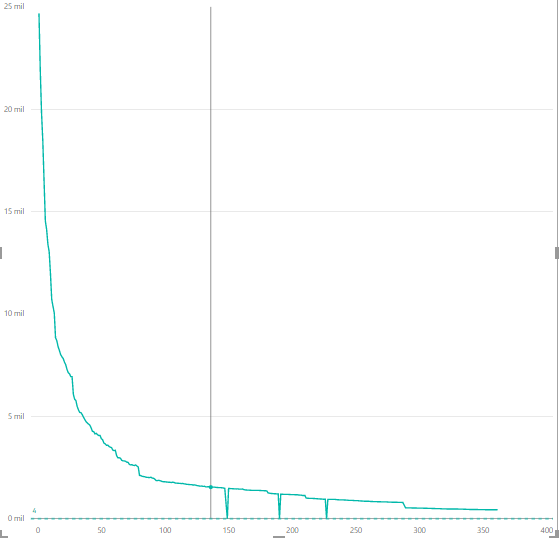
I selected Mdays for Axis and N_acum for Line chart as below. Is it same as your chart?
BTW, what do you mean “one value is missing in the X-axis”?
Best Regards,
Herbert
Could you please provide your table structure and which columns/measures do you select in the visual chart?
I try to repro your problem according to your measure formula but have no success.
Best Regards,
Herbert
hi Herbert, I've already changed the original message.
thank you for your help
I selected Mdays for Axis and N_acum for Line chart as below. Is it same as your chart?
BTW, what do you mean “one value is missing in the X-axis”?
Best Regards,
Herbert
It work, I didnt't understand correctly the values parameter, sorry...
Thank you for your help
The Power BI Data Visualization World Championships is back! Get ahead of the game and start preparing now!
| User | Count |
|---|---|
| 38 | |
| 37 | |
| 34 | |
| 31 | |
| 27 |
| User | Count |
|---|---|
| 136 | |
| 99 | |
| 73 | |
| 66 | |
| 65 |