Join us at FabCon Atlanta from March 16 - 20, 2026, for the ultimate Fabric, Power BI, AI and SQL community-led event. Save $200 with code FABCOMM.
Register now!The Power BI Data Visualization World Championships is back! Get ahead of the game and start preparing now! Learn more
We have built a table in CDS/Dataverse, and built a PowerApp on it. This works fine, however when trying to connect PowerBI to the table to start building reports, I am getting a strange error which I have seen on some old SQL connections, but never for a Dataverse connection.:
Trying to load data source: Dataverse
Select Table and
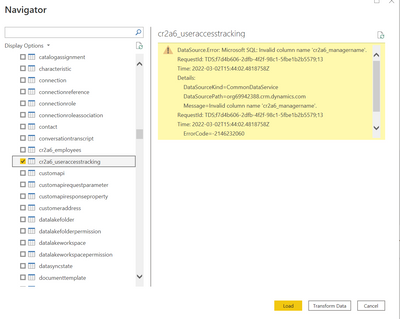
DataSource.Error: Microsoft SQL: Invalid column name 'cr2a6_managername'.
RequestId: TDS;f7d4b606-2dfb-4f2f-98c1-5fbe1b2b5579;13
Time: 2022-03-02T15:44:02.4818758Z
Details:
DataSourceKind=CommonDataService
DataSourcePath=org69942388.crm.dynamics.com
Message=Invalid column name 'cr2a6_managername'.
RequestId: TDS;f7d4b606-2dfb-4f2f-98c1-5fbe1b2b5579;13
Time: 2022-03-02T15:44:02.4818758Z
ErrorCode=-2146232060
Number=40000
Class=16
Now, the column it is complaining about does not exist in the table, although it did a couple weeks ago when the initial table was created. it was removed however, and it appears for some reason it is still being presented as part of the schema for the table. Any ideas on how i can get teh schema presented to PowerBI to update or a way to make this work?
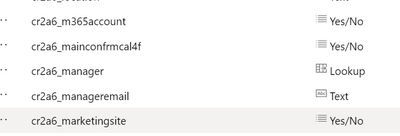
can't believe that there seems to be no automatic way to adapt to a changed table schema ... and what if the underlying schema has new additional columns, how to get them back?
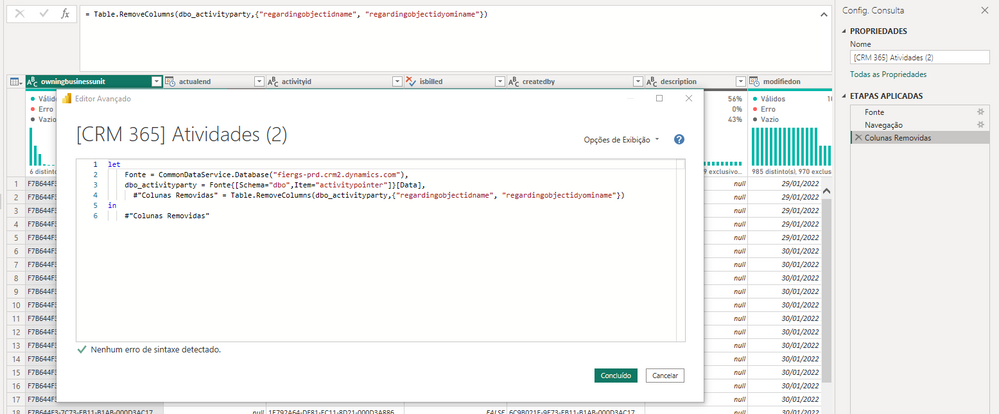
It was happening the same error with me while querying dataverse tables. In my case the columns regardingobjectidname and regardingobjectidyominame weren't being found. I've just oppened the advanced editor and written in the next row the column remove function and it worked!
The same error:
What i've done to get rid of it:
Hi @Anonymous ,
According to your description, here's a similar thread, it's workaroud is to press Ctrl+Shift+R which refreshes intellisense, close the query window (save if necessary), then start a new session which usually works quite well.
Best Regards,
Community Support Team _ kalyj
If this post helps, then please consider Accept it as the solution to help the other members find it more quickly.
The Power BI Data Visualization World Championships is back! Get ahead of the game and start preparing now!
| User | Count |
|---|---|
| 40 | |
| 36 | |
| 33 | |
| 29 | |
| 26 |
| User | Count |
|---|---|
| 134 | |
| 104 | |
| 63 | |
| 60 | |
| 55 |