FabCon is coming to Atlanta
Join us at FabCon Atlanta from March 16 - 20, 2026, for the ultimate Fabric, Power BI, AI and SQL community-led event. Save $200 with code FABCOMM.
Register now!- Power BI forums
- Get Help with Power BI
- Desktop
- Service
- Report Server
- Power Query
- Mobile Apps
- Developer
- DAX Commands and Tips
- Custom Visuals Development Discussion
- Health and Life Sciences
- Power BI Spanish forums
- Translated Spanish Desktop
- Training and Consulting
- Instructor Led Training
- Dashboard in a Day for Women, by Women
- Galleries
- Data Stories Gallery
- Themes Gallery
- Contests Gallery
- QuickViz Gallery
- Quick Measures Gallery
- Visual Calculations Gallery
- Notebook Gallery
- Translytical Task Flow Gallery
- TMDL Gallery
- R Script Showcase
- Webinars and Video Gallery
- Ideas
- Custom Visuals Ideas (read-only)
- Issues
- Issues
- Events
- Upcoming Events
The Power BI Data Visualization World Championships is back! Get ahead of the game and start preparing now! Learn more
- Power BI forums
- Forums
- Get Help with Power BI
- Desktop
- Re: Previous Month Compare
- Subscribe to RSS Feed
- Mark Topic as New
- Mark Topic as Read
- Float this Topic for Current User
- Bookmark
- Subscribe
- Printer Friendly Page


- Mark as New
- Bookmark
- Subscribe
- Mute
- Subscribe to RSS Feed
- Permalink
- Report Inappropriate Content
Previous Month Compare
Hi Everyone,
I have the month and the "count of the month" but what i am trying to do, is find the difference and the % change against the previous month.
I created the data in Excel so you get a picture of what i am trying to do.
- The % Change is ((Month/previous month)-1)
- "Count of Month" is a measure.
| Month | Count of Month | Difference | % Change |
| Jan-17 | 39224 | ||
| Feb-17 | 56580 | 17356 | 44% |
| Mar-17 | 76302 | 19722 | 35% |
| Apr-17 | 148072 | 71770 | 94% |
| May-17 | 367138 | 219066 | 148% |
| Jun-17 | 155014 | -212124 | -58% |
| Jul-17 | 227602 | 72588 | 47% |
| Aug-17 | 80799 | -146803 | -64% |
| Sep-17 | 275734 | 194935 | 241% |
| Oct-17 | 202661 | -73073 | -27% |
| Nov-17 | 134777 | -67884 | -33% |
| Dec-17 | 141884 | 7107 | 5% |
Thanks in advance
Solved! Go to Solution.


- Mark as New
- Bookmark
- Subscribe
- Mute
- Subscribe to RSS Feed
- Permalink
- Report Inappropriate Content
Hi @Jorgast,
You can try these measures:
_Previous Month = CALCULATE(SUM(Table1[Count of Month]); PREVIOUSMONTH(DIM_DATA[Date]))
_Diff = SUM(Table1[Count of Month]) - [_Previous Month]
_% Change = IF(ISBLANK(DIVIDE(SUM(Table1[Count of Month]); [_Previous Month]; 0)) = TRUE(); BLANK(); DIVIDE(SUM(Table1[Count of Month]); [_Previous Month]; 0) - 1)
Be aware it's important to have a date dimension in order to use time intelligence functions.
Thanks,
Ricardo
- Mark as New
- Bookmark
- Subscribe
- Mute
- Subscribe to RSS Feed
- Permalink
- Report Inappropriate Content
How would that work if the count of month is measure?
MEASURE: Count of Month = COUNT(Table[Month])
COLUMN: Month = Format(Table[Month], "MMM - YYYY"


- Mark as New
- Bookmark
- Subscribe
- Mute
- Subscribe to RSS Feed
- Permalink
- Report Inappropriate Content
- Mark as New
- Bookmark
- Subscribe
- Mute
- Subscribe to RSS Feed
- Permalink
- Report Inappropriate Content
Ricardo had the right idea. In your case you just want to show the difference between 2 tables, so you would stop at step #2
_Previous Month = CALCULATE(SUM(Table1[Count of Month]); PREVIOUSMONTH(DIM_DATA[Date]))
_Diff = SUM(Table1[Count of Month]) - [_Previous Month]
_% Change = IF(ISBLANK(DIVIDE(SUM(Table1[Count of Month]); [_Previous Month]; 0)) = TRUE(); BLANK(); DIVIDE(SUM(Table1[Count of Month]); [_Previous Month]; 0) - 1)
- Mark as New
- Bookmark
- Subscribe
- Mute
- Subscribe to RSS Feed
- Permalink
- Report Inappropriate Content
Hi Jorgast,
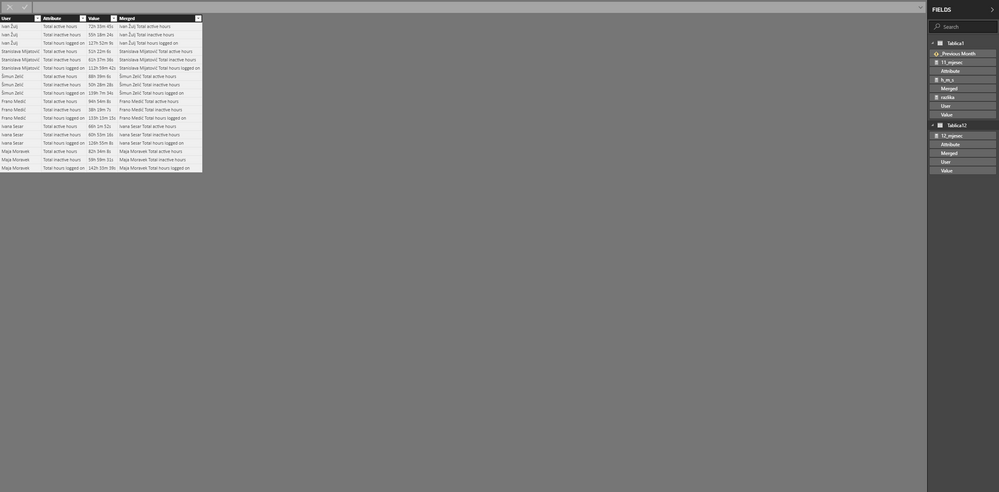
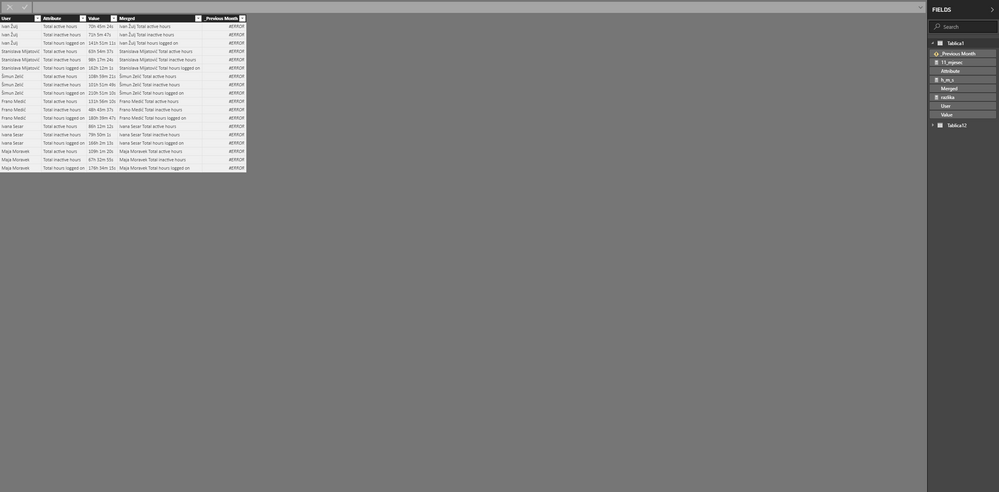
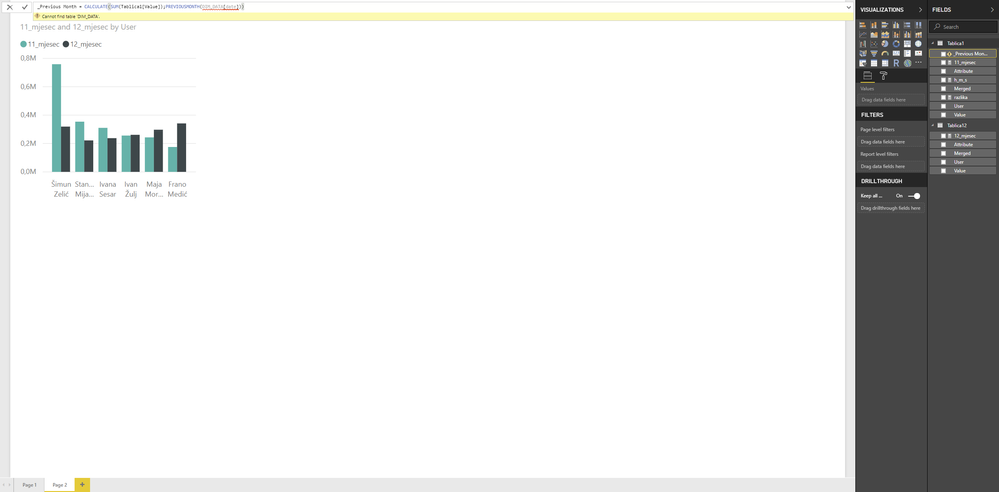
Thank you for your help. I tried this but doesn't work. It shows me that DIM_DATA cannot be found. I will send you some screenshots.

- Mark as New
- Bookmark
- Subscribe
- Mute
- Subscribe to RSS Feed
- Permalink
- Report Inappropriate Content
You are missing a date table or some sort of date. The PReviousMonth Function is uses a date in order to determine what the previos month was. In your case you are using a time data which is different.
- Mark as New
- Bookmark
- Subscribe
- Mute
- Subscribe to RSS Feed
- Permalink
- Report Inappropriate Content
Hi @Jorgast,
You can try these measures:
_Previous Month = CALCULATE(SUM(Table1[Count of Month]); PREVIOUSMONTH(DIM_DATA[Date]))
_Diff = SUM(Table1[Count of Month]) - [_Previous Month]
_% Change = IF(ISBLANK(DIVIDE(SUM(Table1[Count of Month]); [_Previous Month]; 0)) = TRUE(); BLANK(); DIVIDE(SUM(Table1[Count of Month]); [_Previous Month]; 0) - 1)
Be aware it's important to have a date dimension in order to use time intelligence functions.
Thanks,
Ricardo
- Mark as New
- Bookmark
- Subscribe
- Mute
- Subscribe to RSS Feed
- Permalink
- Report Inappropriate Content
How would that work if the count of month is measure?
MEASURE: Count of Month = COUNT(Table[Month])
COLUMN: Month = Format(Table[Month], "MMM - YYYY"
- Mark as New
- Bookmark
- Subscribe
- Mute
- Subscribe to RSS Feed
- Permalink
- Report Inappropriate Content
- Mark as New
- Bookmark
- Subscribe
- Mute
- Subscribe to RSS Feed
- Permalink
- Report Inappropriate Content
I was trying to create the formula for _Previousmonth but i am getting hung up on the Calculate(Sum(count of month), Previousmonth(Table[date]). For my report the count of month is a measure. Can that be done using a measure or would the count of month need to be a column?
- Mark as New
- Bookmark
- Subscribe
- Mute
- Subscribe to RSS Feed
- Permalink
- Report Inappropriate Content
Calculate(Sum(count of month), -> Should you use COUNT instead of SUM ? You just wanna know the quantity of the values, right ?
If you wanna use PREVIOUSMONTH, you should use date (date dimension).
Answering your question... you do it using measure, just be aware the functions you need.

Helpful resources

Power BI Dataviz World Championships
The Power BI Data Visualization World Championships is back! Get ahead of the game and start preparing now!

Power BI Monthly Update - December 2025
Check out the December 2025 Power BI Holiday Recap!

FabCon Atlanta 2026
Join us at FabCon Atlanta, March 16-20, for the ultimate Fabric, Power BI, AI and SQL community-led event. Save $200 with code FABCOMM.

| User | Count |
|---|---|
| 39 | |
| 38 | |
| 38 | |
| 28 | |
| 27 |


| User | Count |
|---|---|
| 124 | |
| 88 | |
| 73 | |
| 66 | |
| 65 |


