cancel
Showing results for 
Search instead for 
Did you mean: 

July 28 - August 9 | Final Round of the Power BI Dataviz World Championships. This is your chance. Learn more

Reply
cgrundy
Regular Visitor

PowerQuery Parameter Multi-Select Reverts to Single-Select on Refresh bug

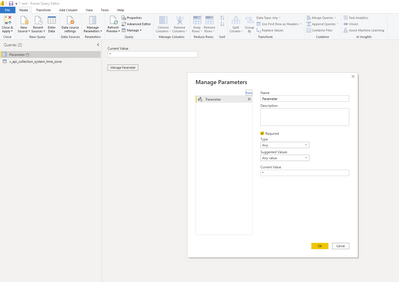
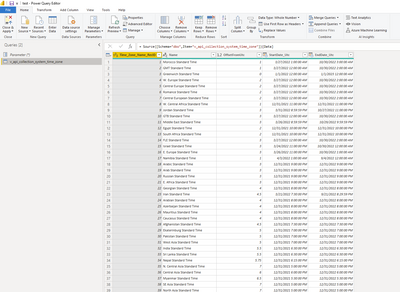
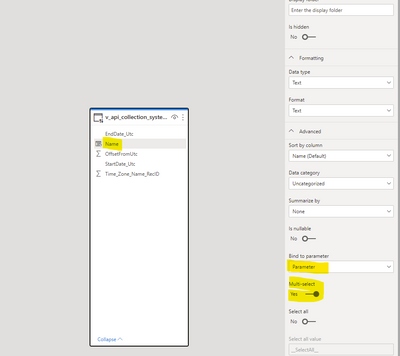
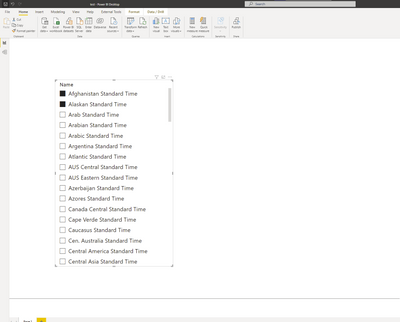
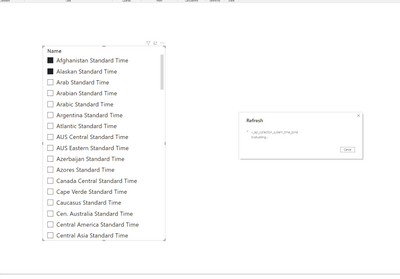
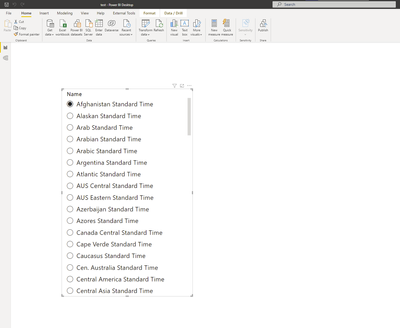
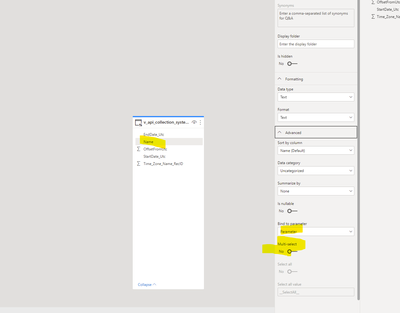
I have one sql table in direct query mode, and one Power Query Paramater of type Any. I can go into the Model and assign one of the columns to the Paramater and select "Multi-Select" and everything works. I can publish to the service and multiselect works, but if i click Refresh on the desktop the Multi-Select turns off and it goes to a single slection...Tried playing with the Visualization->Visual->Slicer settings->Selection->Single Select  but that does not work. Seems to be a bug...able to reproudce on new files easily. See below for screenshots of steps.

cgrundy_0-1652376005453.png

cgrundy_1-1652376037884.png

cgrundy_2-1652376216827.png

cgrundy_3-1652376244721.pngcgrundy_4-1652376259334.png


cgrundy_5-1652376275951.png

cgrundy_6-1652376301569.png


1 ACCEPTED SOLUTION
v-kkf-msft
Community Support
Community Support

Hi @cgrundy ,


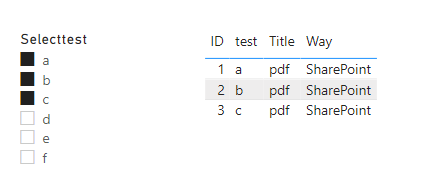
If your use cases require multi-selection (passing multi-values to a single parameter), you must toggle the switch to Yes and ensure that your M query is set up properly to accept multiple values in the M query. Here's an example for Parameter1, which allows for multiple values:


vkkfmsft_0-1652775386922.png

let
    SelectID = if Type.Is(Value.Type(Parameter1),List.Type) then Text.Combine({"'", Text.Combine(Parameter1,"','"),"'"}) else Text.Combine({"'", Parameter1, "'"}),
    Source = Sql.Database(".", "CaseTest", [Query="Select *#(lf)From Query1 where test in (" & SelectID & ")"])
in
    Source

vkkfmsft_1-1652775739308.png


If the problem is still not resolved, please provide detailed error information or the expected result you expect. Let me know immediately, looking forward to your reply.
Best Regards,
Winniz
If this post helps, then please consider Accept it as the solution to help the other members find it more quickly.


View solution in original post

2 REPLIES 2
v-kkf-msft
Community Support
Community Support

Hi @cgrundy ,


If your use cases require multi-selection (passing multi-values to a single parameter), you must toggle the switch to Yes and ensure that your M query is set up properly to accept multiple values in the M query. Here's an example for Parameter1, which allows for multiple values:


vkkfmsft_0-1652775386922.png

let
    SelectID = if Type.Is(Value.Type(Parameter1),List.Type) then Text.Combine({"'", Text.Combine(Parameter1,"','"),"'"}) else Text.Combine({"'", Parameter1, "'"}),
    Source = Sql.Database(".", "CaseTest", [Query="Select *#(lf)From Query1 where test in (" & SelectID & ")"])
in
    Source

vkkfmsft_1-1652775739308.png


If the problem is still not resolved, please provide detailed error information or the expected result you expect. Let me know immediately, looking forward to your reply.
Best Regards,
Winniz
If this post helps, then please consider Accept it as the solution to help the other members find it more quickly.


lbendlin
Super User
Super User

You can raise an issue at https://issues.powerbi.com . If you have a Pro license you can consider raising a Pro ticket at https://powerbi.microsoft.com/en-us/support/pro/

Helpful resources

Announcements
FabCon and SQLCon Barcelona 2026

FabCon & SQLCon – Barcelona 2026

Join us in Barcelona for FabCon and SQLCon, the Fabric, Power BI, SQL, and AI community event. Save €200 with code FABCMTY200.

Fabric Community Sticker Design Challenge Barcelona Carousel

Fabric Community Sticker Challenge - Barcelona 2026

If you love stickers, then you will definitely want to check out our community sticker challenge, Barcelona edition!

July Power BI Update Carousel

Power BI Monthly Update - July 2026

Check out the July 2026 Power BI update to learn about new features.

Power BI DataViz World Championships carousel

Power BI DataViz World Championships - June 2026

A new Power BI DataViz World Championship is coming this June! Don't miss out on submitting your entry.