Share feedback directly with Fabric product managers, participate in targeted research studies and influence the Fabric roadmap.
Sign up nowGet Fabric certified for FREE! Don't miss your chance! Learn more
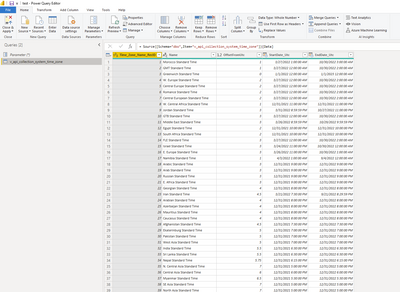
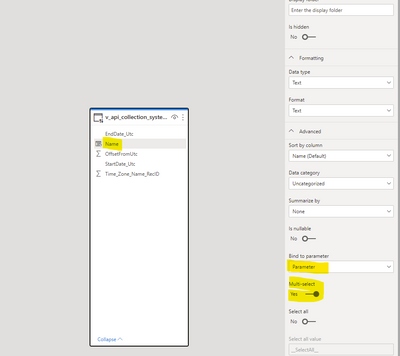
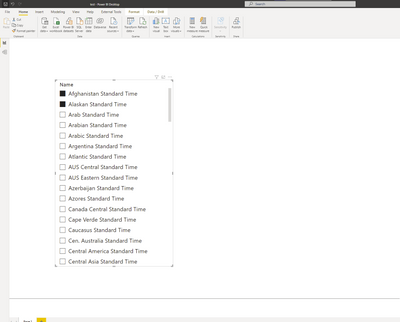
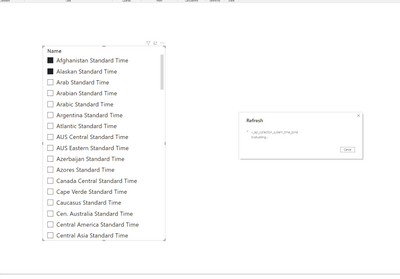
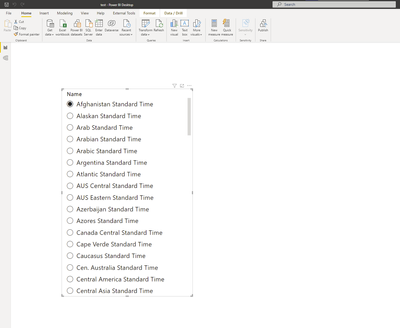
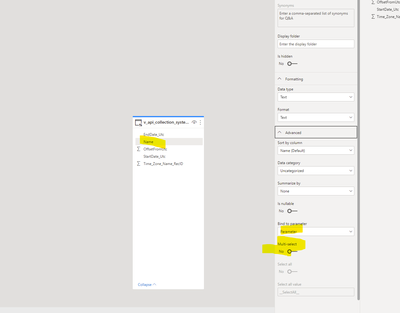
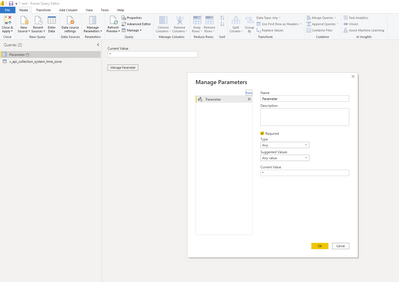
I have one sql table in direct query mode, and one Power Query Paramater of type Any. I can go into the Model and assign one of the columns to the Paramater and select "Multi-Select" and everything works. I can publish to the service and multiselect works, but if i click Refresh on the desktop the Multi-Select turns off and it goes to a single slection...Tried playing with the Visualization->Visual->Slicer settings->Selection->Single Select but that does not work. Seems to be a bug...able to reproudce on new files easily. See below for screenshots of steps.
Solved! Go to Solution.
Hi @cgrundy ,
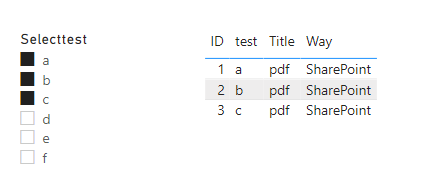
If your use cases require multi-selection (passing multi-values to a single parameter), you must toggle the switch to Yes and ensure that your M query is set up properly to accept multiple values in the M query. Here's an example for Parameter1, which allows for multiple values:
let
SelectID = if Type.Is(Value.Type(Parameter1),List.Type) then Text.Combine({"'", Text.Combine(Parameter1,"','"),"'"}) else Text.Combine({"'", Parameter1, "'"}),
Source = Sql.Database(".", "CaseTest", [Query="Select *#(lf)From Query1 where test in (" & SelectID & ")"])
in
Source
If the problem is still not resolved, please provide detailed error information or the expected result you expect. Let me know immediately, looking forward to your reply.
Best Regards,
Winniz
If this post helps, then please consider Accept it as the solution to help the other members find it more quickly.
Hi @cgrundy ,
If your use cases require multi-selection (passing multi-values to a single parameter), you must toggle the switch to Yes and ensure that your M query is set up properly to accept multiple values in the M query. Here's an example for Parameter1, which allows for multiple values:
let
SelectID = if Type.Is(Value.Type(Parameter1),List.Type) then Text.Combine({"'", Text.Combine(Parameter1,"','"),"'"}) else Text.Combine({"'", Parameter1, "'"}),
Source = Sql.Database(".", "CaseTest", [Query="Select *#(lf)From Query1 where test in (" & SelectID & ")"])
in
Source
If the problem is still not resolved, please provide detailed error information or the expected result you expect. Let me know immediately, looking forward to your reply.
Best Regards,
Winniz
If this post helps, then please consider Accept it as the solution to help the other members find it more quickly.
You can raise an issue at https://issues.powerbi.com . If you have a Pro license you can consider raising a Pro ticket at https://powerbi.microsoft.com/en-us/support/pro/
If you love stickers, then you will definitely want to check out our Community Sticker Challenge!
Check out the January 2026 Power BI update to learn about new features.
| User | Count |
|---|---|
| 65 | |
| 65 | |
| 45 | |
| 21 | |
| 18 |
| User | Count |
|---|---|
| 115 | |
| 114 | |
| 38 | |
| 36 | |
| 26 |