cancel
Showing results for 
Search instead for 
Did you mean: 

Join the FabCon + SQLCon recap series. Up next: Power BI, Real-Time Intelligence, IQ and AI, and Data Factory take center stage. All sessions are available on-demand after the live show. Register now

Reply
artur
Frequent Visitor

PowerBi explore live Multidimensional - no model error, the source does not support live connectivit

Hi guys, I just encountered an issue connecting live to a Multidimensioinal istance using power bi desktop, april 2016 update. No problems at all with Tabular istances.

Here's the screenshot:
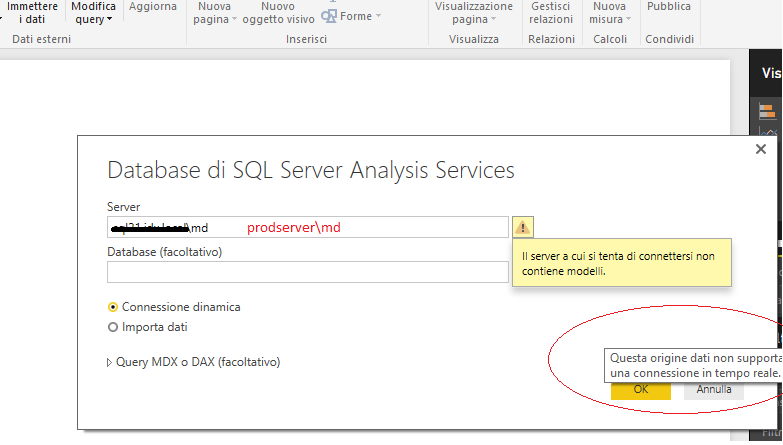
 

prodserver.png

Power Bi is telling me that this source does not support live connectivity and even that the server does not contain models.

The prodserver has md multidimensional instance:
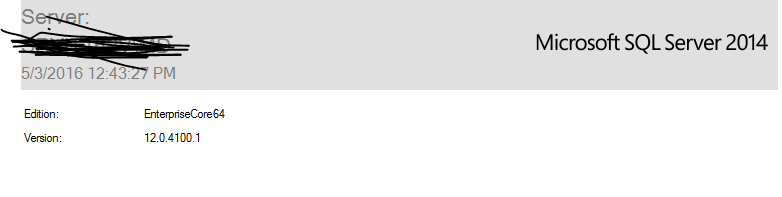
prodserverversion.PNG

Here is stated that:

  • Only Enterprise and Business Intelligence editions of SQL Server are supported for MD connectivity

This is my case, it is a sql server analysis services multidimensional enterprisecore64 edition.


I also tried to connect with DAX Studio (it is a client that query multidimensional or tabular only using dax) to the multidimensional instance and it worked:dax prodserver.png
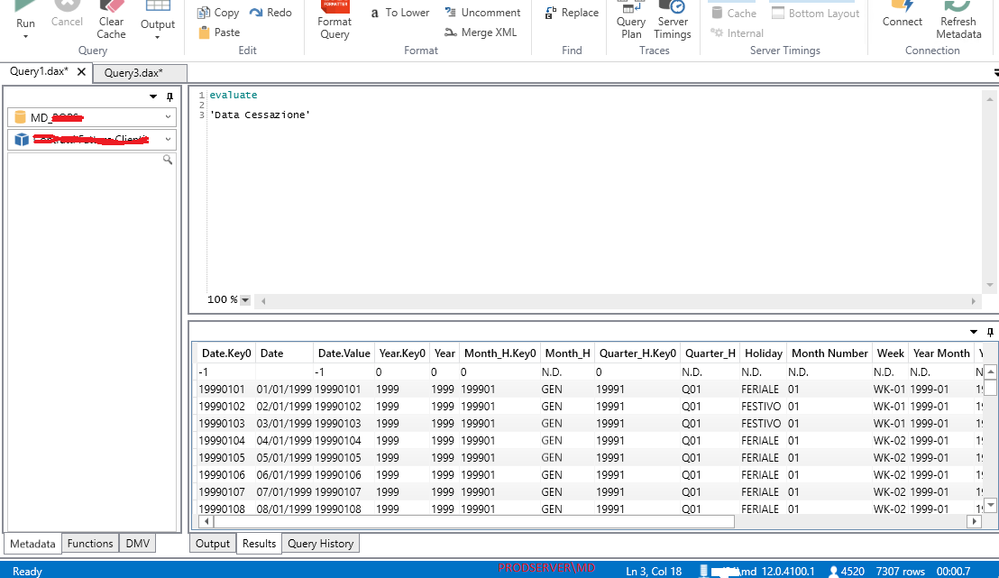
Because of this, I suspect Power Bi Desktop have an issue connecting live to multidimensional models.


I must add that we also have a test environment where it is available a ssas multidimensional istance:
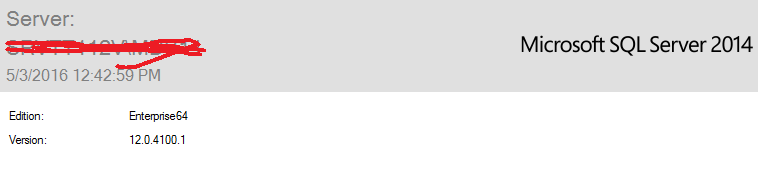
testserver.png

And Power BI Desktop successfully connects in live mode.

The thing to be pointed out is that the prod server has EnterpriseCore64 edition wheareas the test server has Enterprise64 edition.


We have exposed the multidimensional databases to the powerbi service using enterprise gateway and from power bi service (Get Data, from Analysis Services) we are able to query live the multidimensional cubes!


Is there anyone experiencing the same thing?


5 REPLIES 5
mistophiles
Advocate I
Advocate I

Hi,


we are experiecing the exact same issue. PBi Desktop will not conenct to a live SSMD instance unless you also provie the (optional) database name. 


Unfortunately, for our exting content packs there is no way to edit the datasource settings and specify the server and database! So we cannot update our existing content packs at the moment which has led to a decrease in satisfaction by the business users and also us the technical team. 


We have not had luck with a solution yet.


Andrew


Hello, the problem is because you have on the MD istance some MD databases that are not processed.

Just process all the unprocessed MD databases and retry.


BR

Wow thank you! We did have unprocessed SSAS dbs.


Cant believe that could be an issue.


A

artur
Frequent Visitor

no one is facing the same issue? Really?

Please install the latest update of Power BI Desktop. I have get this issue in April Update.


Capture2.PNG

Capture3.PNG

Capture1.PNG


Regards,

Helpful resources

Announcements
April Power BI Update Carousel

Power BI Monthly Update - April 2026

Check out the April 2026 Power BI update to learn about new features.

New to Fabric survey Carousel

New to Fabric Survey

If you have recently started exploring Fabric, we'd love to hear how it's going. Your feedback can help with product improvements.

Power BI DataViz World Championships carousel

Power BI DataViz World Championships - June 2026

A new Power BI DataViz World Championship is coming this June! Don't miss out on submitting your entry.

FabCon and SQLCon Highlights Carousel

FabCon &SQLCon Highlights

Experience the highlights from FabCon & SQLCon, available live and on-demand starting April 14th.