Get certified for free when you join Fabric Data Days 2026 and dive into Fabric, Power BI, SQL, AI, and other essential data skills.
Join nowData Days is here! Join us now for 60+ days of learning, challenges, and connection. Learn more
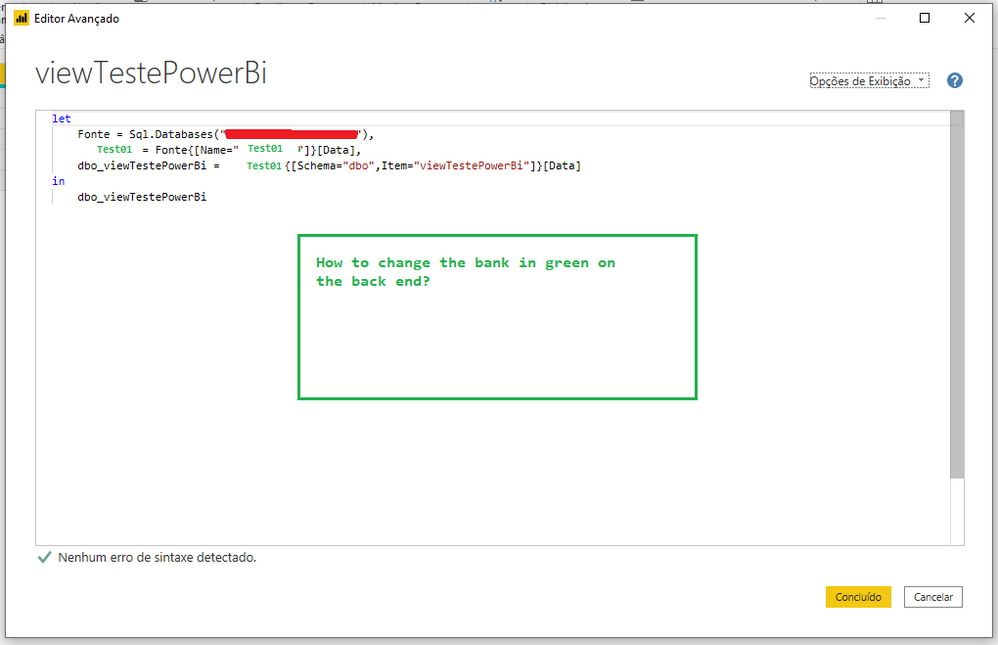
Hi, could someone help me? I would like to connect to an SQL database, however, would I like to be able to change that database on the back end? Or instead of connecting to the bank indicating the bank name, connect using a connection string (from web.config). Any tips?
Is it possible for the same PowerBi to be used with more than one database? WebConfig bank.
Solved! Go to Solution.
Hi @GustavoSouza ,
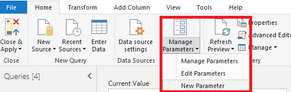
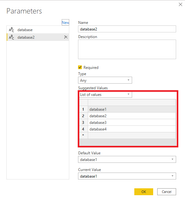
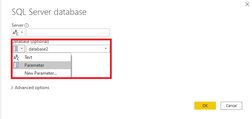
1.You can try to create a parameter in Query Editor to solve your database name, when you connect to data source, just transfer the value in the parameter to connect
2.You can use more than one databases in the same power bi if the connection mode is Import or Direct Query.
Best Regards,
Yingjie Li
If this post helps then please consider Accept it as the solution to help the other members find it more quickly.
Hi @GustavoSouza ,
1.You can try to create a parameter in Query Editor to solve your database name, when you connect to data source, just transfer the value in the parameter to connect
2.You can use more than one databases in the same power bi if the connection mode is Import or Direct Query.
Best Regards,
Yingjie Li
If this post helps then please consider Accept it as the solution to help the other members find it more quickly.
Hi, thank you very much for responding. I haven't had time to test yet, but as soon as I get it, I'll leave feedback here.
Don't miss out on Data Days, June 15 through August 7. Learn Fabric, Power BI, SQL, AI and more.
Check out the May 2026 Power BI update to learn about new features.
| User | Count |
|---|---|
| 23 | |
| 23 | |
| 21 | |
| 20 | |
| 15 |
| User | Count |
|---|---|
| 58 | |
| 55 | |
| 43 | |
| 30 | |
| 24 |