cancel
Showing results for 
Search instead for 
Did you mean: 

Get Fabric Certified for FREE during Fabric Data Days. Don't miss your chance! Request now

Reply
Anonymous
Not applicable

Power Bi desktop can't connect to Analysis Services Server

Hello Evryone


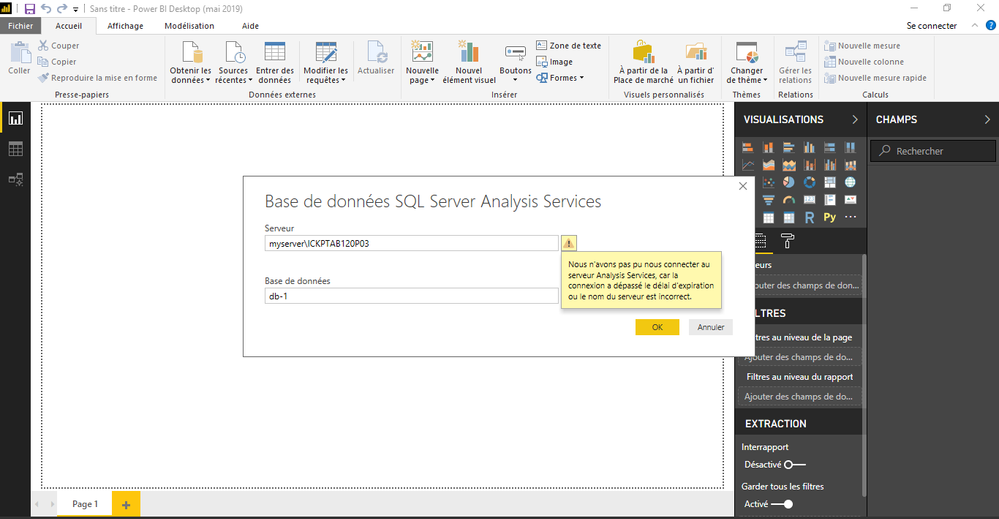
i'm having this probem since past 3 days now. I have an SSAS Serveur which i usually connect via my pbi desktop, but since last 3 day i'm having this message: "can't connect to the ssas server connection timeout ". i tried many kind of solutions that i saw on the internet but still have the same error.

can someone help me to solve this issue please Capture111111111.PNG

6 REPLIES 6
parry2k
Super User
Super User

@Anonymous can you test if you connect to your server with other tools like SSMS?


Subscribe to the @PowerBIHowTo YT channel for an upcoming video on List and Record functions in Power Query!!

Learn Power BI and Fabric - subscribe to our YT channel - Click here: @PowerBIHowTo

If my solution proved useful, I'd be delighted to receive Kudos. When you put effort into asking a question, it's equally thoughtful to acknowledge and give Kudos to the individual who helped you solve the problem. It's a small gesture that shows appreciation and encouragement! ❤


Did I answer your question? Mark my post as a solution. Proud to be a Super User! Appreciate your Kudos 🙂
Feel free to email me with any of your BI needs.

Anonymous
Not applicable

@parry2k when i'm using SSMS im able to connect to the SSAS server, and when i'm trying to connect using the import option i'm able to connect to the SSAS using my PBI desktop but with direct query, still not working

Hi @Anonymous ,

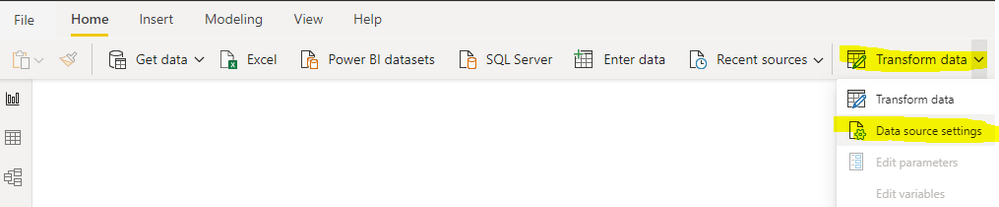
Firstly, you may need to install the latest version of Power BI Desktop. Many features will be updated with the new one. And please clear the permission of SSAS and try re-connecting it.

Data source settings.PNGClear permissions.PNG


Or you also could try to change the property of ExternalCommandTimeout to a big value rather than the default value(3600).

General properties 


Best Regards,

Xue Ding

If this post helps, then please consider Accept it as the solution to help the other members find it more quickly.

Best Regards,
Xue Ding
If this post helps, then please consider Accept it as the solution to help the other members find it more quickly.
Anonymous
Not applicable

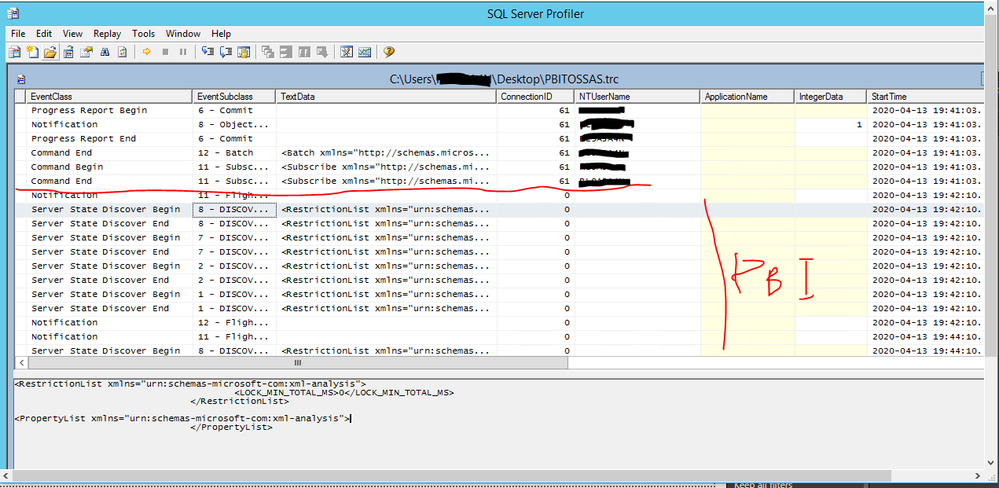
@v-xuding-msft  i did what you said but still i'm having the same problem, and i create a profiler to see if the ssas is getting the credential but it seems not here the picture. do you have an idea ?abd1.PNG

Hi @Anonymous ,

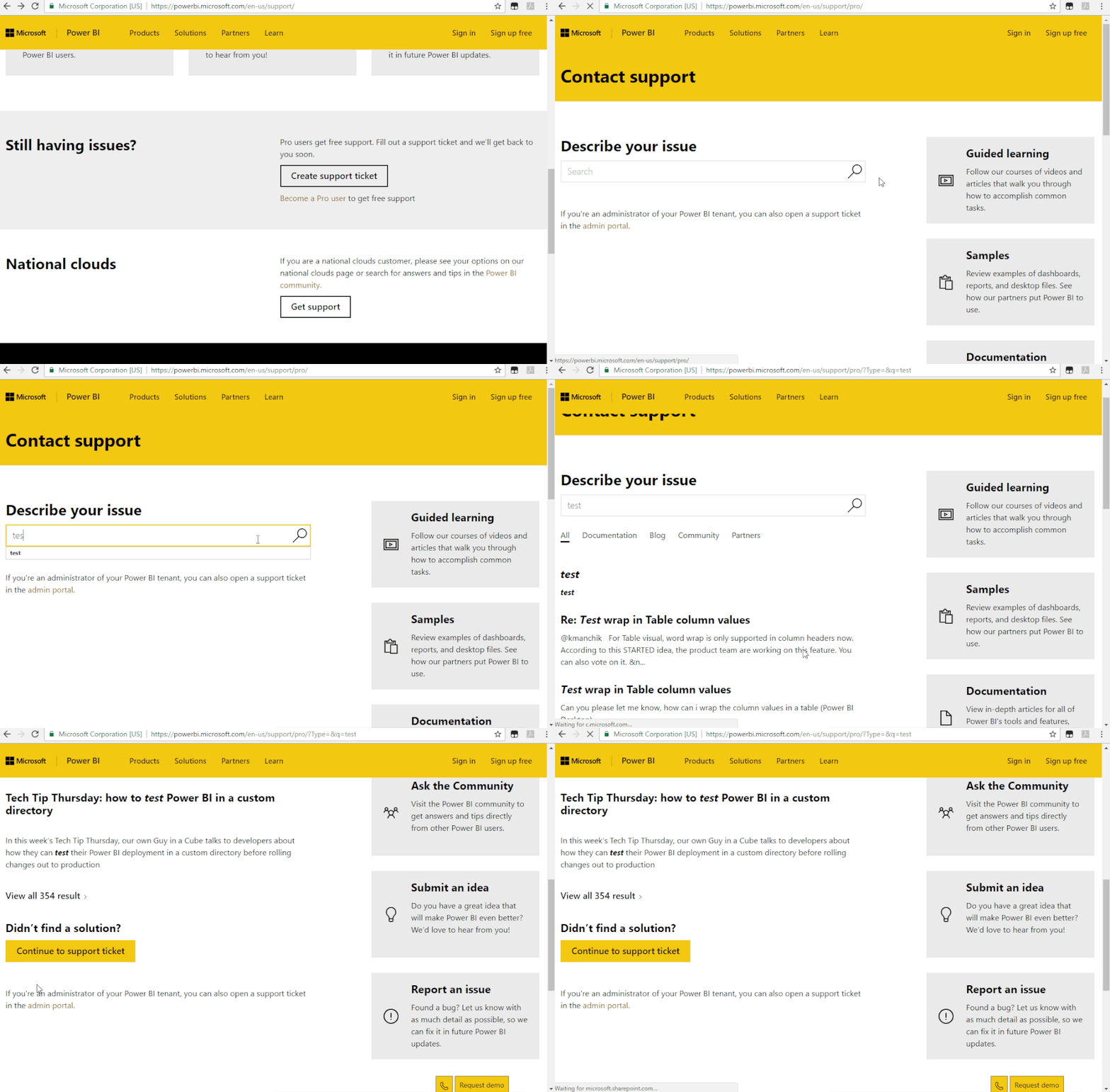
Sorry for late back.  And sorry that It can't work for you. Maybe you could try creating a support ticket to get the dedicated support. 

Support Ticket.gif

Best Regards,
Xue Ding
If this post helps, then please consider Accept it as the solution to help the other members find it more quickly.
Anonymous
Not applicable

hello someone to help? still have the same pb 🙂

Helpful resources

Announcements
November Power BI Update Carousel

Power BI Monthly Update - November 2025

Check out the November 2025 Power BI update to learn about new features.

Fabric Data Days Carousel

Fabric Data Days

Advance your Data & AI career with 50 days of live learning, contests, hands-on challenges, study groups & certifications and more!

FabCon Atlanta 2026 carousel

FabCon Atlanta 2026

Join us at FabCon Atlanta, March 16-20, for the ultimate Fabric, Power BI, AI and SQL community-led event. Save $200 with code FABCOMM.

Top Solution Authors
Top Kudoed Authors