Join us at FabCon Atlanta from March 16 - 20, 2026, for the ultimate Fabric, Power BI, AI and SQL community-led event. Save $200 with code FABCOMM.
Register now!The Power BI Data Visualization World Championships is back! Get ahead of the game and start preparing now! Learn more
I have a client who's trying to publish a table that's visible, but only has a single column that's hidden.
He's trying to have a table with no existing measures (called Report Measure) that's an anchor point for report designers to attach their report-specific measures.
All other tools show the table but Power BI Desktop automatically hides a table that has no visible columns.
This seems like a bug.
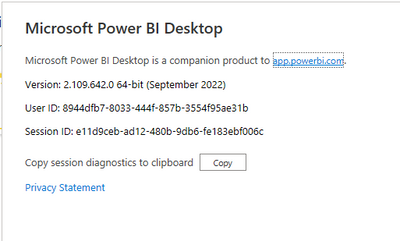
Have the same issue with the above version of PBI Desktop connecting to SSAS 2017 (tabular model database in 1200 compatibility). We have a few tables where a handle full of columns is hidden, but PBI Desktop hides the entire table. Strange though the Sep 2021 RS PBI Desktop version doesn't behave this way and correctly shows the table(s) with only the visible columns available.
I should add that this is a tabular model in Azure Analysis Services, accessed via Live Query.
Check out the November 2025 Power BI update to learn about new features.
Advance your Data & AI career with 50 days of live learning, contests, hands-on challenges, study groups & certifications and more!