Get certified for free when you join Fabric Data Days 2026 and dive into Fabric, Power BI, SQL, AI, and other essential data skills.
Join nowTry your skills in the Power BI Dataviz World Championship! Round one ends June 26. Join now
Hi Everyone,
I'm trying to connect to my external application through RESTFUL WEB services from powerbi desktop. I'm new to powerbi application, could you please help me out.
let
url = "https://XXX/api/",
body = "{""token"": ""XXXXXX"",""content"":""record"",""format"":""json"",""type"":""flat"",""returnformat"":""json""
}",
Source = Json.Document(Web.Contents(url,[
Headers = [#"Content-Type"="application/json"],
Content = Text.ToBinary(body)
]
))
in
Source

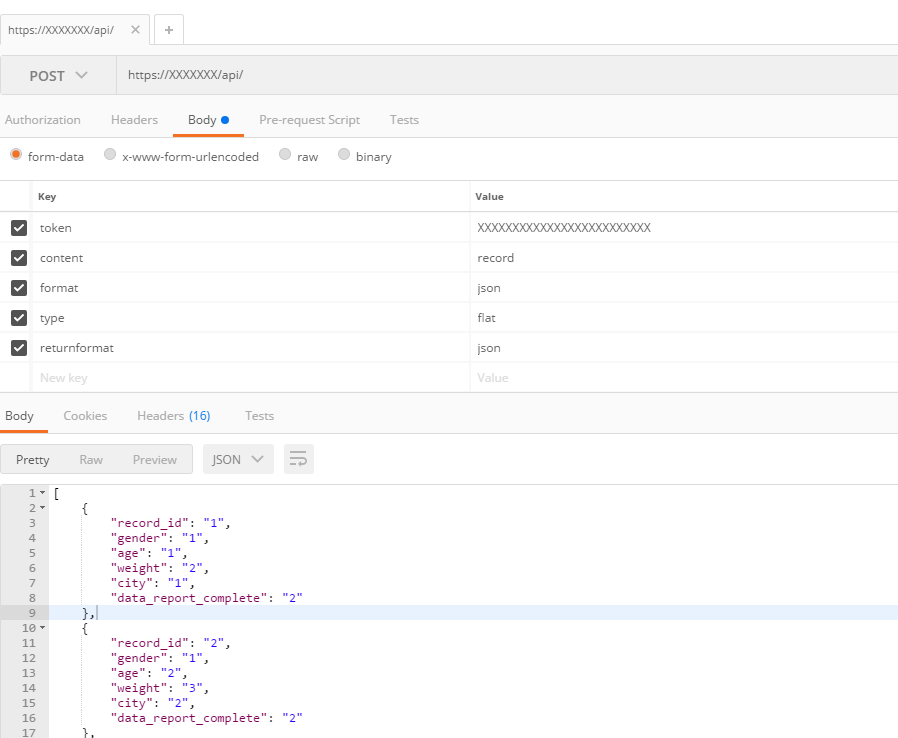
the external application supports only POST method - I tried with the Google Chrome postman with same parameters it worked. I don't know how to do it this in powerbi
Regards,
Naveen
https://blog.crossjoin.co.uk/2014/04/19/web-services-and-post-requests-in-power-query/
Chris shows how to send a POST here.
Thanks,
I checked with https://blog.crossjoin.co.uk/2014/04/19/web-services-and-post-requests-in-power-query/ post, I'm getting same error.
Now, I'm getting the below error
DataSource.Error: Web.Contents with the Content option is only supported when connecting anonymously.
Details:
DataSourceKind=Web
DataSourcePath=XXXX/api
let
url = "XXXXXXXXXXXX/api/",
body = "{""token"": ""XXXXXXXXXXXXXXXXXXXXXX"",""content"":""record"",""format"":""json"",""type"":""flat"",""returnformat"":""json""
}",
Source = Json.Document(Web.Contents(url,
[
Headers = [#"Content-Type"="application/json"],
Content=Text.ToBinary(body)
]
)
)
in
Source
Sorry, I am useless. I just recalled Chris had posted about POST. I would be doing to begging for help on google: https://community.powerbi.com/t5/Service/Anonymous-access/td-p/19136 🙂
| User | Count |
|---|---|
| 23 | |
| 21 | |
| 21 | |
| 17 | |
| 11 |
| User | Count |
|---|---|
| 58 | |
| 55 | |
| 43 | |
| 36 | |
| 35 |