Don't miss your chance to take the Fabric Data Engineer (DP-600) exam for FREE! Find out how by attending the DP-600 session on April 23rd (pacific time), live or on-demand.
Learn moreNext up in the FabCon + SQLCon recap series: The roadmap for Microsoft SQL and Maximizing Developer experiences in Fabric. All sessions are available on-demand after the live show. Register now
Hi,
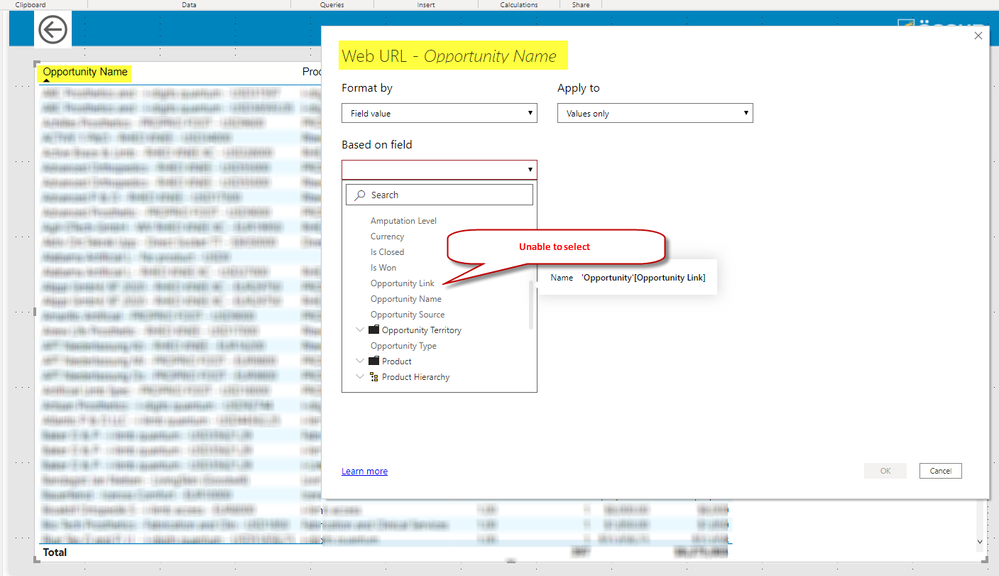
I am using Power BI Desktop version 2.80.5803.1061 (April 2020) and have a live connection to a SSAS Tabular Cube. I'm trying to use conditional formatting on a Column in a table as a web URL. I have set the URL field to Data Category = 'Uncategorized'. I am however unable to select the field or any other field for that matter. Are there limitations to conditional formatting web URLs when connected Live? Am I missing a step?
Any help would be greatly appreciated. Thank you!
Hi @Anonymous ,
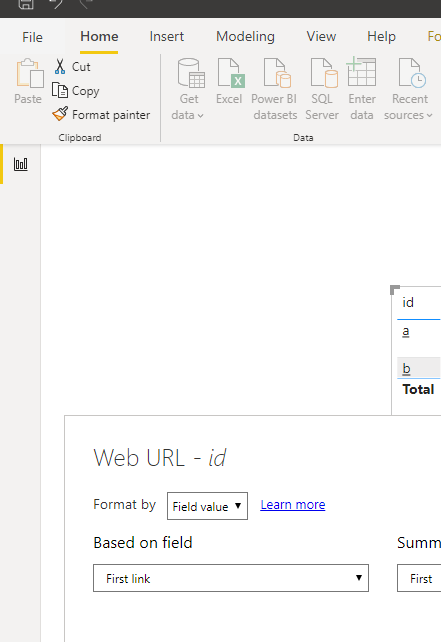
Based on my test, it works well. Would you please follow the steps in the https://www.youtube.com/watch?v=Wz2aD0XvkUk?
Best Regards,
Dedmon Dai
Thanks! I had actually initially tried this method but still couldn't get it to work. See comment below, looks like we're having trouble getting this to work with Live Connection to SSAS.
This doesn't work if you connect your Power BI report to a model from SSAS, because you can't calculate first/last etc. I don't know any workaround for this yet.
Thanks! I'm still on the lookout as well. I guess for the time being I can change it back to a web URL and use a URL icon.
Hi @Anonymous ,
Would you please tell me if the link in your model is measure or column? When it is column, it works well based on my test.
Best Regards,
Dedmon Dai
Column, and it works when you are having a Power BI Data model, not when connecting to a tabular model with direct query
If you have recently started exploring Fabric, we'd love to hear how it's going. Your feedback can help with product improvements.
A new Power BI DataViz World Championship is coming this June! Don't miss out on submitting your entry.
| User | Count |
|---|---|
| 46 | |
| 43 | |
| 39 | |
| 19 | |
| 15 |
| User | Count |
|---|---|
| 68 | |
| 67 | |
| 31 | |
| 27 | |
| 24 |