Join us at FabCon Atlanta from March 16 - 20, 2026, for the ultimate Fabric, Power BI, AI and SQL community-led event. Save $200 with code FABCOMM.
Register now!The Power BI Data Visualization World Championships is back! Get ahead of the game and start preparing now! Learn more
Hi All,
When I try to copy a visual as an image in Power BI Service the name of my reference line is changing.
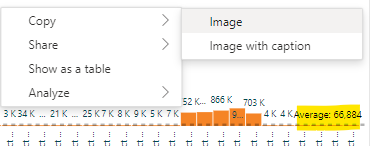
Visual in Service:
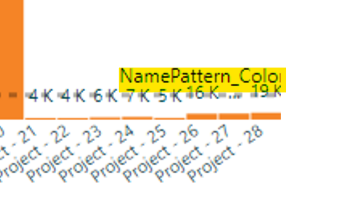
Visual after copy:
I have tried:
re-creating the visual from scratch - republish
copying and pasting the visual and delting the old one - republish
removing the reference line and adding it again - repblish
No luck. Is this a bug?
Hi @Anonymous,
Thank you for your reply. I think you misunderstood my issue. It has nothing to do with the columns, but the reference line on the visual, in my case I have a measure which is being used to calculate the average and I have named it Average.
In my example, pre-copy the reference line in the visual says:
Average: 66,884
but when I copy it as an image it is saying:
NamePattern_Colour
Hi, @CaveOfWonders
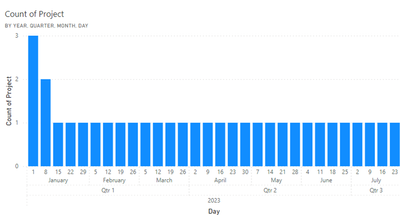
Based on testing, the names of the referenced columns do not change when the report visual is output as an image; you can share the pbix file with no sensitive data or post any data that replicates the problem.
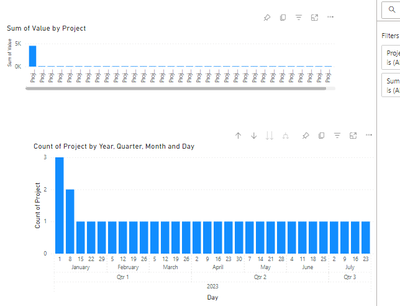
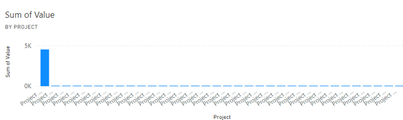
Before reproducing as image:
After reproducing as image:
Best Regards,
Yang
Community Support Team
If there is any post helps, then please consider Accept it as the solution to help the other members find it more quickly.
If I misunderstand your needs or you still have problems on it, please feel free to let us know. Thanks a lot!
How to get your questions answered quickly -- How to provide sample data in the Power BI Forum
The Power BI Data Visualization World Championships is back! Get ahead of the game and start preparing now!
| User | Count |
|---|---|
| 60 | |
| 44 | |
| 40 | |
| 37 | |
| 21 |
| User | Count |
|---|---|
| 178 | |
| 127 | |
| 116 | |
| 77 | |
| 54 |