Whenever I try to connect in Power BI via the Azure Databricks connector, the normal import mode works fine but DirectQuery does not seem to work. The error that appears is the one from the screenshot below.
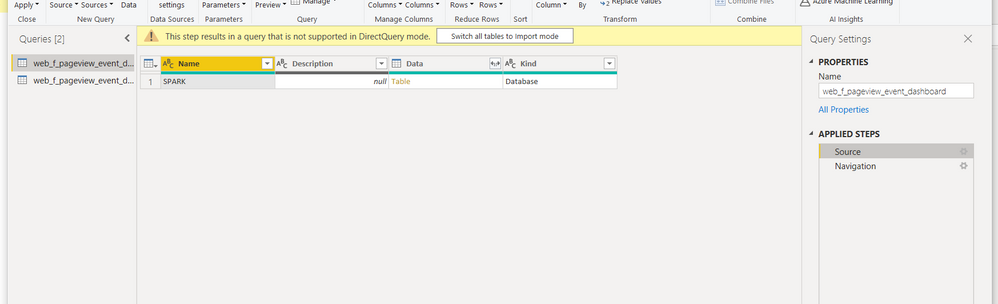
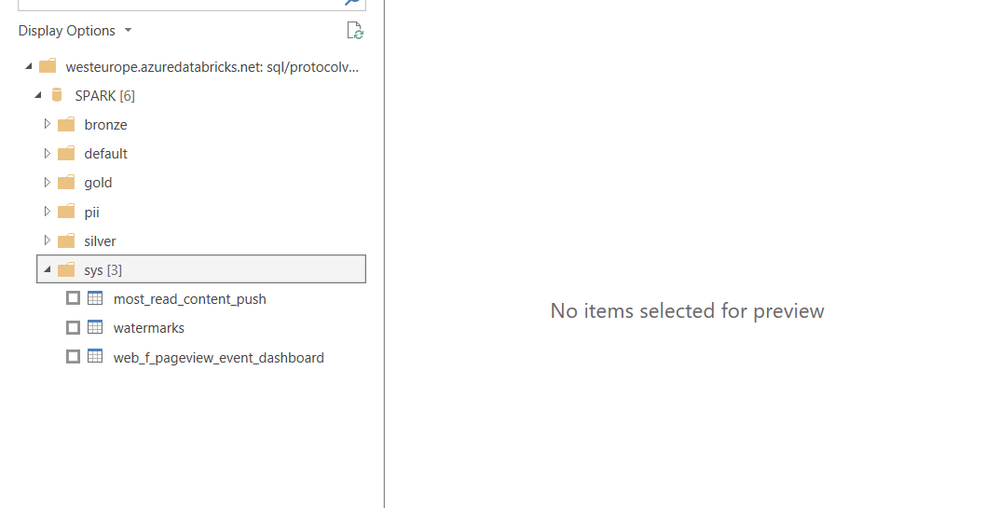
In the docs about the Azure Databricks Connector (https://docs.microsoft.com/en-us/azure/databricks/integrations/bi/power-bi) it mentions that DirectQuery should work but that seems not to be the case. When comparing the screenshot of the tables on the documentation page and my own screenshot of the tables, I do notice some differences, the fact that there is “http://” before and “:443” after “region.databricsks.net” but if I try adding those in the setup, I get errors for the domain name. The other noticeable difference, is that I have a folder called SPARK which includes multiple other folders where the doc screenshot show no folder and immediately tables.
Can anyone help me here? Is this a known bug? Can I report it someway? This is really stopping one of our use cases.


