Get certified for free when you join Fabric Data Days 2026 and dive into Fabric, Power BI, SQL, AI, and other essential data skills.
Join nowJuly 7 - July 17 | Round 2 of the Power BI Dataviz World Championships. Don't miss your chance! Learn more
Hi there,
I have created a power automate export button to send a csv export file via email. It is working perfectly. However, the csv file doesn't contain all the rows. there should be 1460 rows but the csv file only exported 1000 rows. I did tried to export in the normal way (top right corner option to export summarised data) the csv file generated 1460 rows. Am i missing something in the power automate? is there an option to export unlimited row haha.. really would appreciate your valueable input. thank you!!
Solved! Go to Solution.
Hi @Anonymous ,
As far as my know, there is 1000 row limitaion in Power Automate visual in Power BI Desktop.
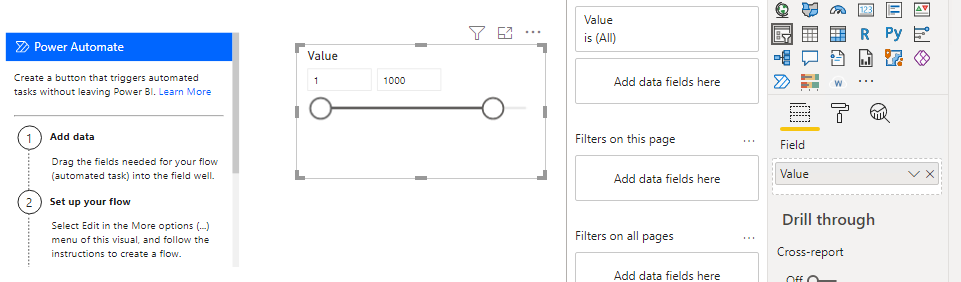
When I filter 1000 row value in Power Automate visual, it works fine.
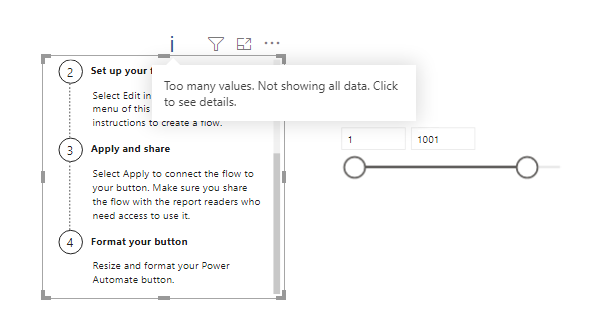
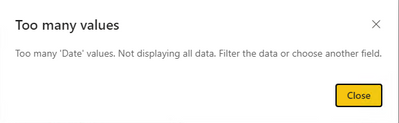
After updating to filter 1001 rows, the visual reminds that too many values which would not show all data.
So if you want to export to csv file by Power Automate button, you need to consider this limitation.
Best Regards,
Community Support Team _ Yingjie Li
If this post helps, then please consider Accept it as the solution to help the other members find it more quickly.
Hi @Anonymous ,
As far as my know, there is 1000 row limitaion in Power Automate visual in Power BI Desktop.
When I filter 1000 row value in Power Automate visual, it works fine.
After updating to filter 1001 rows, the visual reminds that too many values which would not show all data.
So if you want to export to csv file by Power Automate button, you need to consider this limitation.
Best Regards,
Community Support Team _ Yingjie Li
If this post helps, then please consider Accept it as the solution to help the other members find it more quickly.
Hi @Anonymous
If you explore the property of flow activity to export the data , there is an option to limit the records. Please increase that setting to get complete data.
Please note, Power BI to csv export has a limitation of 30k records.
Thanks
Raj
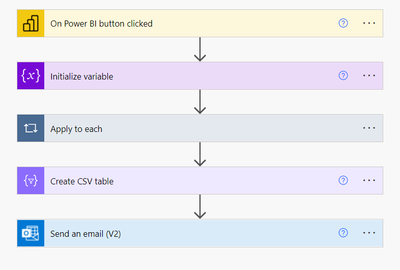
Hi Raj. Thank you for your reply.. I am unsure where to find that option to change the limit. Below is the power automate flow which i have created.
thank you,
Prithi
Hi, did you ever found the solution to this problem? I have the same issue with a flow just like yours.
Join us in Barcelona for FabCon and SQLCon, the Fabric, Power BI, SQL, and AI community event. Save €200 with code FABCMTY200.
Join Fabric Data Days 2026: 60 days of free live/on-demand sessions, challenges, study groups, and certification opportunities.
| User | Count |
|---|---|
| 22 | |
| 20 | |
| 14 | |
| 13 | |
| 13 |
| User | Count |
|---|---|
| 62 | |
| 40 | |
| 38 | |
| 38 | |
| 38 |