Get certified for free when you join Fabric Data Days 2026 and dive into Fabric, Power BI, SQL, AI, and other essential data skills.
Join nowData Days is here! Join us now for 60+ days of learning, challenges, and connection. Learn more
Hi,
I'm having an issue with an OBDC connection. I've created (through PBI Desktop) and published to PBI service using various flat files and an external OBDC connection to a postgres database. For my OBDC connection, I just use the following OBDC connection string:
Driver={PostgreSQL Unicode(x64)}; Server=XX.XX.XX.XX; Port=5432; Database=XXXX
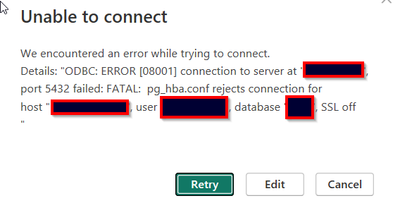
The connection has worked perfectly fine for a few months until I received a connection error today.
After researching, I was just told by my one of the admins that they switched over to SSL recently for that database. With that information, I figured I would just add ";sslmode=require" to the end of the string
Driver={PostgreSQL Unicode(x64)}; Server=XX.XX.XX.XX; Port=5432; Database=XXXX;;sslmode=require;
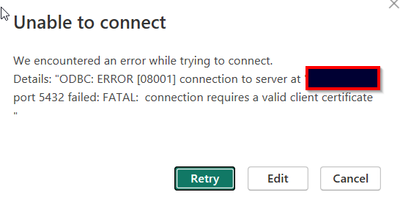
However adding this string gives me a FATAL: connection requires a valid client certificate error message. How do I fix this issue? Any help is appreciated. Thanks!
@Anonymous , Please check and do not miss any step. Or create a dataflow on power bi service and use that as source
postgresql
https://community.powerbi.com/t5/Power-Query/Connecting-to-PostgresSQL-hosted-on-AWS-RDS/td-p/135666
https://dataintoresults.com/post/powerbi-and-postgresql-ssl-lets-encrypt-and-gateway/
Don't miss out on Data Days, June 15 through August 7. Learn Fabric, Power BI, SQL, AI and more.
Check out the May 2026 Power BI update to learn about new features.
| User | Count |
|---|---|
| 23 | |
| 23 | |
| 20 | |
| 18 | |
| 14 |
| User | Count |
|---|---|
| 58 | |
| 51 | |
| 41 | |
| 30 | |
| 24 |