Join us at FabCon Atlanta from March 16 - 20, 2026, for the ultimate Fabric, Power BI, AI and SQL community-led event. Save $200 with code FABCOMM.
Register now!The Power BI Data Visualization World Championships is back! Get ahead of the game and start preparing now! Learn more
Hi Community,
I need your support in one of my query. Please help me out on this....Thanks in advance.
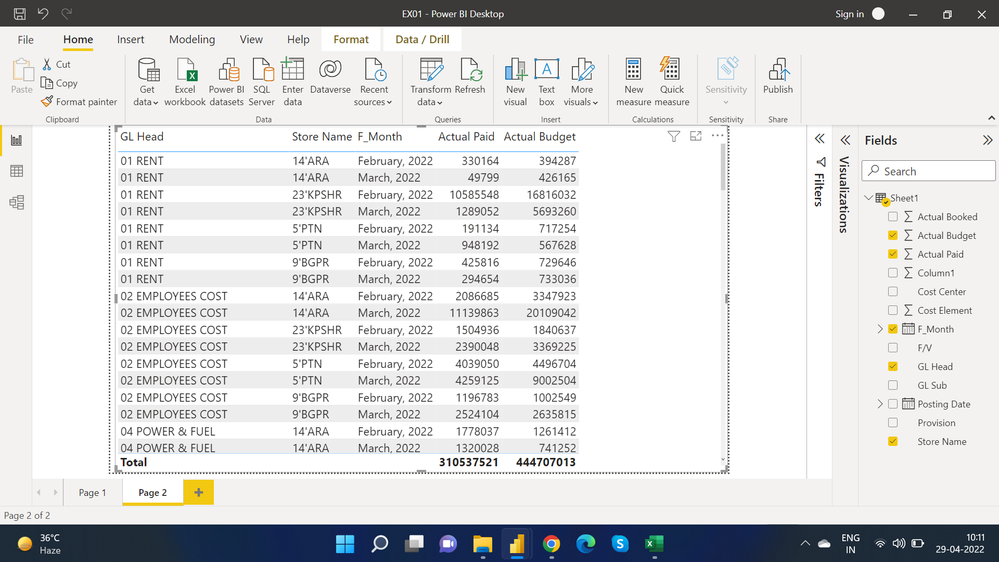
This is what i have.
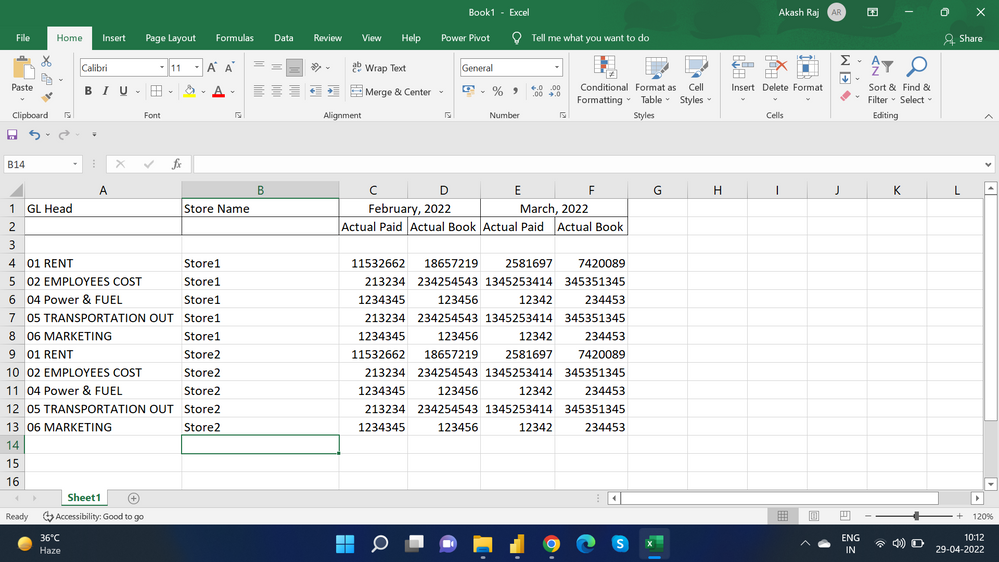
And the below is the requirement...which i have to show in power bi
@Anonymous
Solved! Go to Solution.
Hi @it_akasjraj ,
You can follow the below steps to get it, later check whether that is what you want...
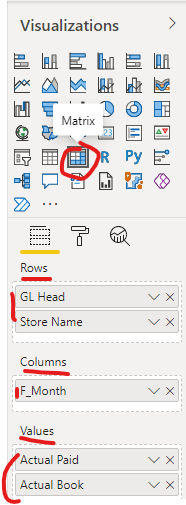
1. Create a matrix visual and set it as below screenshot
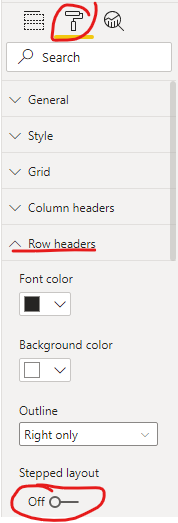
2. Toggle off the option "Stepped Layout" under the menu "Row headers"
Best Regards
@it_akasjraj , You can use matrix visual for that
GL head, store on row
Month on column
Paid and book on values
https://docs.microsoft.com/en-us/power-bi/visuals/desktop-matrix-visual
Sir, i tried with Matrix Visual also...but the problem is, "GL Head" and "Store Name" column comes with + symbol... but i have to display both seperatly...like i attache the excel image in last message.
Hi @it_akasjraj ,
You can follow the below steps to get it, later check whether that is what you want...
1. Create a matrix visual and set it as below screenshot
2. Toggle off the option "Stepped Layout" under the menu "Row headers"
Best Regards
The Power BI Data Visualization World Championships is back! Get ahead of the game and start preparing now!
| User | Count |
|---|---|
| 39 | |
| 35 | |
| 33 | |
| 32 | |
| 27 |
| User | Count |
|---|---|
| 136 | |
| 96 | |
| 77 | |
| 67 | |
| 65 |