Join us at FabCon Atlanta from March 16 - 20, 2026, for the ultimate Fabric, Power BI, AI and SQL community-led event. Save $200 with code FABCOMM.
Register now!The Power BI Data Visualization World Championships is back! It's time to submit your entry. Live now!
Hi All,
I have a fact table, that contains the following columns:
Month/Year
Count of A
Count of B
Count of C
...
Brand
Month/Year is a Date column, joined to my Calendar. Brand is an integer joined to my Brand dimenson and Count of A, B C etc. are all just integers
I have a product dimension, which isn't currently joined to the above Fact table (since it's the column names that match to the dimension table).
I'm trying to get a Matrix table, that looks like this:
Date
month/year 1 | month/year 2 | month/year 3 etc.
A 20 | 22 | 23
B 100 | 90 | 101
C 30 | 40 | 35
I've got measures for summing the columns, but I'm not sure how to pivot? them into the Rows in the Matrix.
Solved! Go to Solution.
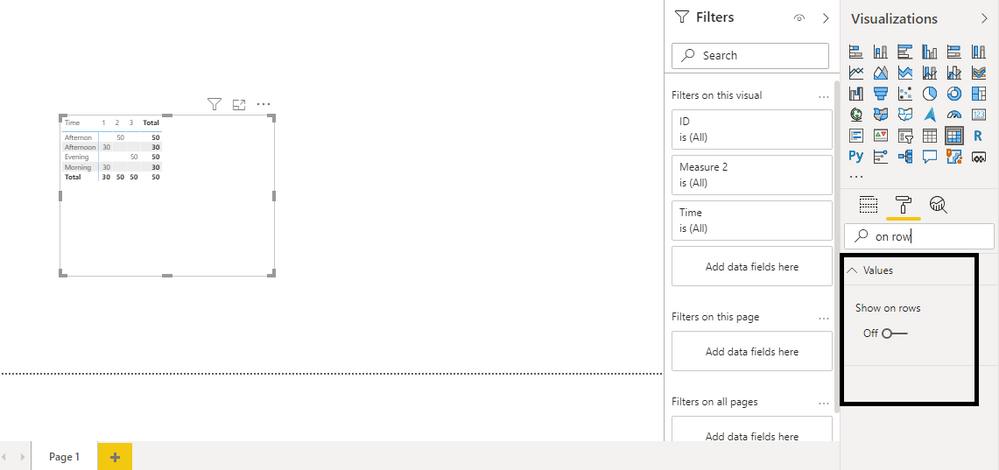
@PowerBIPilgrim , Check if how on row property on the matrix can help you
https://www.burningsuit.co.uk/blog/2019/04/7-secrets-of-the-matrix-visual/
@PowerBIPilgrim , Check if how on row property on the matrix can help you
https://www.burningsuit.co.uk/blog/2019/04/7-secrets-of-the-matrix-visual/
I'm a very silly sausage - as that was the solution, yet when I tried it last night, it didn't work - I must have done something silly.
Do you want the 'Show on rows' switch under Values in the Format section?
| User | Count |
|---|---|
| 56 | |
| 41 | |
| 38 | |
| 21 | |
| 21 |
| User | Count |
|---|---|
| 140 | |
| 102 | |
| 64 | |
| 36 | |
| 35 |