cancel
Showing results for 
Search instead for 
Did you mean: 

The Power BI Data Visualization World Championships is back! Get ahead of the game and start preparing now! Learn more

Reply
Emiliano74
New Member

Page dimension and hide header

Hello,


I have 2 problems.

I need to replicate in PowerBI an Excel report.

So, I create a Matrix. In first column there is a Zone and in other columns various measures.

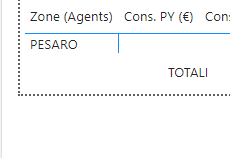
I copied this matrix various times and paste below first one. Each time I change filters in new Visual, but I have a limit in the foot of page. There is a line with dots that is like a limit. I need to go more down. How can I do that? 


Emiliano74_1-1639994553078.png


Also, when I repeated these Visuals, yes I change filter, but columns are always the same. Is there a way to hide header of columns inside new Visual? I want only first header visible and not others. 


Emiliano74_0-1639994308592.png


1 ACCEPTED SOLUTION
V-lianl-msft
Community Support
Community Support

Hi @Emiliano74 ,


you can change the font color and background color the same to hide the header.

Vlianlmsft_0-1640236381926.png

Vlianlmsft_1-1640236425835.png


Best Regards,
Liang
If this post helps, then please consider Accept it as the solution to help the other members find it more quickly.

View solution in original post

2 REPLIES 2
V-lianl-msft
Community Support
Community Support

Hi @Emiliano74 ,


you can change the font color and background color the same to hide the header.

Vlianlmsft_0-1640236381926.png

Vlianlmsft_1-1640236425835.png


Best Regards,
Liang
If this post helps, then please consider Accept it as the solution to help the other members find it more quickly.

amitchandak
Super User
Super User

@Emiliano74 , You can Try Show on row. Add all the measures on same matrix and try show on row = on

and see if that can help


Share with Power BI Enthusiasts: Full Power BI Video (20 Hours) YouTube
Microsoft Fabric Series 60+ Videos YouTube
Microsoft Fabric Hindi End to End YouTube

Helpful resources

Announcements
Power BI DataViz World Championships

Power BI Dataviz World Championships

The Power BI Data Visualization World Championships is back! Get ahead of the game and start preparing now!

December 2025 Power BI Update Carousel

Power BI Monthly Update - December 2025

Check out the December 2025 Power BI Holiday Recap!

FabCon Atlanta 2026 carousel

FabCon Atlanta 2026

Join us at FabCon Atlanta, March 16-20, for the ultimate Fabric, Power BI, AI and SQL community-led event. Save $200 with code FABCOMM.