cancel
Showing results for 
Search instead for 
Did you mean: 

The Power BI Data Visualization World Championships is back! It's time to submit your entry. Live now!

Reply
andykbba
Regular Visitor

POWERBI Counting

Hi,

I am looking to pull customer data and present visually in PowerBI. 

Each customer has been assigned to 5 groups - 1,2,3,4 and 5. 

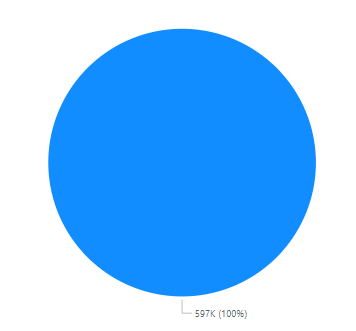
The Column Heading is Segment. When I go to create a pie chart PowerBI does not recognise that each customer has been assigned to an individual group and just counts all of them. 

andykbba_0-1669089102546.png


Previously when I have tried to create similar visuals PowerBI automatically recognises this and create the pie chart based on the number of groups and number of customers to fall into each group. I am unsure why it isn't doing it this time. 

Thanks,
Andy


3 REPLIES 3
v-jialluo-msft
Community Support
Community Support

Hi @andykbba ,


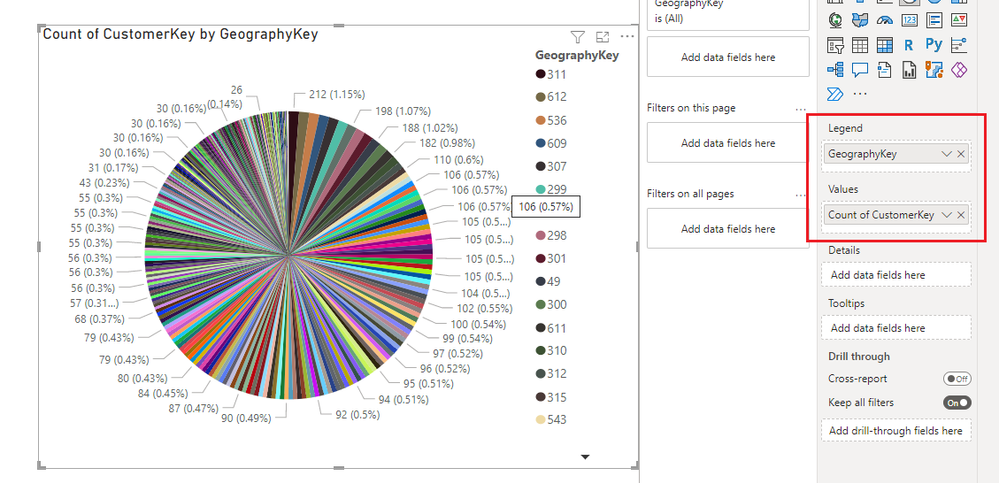
The following figure is an example of the CustomerKey I made counting by GeographyKey, please refer to it:

vjialluomsft_0-1669095558080.png


Best Regards,

Gallen Luo

If this post helps, then please consider Accept it as the solution to help the other members find it more quickly.

andykbba
Regular Visitor

@AbbasG 

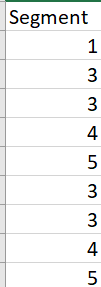
andykbba_0-1669092136610.png

There are 40+ columns to this data set and around 200K rows for each column 


AbbasG
Memorable Member
Memorable Member

@andykbba please share some sample data (after removing sensitive information)

Helpful resources

Announcements
Power BI DataViz World Championships

Power BI Dataviz World Championships

The Power BI Data Visualization World Championships is back! It's time to submit your entry.

January Power BI Update Carousel

Power BI Monthly Update - January 2026

Check out the January 2026 Power BI update to learn about new features.

FabCon Atlanta 2026 carousel

FabCon Atlanta 2026

Join us at FabCon Atlanta, March 16-20, for the ultimate Fabric, Power BI, AI and SQL community-led event. Save $200 with code FABCOMM.