Join us at FabCon Atlanta from March 16 - 20, 2026, for the ultimate Fabric, Power BI, AI and SQL community-led event. Save $200 with code FABCOMM.
Register now!The Power BI Data Visualization World Championships is back! Get ahead of the game and start preparing now! Learn more
Hello Community,
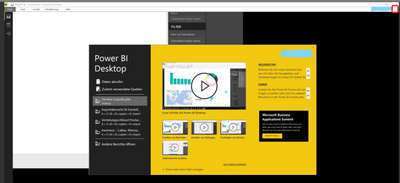
i have the last version of PBI-Desktop installed and each time when i want to open the desktop it looks like the screenshot you will find enclosed. This way it is not possible to work with the desktop. Anyone had the same issues already? Any advices?
Best regards
Solved! Go to Solution.
Hi @Borntoreport,
Do you mean that menu is hidden?
Press button I've marked in red on the screenshot below:
menu hidden
Regards,
Ruslan
-------------------------------------------------------------------
Did I answer your question? Mark my post as a solution!
Hi @Borntoreport,
Do you mean that menu is hidden?
Press button I've marked in red on the screenshot below:
menu hidden
Regards,
Ruslan
-------------------------------------------------------------------
Did I answer your question? Mark my post as a solution!
Hey @zoloturu,
i have talked with my colleague and the issue is solved. Thank you very much!
Best regards
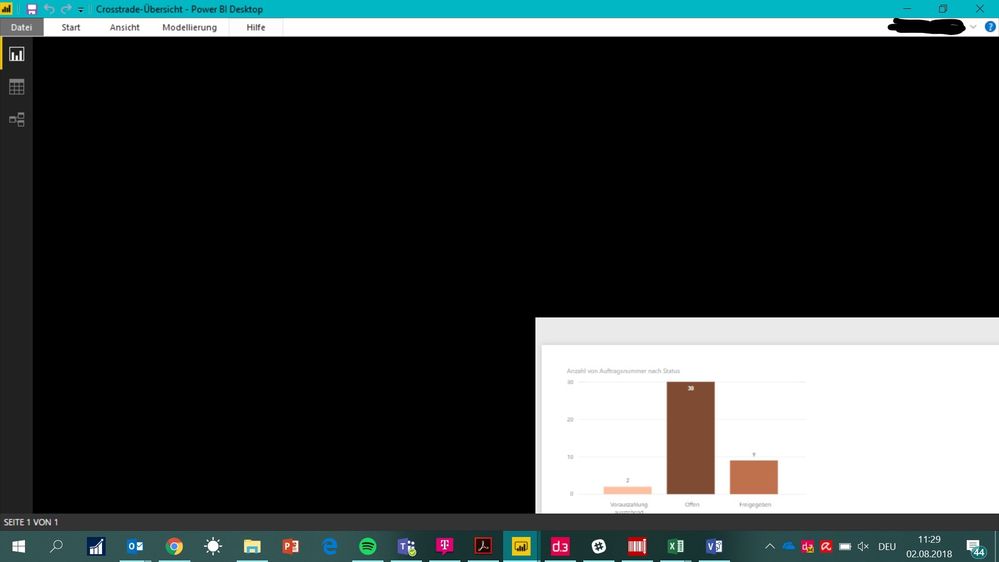
Unfortunately the issue happened again. Do you have any explanation for the screenshot enclosed?
Check out the November 2025 Power BI update to learn about new features.
Advance your Data & AI career with 50 days of live learning, contests, hands-on challenges, study groups & certifications and more!