
cancel
Showing results for 
Search instead for 
Did you mean: 

The FabCon + SQLCon recap series starts April 14th at 8am Pacific. If you’re tracking where AI is going inside Fabric, this first session is a can't miss. Register now

Reply
Anonymous
Not applicable

Order Matrix ascending

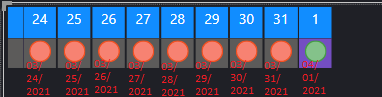
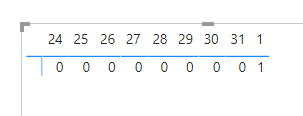
Can anybody help me? I currently have in this matrix the date from 03/24/2021 to 04/01/2021 but I would like to put it in ascending order.

Wrong Image

Capture.PNG


Correct Image - ( I used photoshop to demonstrate how I want )
Capture - Copy.PNG

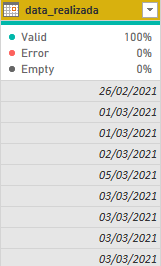
I'm using standard date "dd/mm/yyyy" 
Capturesdasd.PNGadsasdasdasd.PNG

1 ACCEPTED SOLUTION
PhilipTreacy
Super User
Super User

Hi @Anonymous 

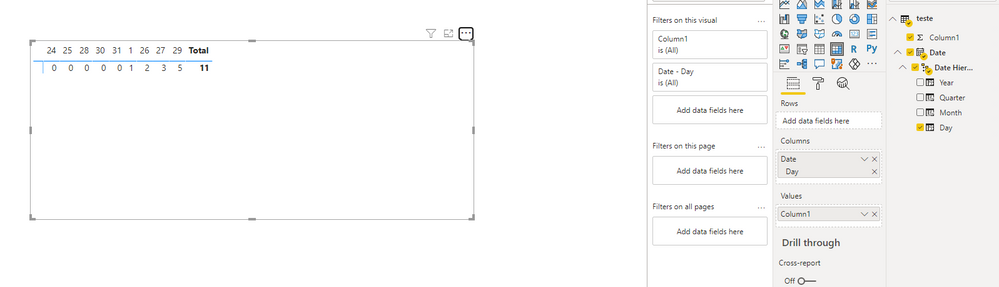
It works fine for me in a matrix.  If the dates are dates then it should auomatically sort them correctly.

matrix1.png


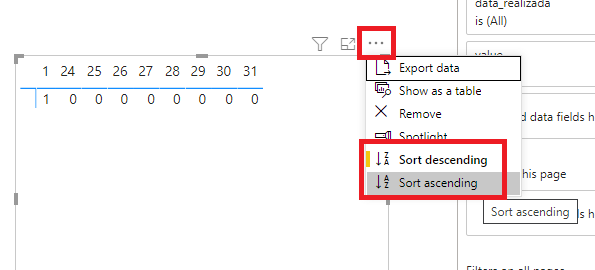
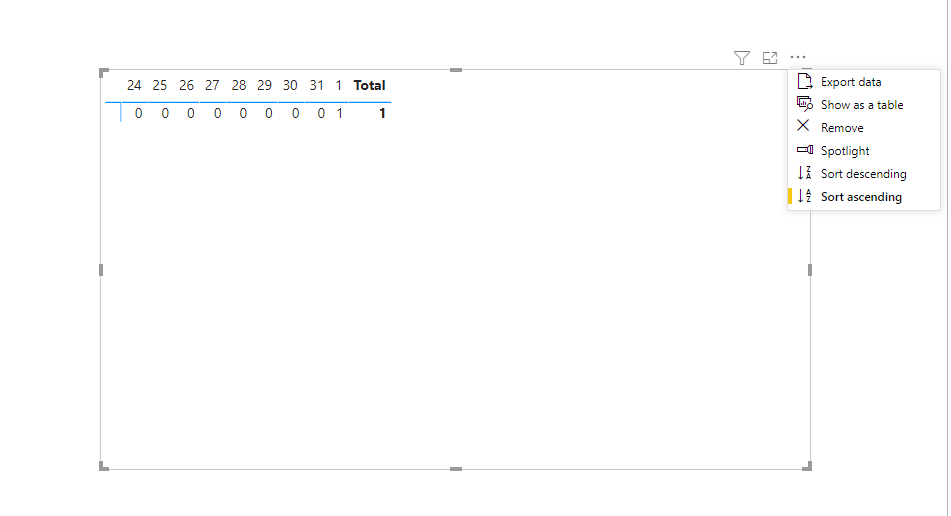
Have you got the matrix sorted in Ascending or Descending order?  Click on the ellipsis ... to check 


matsort.png


Can you please supply your data and/or PBIX file if this doesn't fix it.

Regards

Phil


Did I answer your question? Then please mark my post as the solution.
If I helped you, click on the Thumbs Up to give Kudos.


Blog :: YouTube Channel :: Connect on Linkedin


Proud to be a Super User!


View solution in original post

3 REPLIES 3
Anonymous
Not applicable

Hi @Anonymous ,


There's no such feature currently. You may achieve the goal by DAX function. Please check the following topic.

https://community.powerbi.com/t5/Desktop/Sort-date-field-in-Matrix-column-header-descending/m-p/941522 


Best Regards,

Jay

PhilipTreacy
Super User
Super User

Hi @Anonymous 

It works fine for me in a matrix.  If the dates are dates then it should auomatically sort them correctly.

matrix1.png


Have you got the matrix sorted in Ascending or Descending order?  Click on the ellipsis ... to check 


matsort.png


Can you please supply your data and/or PBIX file if this doesn't fix it.

Regards

Phil


Did I answer your question? Then please mark my post as the solution.
If I helped you, click on the Thumbs Up to give Kudos.


Blog :: YouTube Channel :: Connect on Linkedin


Proud to be a Super User!


Anonymous
Not applicable

Thanks for your response @PhilipTreacy 
I uploaded my database that I am using. Link Wetransfer 

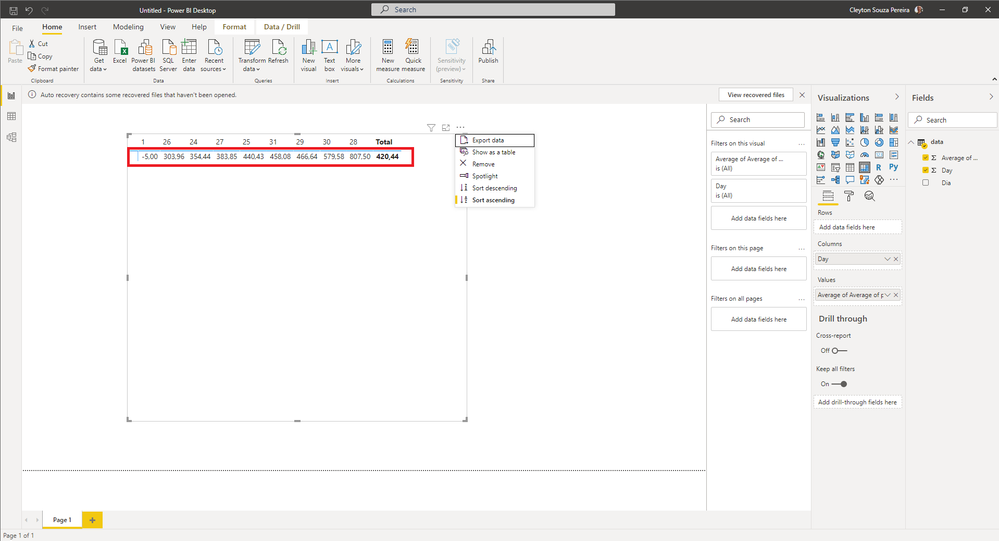
I replied the way you did and it seems that you are increasingly ordering by values.
ascending reply.PNG
If I change the same spreadsheet with different values ​​it looks like this
ascendingh.PNG

In my real case I have this database Link Wetransfer 
and replicating for that same method was as follows.
ascending by valyes.png

Helpful resources

Announcements
New to Fabric survey Carousel

New to Fabric Survey

If you have recently started exploring Fabric, we'd love to hear how it's going. Your feedback can help with product improvements.

Power BI DataViz World Championships carousel

Power BI DataViz World Championships - June 2026

A new Power BI DataViz World Championship is coming this June! Don't miss out on submitting your entry.

Join our Fabric User Panel

Join our Fabric User Panel

Share feedback directly with Fabric product managers, participate in targeted research studies and influence the Fabric roadmap.

March Power BI Update Carousel

Power BI Community Update - March 2026

Check out the March 2026 Power BI update to learn about new features.