cancel
Showing results for 
Search instead for 
Did you mean: 

Try your skills in the Power BI Dataviz World Championship! Round one ends June 26. Join now

Reply
Anonymous
Not applicable

Oracle DB: Import data for specific date range

Hi, 


When importing data from Oracle database, how do I select the date range and which columns to import? Also, how do I specify, I want to import data with rows that start with abc* in a specific column?


Thanks, 

SP

1 ACCEPTED SOLUTION
Anonymous
Not applicable

HI @Anonymous.


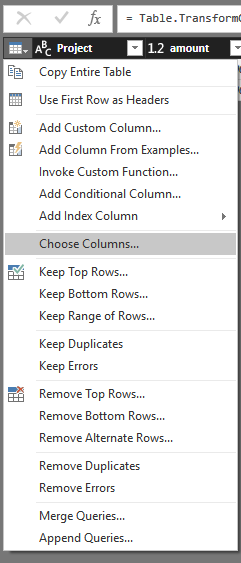
You can add your condition formula to advanced option -> sql statement or filter them in query editor.


Connect to an Oracle database

Filter rows in query editor up to current date


1.PNG2.PNG


Regards,

Xiaoxin Sheng

View solution in original post

1 REPLY 1
Anonymous
Not applicable

HI @Anonymous.


You can add your condition formula to advanced option -> sql statement or filter them in query editor.


Connect to an Oracle database

Filter rows in query editor up to current date


1.PNG2.PNG


Regards,

Xiaoxin Sheng

Helpful resources

Announcements
Fabric Data Days is here Carousel

Fabric Data Days 2026

Don't miss out on Data Days, June 15 through August 7. Learn Fabric, Power BI, SQL, AI and more.

May Power BI Update Carousel

Power BI Monthly Update - May 2026

Check out the May 2026 Power BI update to learn about new features.

Power BI DataViz World Championships carousel

Power BI DataViz World Championships - June 2026

A new Power BI DataViz World Championship is coming this June! Don't miss out on submitting your entry.