This time we’re going bigger than ever. Fabric, Power BI, SQL, AI and more. We're covering it all. You won't want to miss it.
Learn moreLevel up your Power BI skills this month - build one visual each week and tell better stories with data! Get started
Hi,
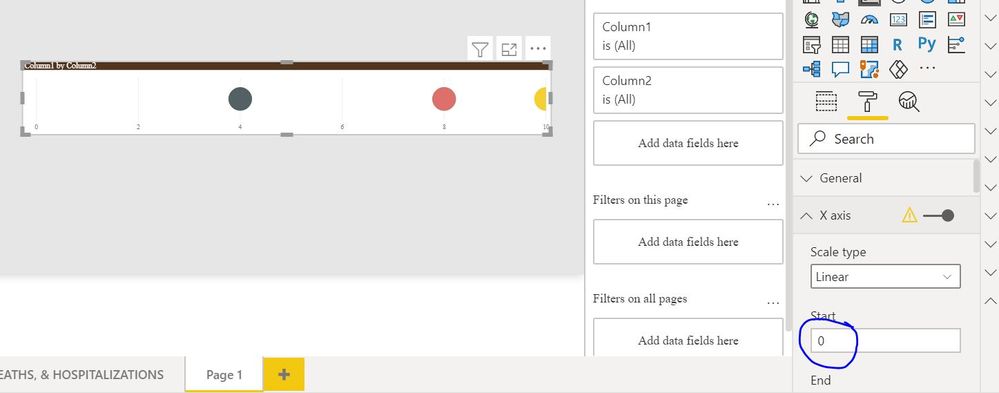
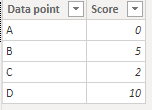
I would like to have one horizontal bar starting at 0 and ending at 10. I want to plot 4 data points along the line.
The 4 data points have scores between 0 - 10
I have tried different visuals but the end result is 4 horizontal bars and not one.
How do I have one horizontal line with the values plotted on the same line? Any help would be much appreciated.
Solved! Go to Solution.
HI @Eimoperator-cmc ,
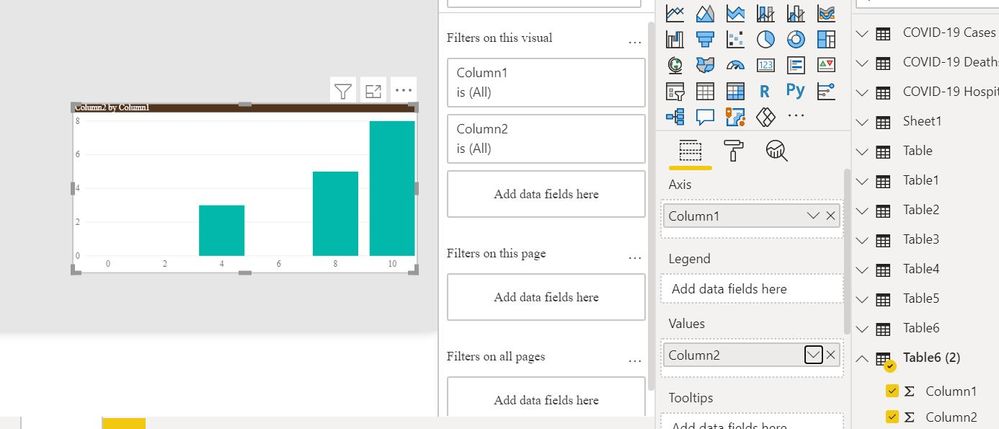
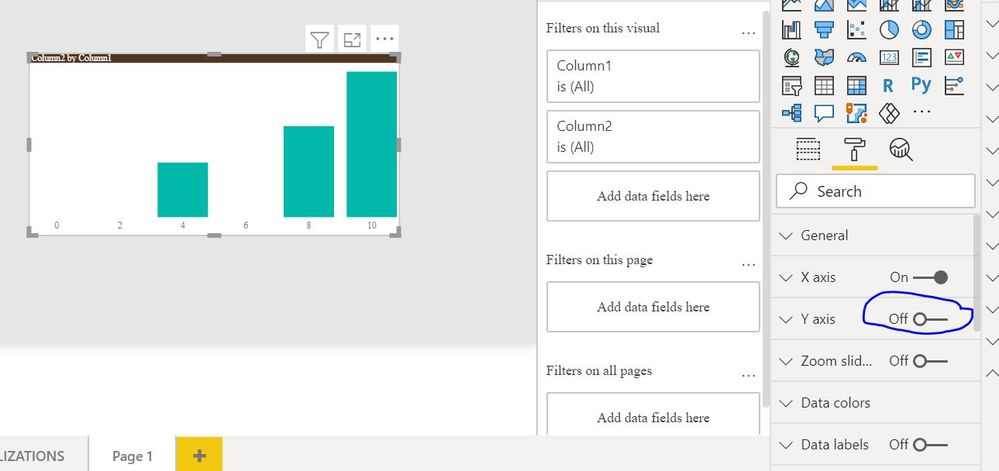
Please let me know if this is what you are looking for.
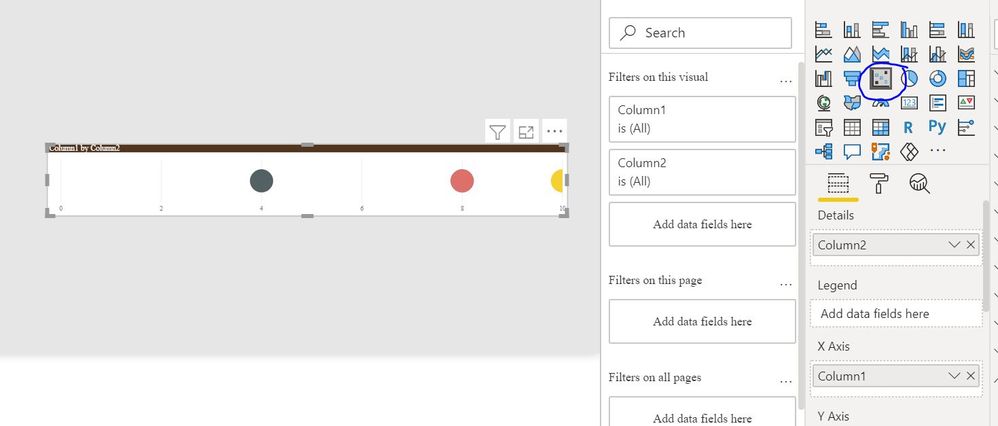
ELse you can you a Scatter Chart
Else can you share some more info and data.
Regards,
Harsh Nathani
Did I answer your question? Mark my post as a solution! Appreciate with a Kudos!! (Click the Thumbs Up Button)
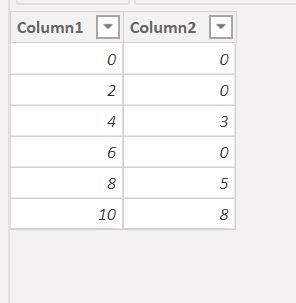
Due to I don't know your data model, I build a sample to have a test.
Result:
For more details about how to build a line chart, you may refer to this blog: Create a Power BI Line Chart
If this reply still couldn't help you solve your problem, please provide me a sample like the one you are dealing with.
And show me a screenshot about the result you want.
This will make it easier for me to understand your requirement.
Best Regards,
Rico Zhou
If this post helps, then please consider Accept it as the solution to help the other members find it more quickly.
Hi, thank you for your replies. I have no issue with creating a bar chart, the issue I have is creating a horizontal line, with 4 data points. I have attached a picture of what I am "trying" to achieve.
HI @Eimoperator-cmc ,
Please let me know if this is what you are looking for.
ELse you can you a Scatter Chart
Else can you share some more info and data.
Regards,
Harsh Nathani
Did I answer your question? Mark my post as a solution! Appreciate with a Kudos!! (Click the Thumbs Up Button)
Ah yes, scatter chart is what i needed! Thanks for the help, it was really useful 🙂
Put your value column on the X axis, and something meaningless (eg "count distinct of some other column that is always the same") in the values well.
Check out the April 2026 Power BI update to learn about new features.
Sign up to receive a private message when registration opens and key events begin.
If you have recently started exploring Fabric, we'd love to hear how it's going. Your feedback can help with product improvements.
| User | Count |
|---|---|
| 36 | |
| 28 | |
| 28 | |
| 20 | |
| 18 |
| User | Count |
|---|---|
| 65 | |
| 35 | |
| 33 | |
| 25 | |
| 24 |