cancel
Showing results for 
Search instead for 
Did you mean: 

Vote for your favorite vizzies from the Power BI Dataviz World Championship submissions. Vote now!

Reply
thorrrr
Helper I
Helper I

Newbie DAY Function sorry

HI Guys

I have a column A with a short date format. I want to add a custom column to it and use the DAY excel function to return the day of each month.

What is the syntax I have looked here but when I try it nothing works I get errors all the time? Sorry I know it is probably me but trying to get my head round Power BI

1 ACCEPTED SOLUTION
Anonymous
Not applicable

sorry in your case in the "custom column formua:" box:

= each Date.Day([Date])

View solution in original post

6 REPLIES 6
Anonymous
Not applicable

Hi Thorr, 

i notice you would like to apply the Day function in the M language (going into editing the query).  

I have a column named, "ShortDate" containing the short dates.  and I have simply added a new "custom column" from the add column tab.  and then applied the formula:  = Table.AddColumn(#"Removed Columns", "Custom", each Date.Day([ShortDate]))


The above worked.  I noticed that the formula is case sensitive.

I hope this helps.

Hi


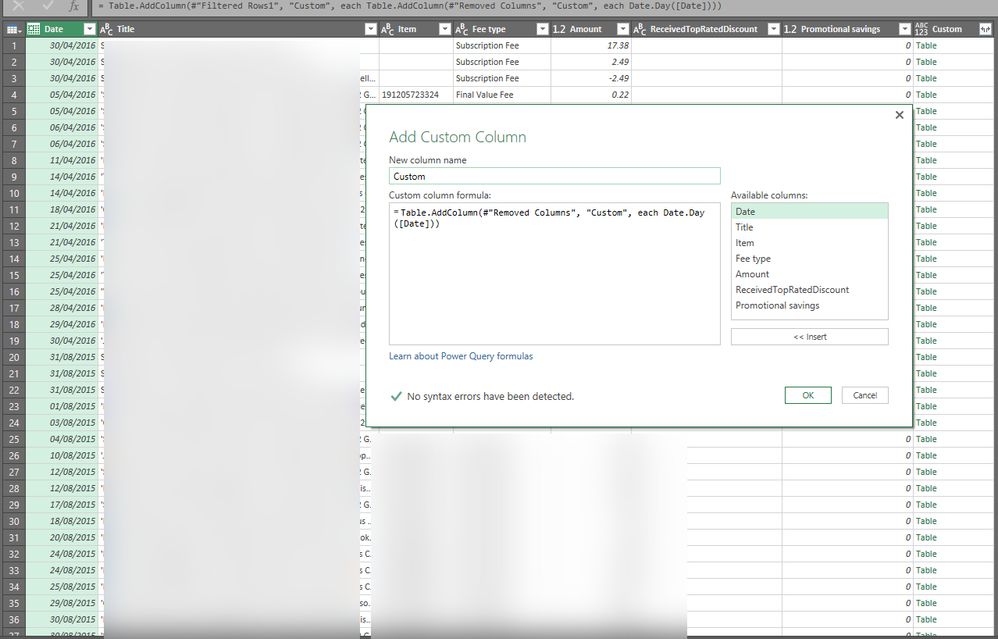
Does not work for me I get a new column called Custom with Table in every entry 


nowork.jpg

v-caliao-msft
Microsoft Employee
Microsoft Employee

Hi @thorrrr,


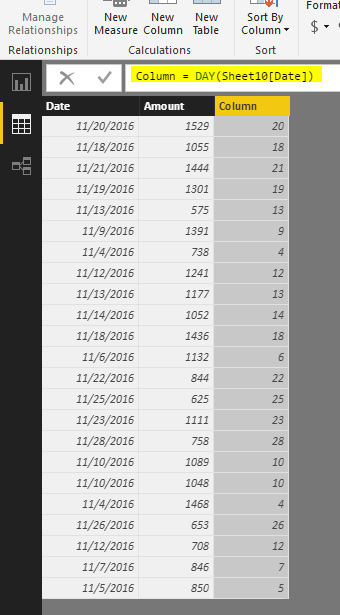
We can use DAY function to return the day without any issues.
https://msdn.microsoft.com/en-us/library/ee634390.aspx

Capture.PNG


Regards,

Charlie Liao

Just get an error if i use your solution 

Anonymous
Not applicable

Hi Thorrr, 

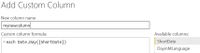
try the following = each Date.Day([ShortDate]) mynewcolumn.JPG


i think i can see where you made the mistake.


Anonymous
Not applicable

sorry in your case in the "custom column formua:" box:

= each Date.Day([Date])

Helpful resources

Announcements
Power BI DataViz World Championships

Power BI Dataviz World Championships

Vote for your favorite vizzies from the Power BI World Championship submissions!

Sticker Challenge 2026 Carousel

Join our Community Sticker Challenge 2026

If you love stickers, then you will definitely want to check out our Community Sticker Challenge!

January Power BI Update Carousel

Power BI Monthly Update - January 2026

Check out the January 2026 Power BI update to learn about new features.

FabCon Atlanta 2026 carousel

FabCon Atlanta 2026

Join us at FabCon Atlanta, March 16-20, for the ultimate Fabric, Power BI, AI and SQL community-led event. Save $200 with code FABCOMM.