

Join us at FabCon Atlanta from March 16 - 20, 2026, for the ultimate Fabric, Power BI, AI and SQL community-led event. Save $200 with code FABCOMM.
Register now!Get Fabric Certified for FREE during Fabric Data Days. Don't miss your chance! Request now
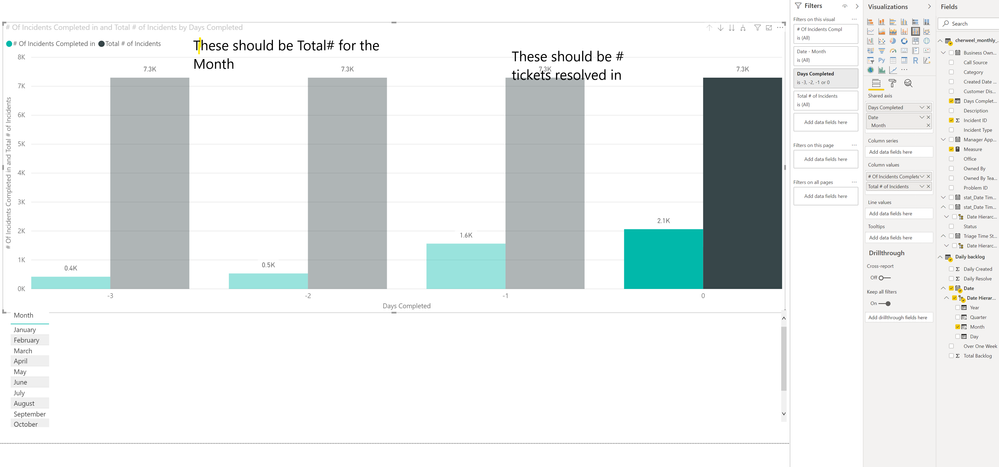
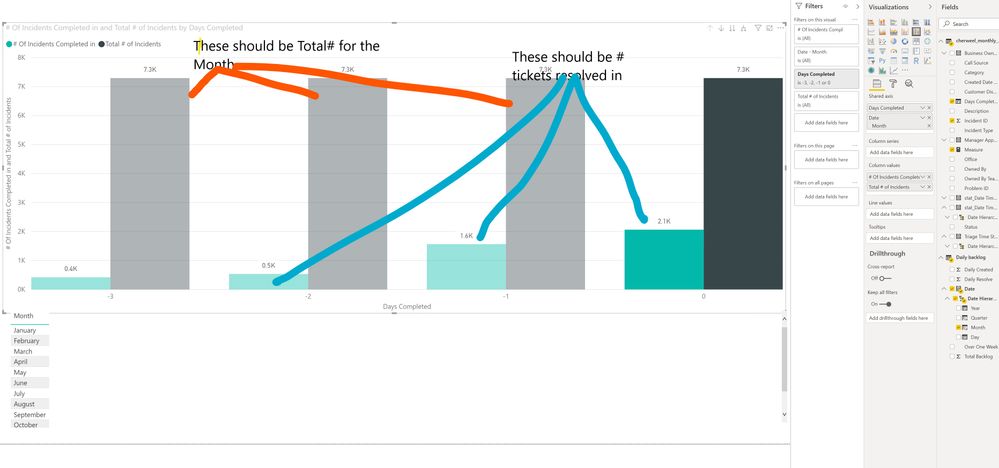
I would like to know how I can display my data like this:
Total# of tickets per month (Cumulative and also being able to show just 3 months)
# of those tickets resolved in 0 days
# of those tickets resolved in 1 days
# of those tickets resolved in 2 days
# of those tickets resolved in 3 days
Trying to show percenatge of the tickets are being resolved within our SLA
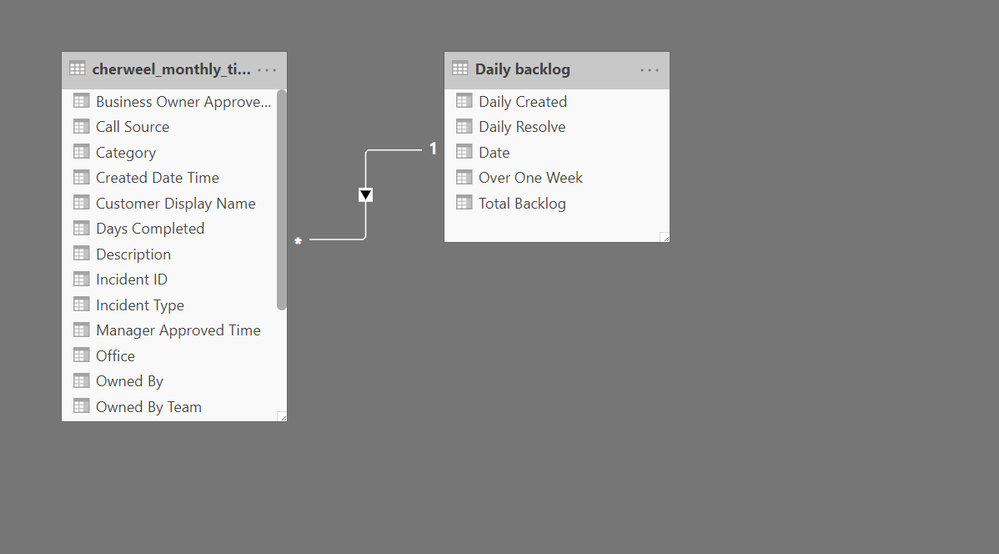
Days Completed = DATEDIFF(cherweel_monthly_tickets[stat_Date Time Resolved],cherweel_monthly_tickets[Created Date Time],DAY)
I am not sure I got it completely. But please try.
First, create this as column
Days Completed = DATEDIFF(cherweel_monthly_tickets[stat_Date Time Resolved],cherweel_monthly_tickets[Created Date Time],DAY)
on Top of it using case of if create a text column
if(Days Completed =0, "Solved in 0 days",if(Days Completed =1, "Solved in 1 day","Solved more than one day)"
For three month you can use datesinperiod
https://docs.microsoft.com/en-us/dax/datesinperiod-function-dax
Appreciate your Kudos. In case, this is the solution you are looking for, mark it as the Solution. In case it does not help, please provide additional information and mark me with @
Thanks.
I do have that first column already created.
Where do I put that second set? You said on TOP of it using...
I dont understand that part
@amitchandak wrote:I am not sure I got it completely. But please try.
First, create this as column
Days Completed = DATEDIFF(cherweel_monthly_tickets[stat_Date Time Resolved],cherweel_monthly_tickets[Created Date Time],DAY)
on Top of it using case of if create a text column
if(Days Completed =0, "Solved in 0 days",if(Days Completed =1, "Solved in 1 day","Solved more than one day)"
For three month you can use datesinperiod
https://docs.microsoft.com/en-us/dax/datesinperiod-function-dax
Appreciate your Kudos. In case, this is the solution you are looking for, mark it as the Solution. In case it does not help, please provide additional information and mark me with @
Thanks.
This is me being NOT a PowerBI guy ( I am learning it on the fly) I apologize now. I added another column...
Check out the November 2025 Power BI update to learn about new features.
Advance your Data & AI career with 50 days of live learning, contests, hands-on challenges, study groups & certifications and more!