cancel
Showing results for 
Search instead for 
Did you mean: 

The Power BI Data Visualization World Championships is back! Get ahead of the game and start preparing now! Learn more

Reply
manjirit
Helper I
Helper I

Need Help with Rankx

I have a problem and can't seem to find whats going wrong!


I am using Rankx() function to rank the rows in the resultset table.


The RankX function gives two distinct ranks to the rows viz. 1 and the highest rownumber (eg. 20,000) 


Here is what my formula looks like:


Rank = RANKX (all(TableName),[All_Assets])  --- gives rank = 1 to  rows with All_assets > 0 and  rank =maxRank (something like   20,000)  to rows with All_assets = 0 


 I also tried: Rank = RANKX(all(TableName),calculate([All_Assets])) -- gives me the same result. And anyway I don't think I need to include Calculate since " All_assets" is a  measure which is precalculated.


All_Assets is a measure which is calculated as follows:


All_Assets = DISTINCTCOUNT(TableName[AssetName])


Any idea, what is going on?

3 REPLIES 3
Greg_Deckler
Community Champion
Community Champion

I think we need some more context around this, can you provide example/sample data? Is there some group/category column you are using that you are ranking? Here is a RANKX problem that I solved yesterday:


Measure = 
VAR __currentCategory = MAX(CategoryRanks[Category])
VAR __tmpTable = ALL(CategoryRanks)
VAR __tmpTable1 = SUMMARIZE(__tmpTable,CategoryRanks[Category],"__Count",COUNT(CategoryRanks[Category]))
VAR __tmpTable2 = ADDCOLUMNS(__tmpTable1,"__Rank",RANKX(__tmpTable1,[__Count],,,Skip))
RETURN MAXX(FILTER(__tmpTable2,[Category]=__currentCategory),[__Rank])

Please see this post regarding How to Get Your Question Answered Quickly: https://community.powerbi.com/t5/Community-Blog/How-to-Get-Your-Question-Answered-Quickly/ba-p/38490


Follow on LinkedIn
@ me in replies or I'll lose your thread!!!
Instead of a Kudo, please vote for this idea
Become an expert!: Enterprise DNA
External Tools: MSHGQM
YouTube Channel!: Microsoft Hates Greg
Latest book!:
DAX For Humans

DAX is easy, CALCULATE makes DAX hard...

Thanks!


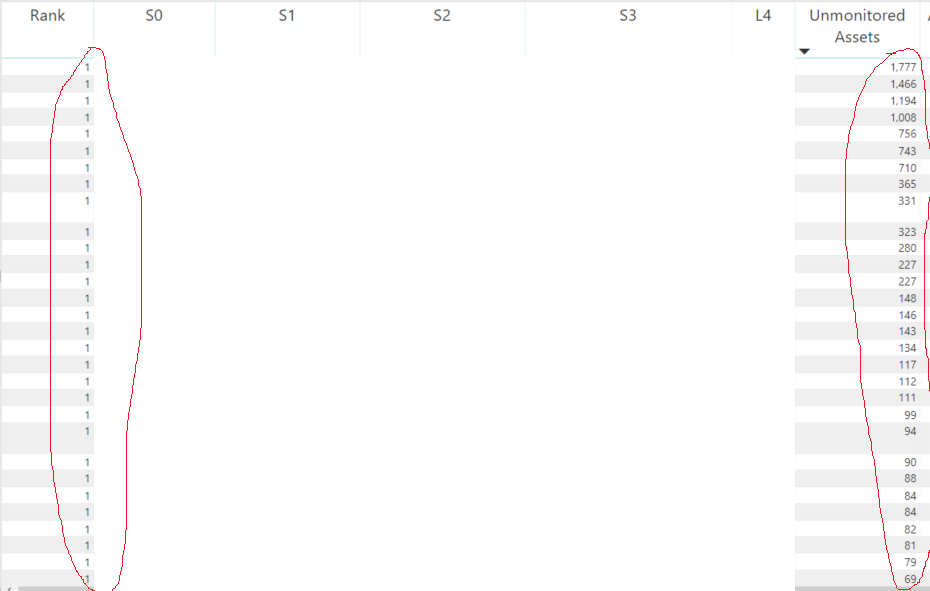
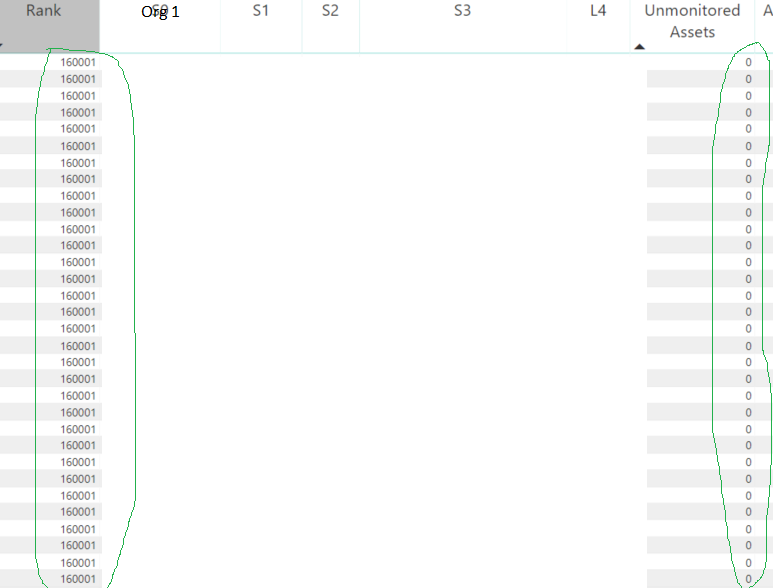
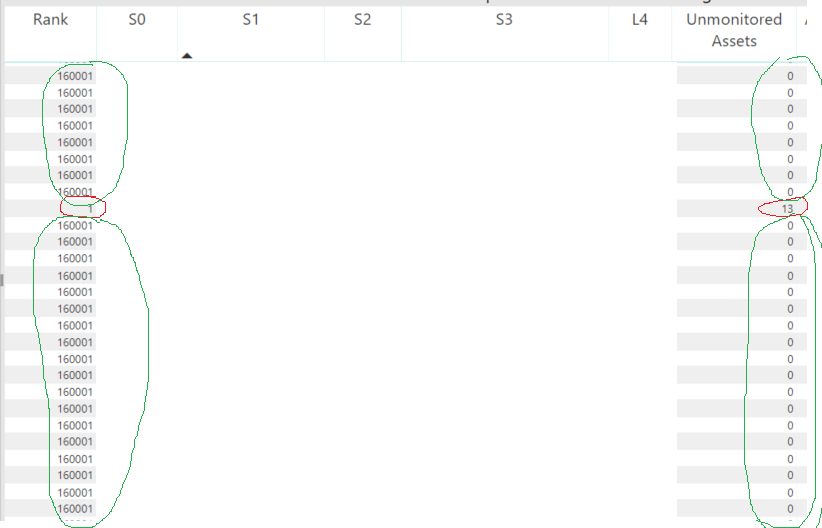
Here are the pictures of resultsets. I have masked some columns for confidentiality reasons. 


I am giving here an example of rank based on column called "Unmonitored Assets".


Here is how Unmonitored Assets (a measure) is calculated:


Unmonitored Assets = CALCULATE(DISTINCTCOUNT(TableName [AssetName]), TableName [Excepted_Assets] = 0) + 0 --> filtering on column Excepted_assets = 0 and  getting the distinct count for those assets.


The rank measure is as follows: 

Rank = RANKX (all(TableName),[Unmonitored Assets])  -- > I want to rank the table based on number of "Unmonitored Assets".


Here is what I see: 


Rank = 1 for all Unmonitored Assets >0 

Rank = 160001 for all Unmonitored Assets =0 


What is going on, anyone?


Capture2.PNGCapture3.PNGCapture.PNG

Need a sense of your source data. In that table, do [AssetName]'s appear once or multiple times? I really think that you need to do a SUMMARIZE of your table based on some grouping of which I am not clear about yet and then do an ADDCOLUMNS to add a rank column as shown in previous reply.


Follow on LinkedIn
@ me in replies or I'll lose your thread!!!
Instead of a Kudo, please vote for this idea
Become an expert!: Enterprise DNA
External Tools: MSHGQM
YouTube Channel!: Microsoft Hates Greg
Latest book!:
DAX For Humans

DAX is easy, CALCULATE makes DAX hard...

Helpful resources

Announcements
Power BI DataViz World Championships

Power BI Dataviz World Championships

The Power BI Data Visualization World Championships is back! Get ahead of the game and start preparing now!

December 2025 Power BI Update Carousel

Power BI Monthly Update - December 2025

Check out the December 2025 Power BI Holiday Recap!

FabCon Atlanta 2026 carousel

FabCon Atlanta 2026

Join us at FabCon Atlanta, March 16-20, for the ultimate Fabric, Power BI, AI and SQL community-led event. Save $200 with code FABCOMM.