This time we’re going bigger than ever. Fabric, Power BI, SQL, AI and more. We're covering it all. You won't want to miss it.
Learn moreDid you hear? There's a new SQL AI Developer certification (DP-800). Start preparing now and be one of the first to get certified. Register now
Hello!
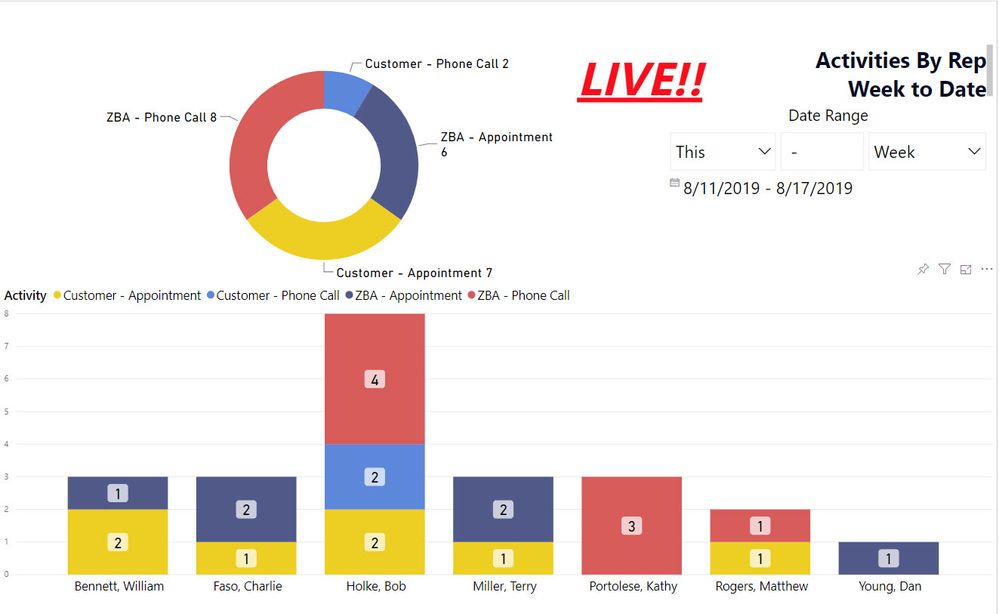
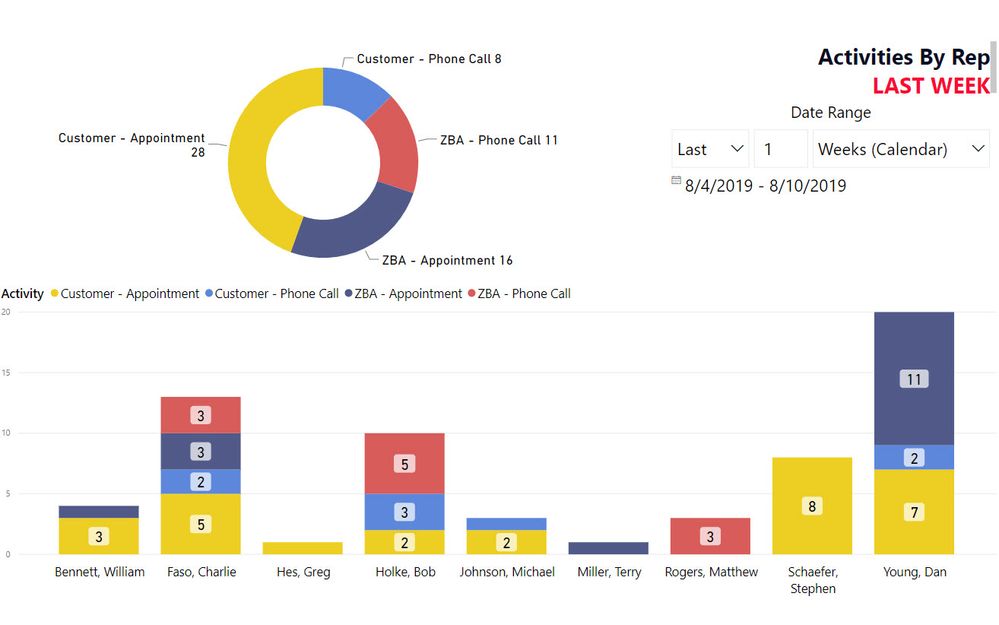
We have a PowerBI Report that is currently displaying activities put into our CRM by our Sales Reps. We have one that shows how many activities they had last week and one that shows this week. They are direct query reports. Our reps have a minimum number of activities that need to be completed each week.
I just was asked by management to somehow include reps who have no activity. We have one rep in particular that never logs her activity and they want her to see her name with the others with 0. But, the problem is if there's nothing to report, then PowerBI isn't going to report anything. Her name doesn't even show up on the list.
Is there a visual or a way to edit this report that will show what I'm being asked to show? I've included screenshots of what the report looks like currently.
Assuming you have some Column like [Employee] on your x axis: right-click the column in the x axis field. You can select "Show elements without data" or something similar there (I don't use the english version myself, so the name could be slightly different). The employee without logs should be displayed afterwards. Mind that this only works if she appears anywhere in the [Employee] column, e.g. if that column is from a table containing all employees.
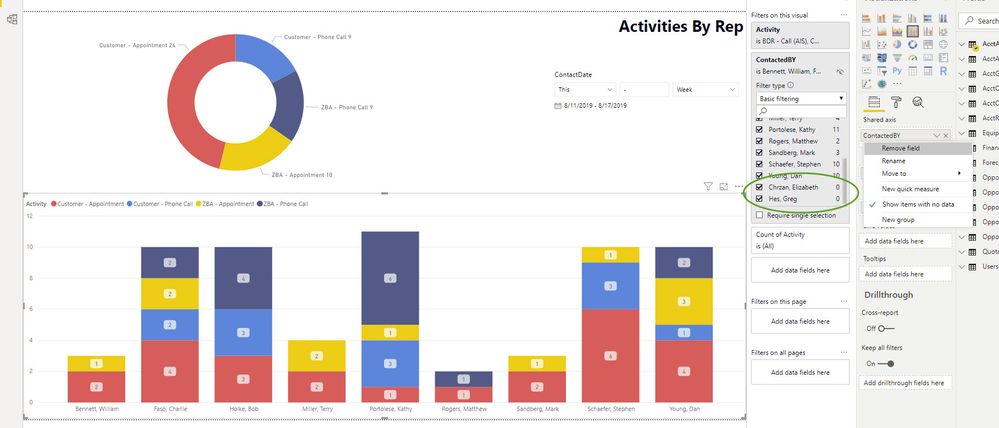
I found the "Show items with no data" and have it checked but it's still not showing up. As you can see from the screenshot below, I have two reps who have 0 activities. The "Show items with no data" is checked for both the ContactedBy and the Activity but neither of them are showing up in the visual. Any other tips on getting them to populate there?
Check out the April 2026 Power BI update to learn about new features.
Sign up to receive a private message when registration opens and key events begin.
If you have recently started exploring Fabric, we'd love to hear how it's going. Your feedback can help with product improvements.
| User | Count |
|---|---|
| 35 | |
| 32 | |
| 27 | |
| 23 | |
| 16 |
| User | Count |
|---|---|
| 65 | |
| 50 | |
| 30 | |
| 25 | |
| 24 |