
Don't miss your chance to take exam DP-600 or DP-700 on us!
Request nowLearn from the best! Meet the four finalists headed to the FINALS of the Power BI Dataviz World Championships! Register now
Hi all!
Hope you're doing fine.
I'm using the app to show my report to the users.
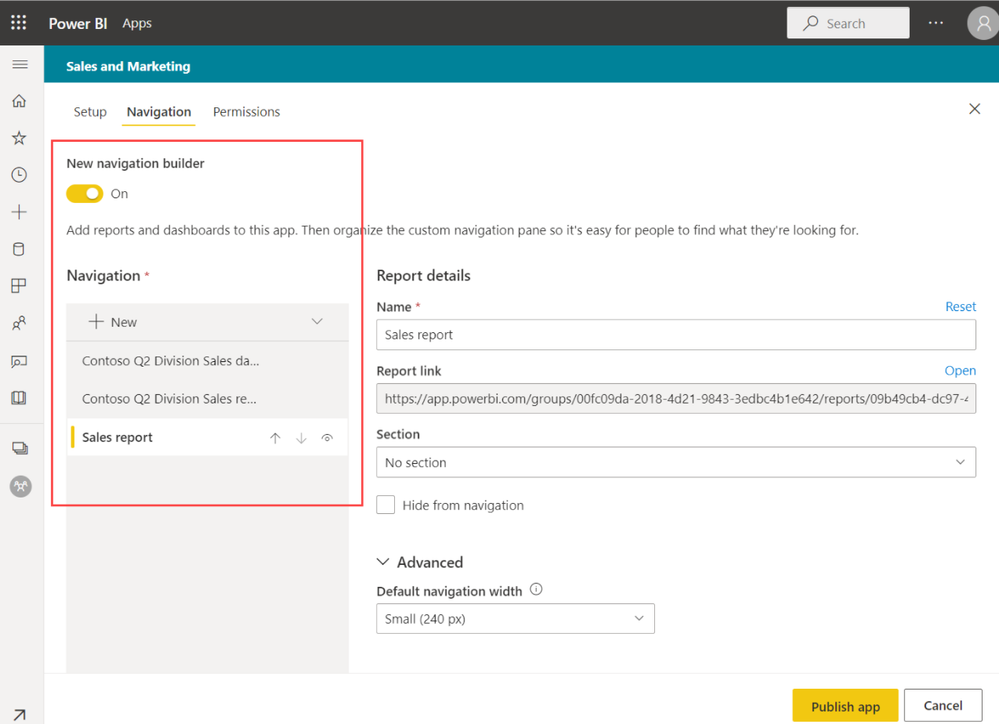
The app has a navigation pane. It takes at least +/- 15% of the screen. So I was looking for an alternative solution.
Found a realy nice video (https://www.youtube.com/watch?v=xCSYLrcLW00).
Is it possible to combine 'the app modus' with this navigation pane from the video? (create your own navigation pane instead of using the std one from PBI)
---
Other possiblity, use chromeless=true?
But is there a way to hide the bar at the bottom of the report?
Users don't have to "go back" or turn off this full screen mode.
Thanks a lot for the help!
Regards
M
Hi @marcvd ,
Please review the content in the following link and check whether that is what you want.
Design the navigation experience
Best Regards
Share feedback directly with Fabric product managers, participate in targeted research studies and influence the Fabric roadmap.
Check out the February 2026 Power BI update to learn about new features.
| User | Count |
|---|---|
| 51 | |
| 40 | |
| 37 | |
| 14 | |
| 14 |
| User | Count |
|---|---|
| 84 | |
| 69 | |
| 38 | |
| 29 | |
| 27 |