
This is best Fabric, Power BI, SQL and AI community event. How do we know? The last event sold out! Save €200 with code FABCMTY200.
Register nowA new Data Days event is coming soon! This time we’re going bigger than ever. Fabric, Power BI, SQL, AI and more. Don't miss out.
Hi all!
Hope you're doing fine.
I'm using the app to show my report to the users.
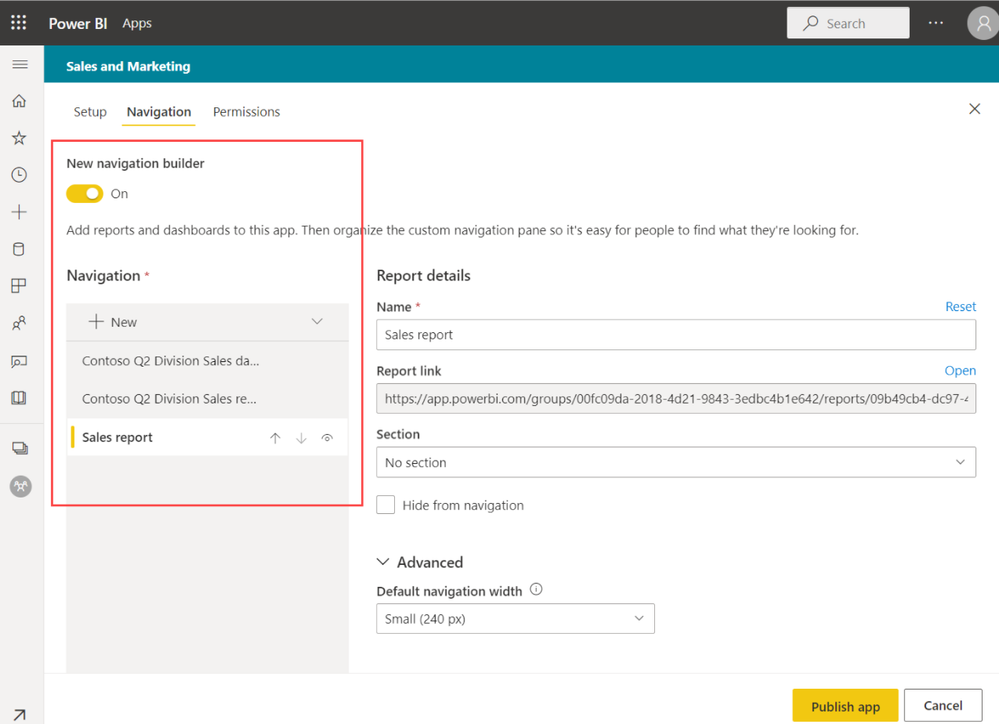
The app has a navigation pane. It takes at least +/- 15% of the screen. So I was looking for an alternative solution.
Found a realy nice video (https://www.youtube.com/watch?v=xCSYLrcLW00).
Is it possible to combine 'the app modus' with this navigation pane from the video? (create your own navigation pane instead of using the std one from PBI)
---
Other possiblity, use chromeless=true?
But is there a way to hide the bar at the bottom of the report?
Users don't have to "go back" or turn off this full screen mode.
Thanks a lot for the help!
Regards
M
Hi @marcvd ,
Please review the content in the following link and check whether that is what you want.
Design the navigation experience
Best Regards
Check out the May 2026 Power BI update to learn about new features.
Sign up to receive a private message when registration opens and key events begin.
If you have recently started exploring Fabric, we'd love to hear how it's going. Your feedback can help with product improvements.
| User | Count |
|---|---|
| 29 | |
| 28 | |
| 25 | |
| 19 | |
| 14 |
| User | Count |
|---|---|
| 53 | |
| 47 | |
| 27 | |
| 20 | |
| 19 |