Share feedback directly with Fabric product managers, participate in targeted research studies and influence the Fabric roadmap.
Sign up nowGet Fabric certified for FREE! Don't miss your chance! Learn more
Hi,
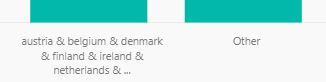
I've used the grouping function to group together some countries, but in the chart, the value comes out as the list of all the countries I've grouped, e.g. 'Austria & Belgium & Denmark & etc....'.
I would like the chart to display 'Europe' instead and renaming the group doesn't do this. Is there a way for this to be done?
Thanks!
afk
Solved! Go to Solution.
Hi @afk,
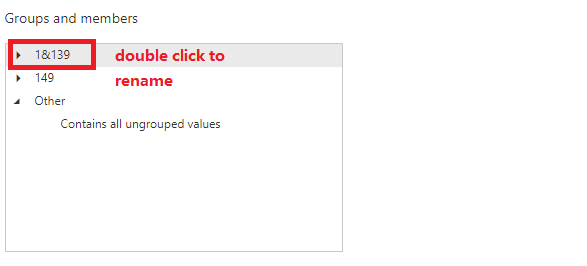
You could cilck the group and choose Edit Group, then you could double click the group name you want to modify to rename it.
You could refer to my test picture.
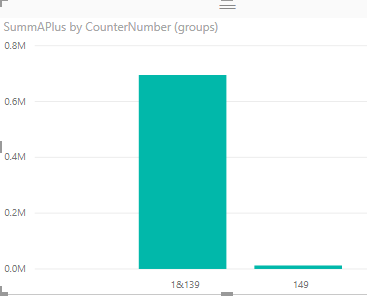
1. Before rename
2. Rename
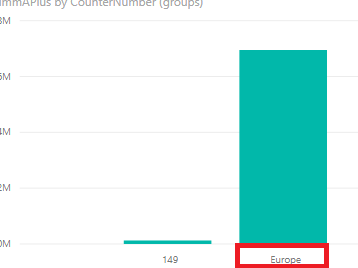
3. After Rename
Hope it can help you!
Best regards,
Cherry
Looks like this has been around a while, please vote
Table view tab > Data pane > Edit Groups | needing option and/or right mouse menu for name change
Hi @afk,
You could cilck the group and choose Edit Group, then you could double click the group name you want to modify to rename it.
You could refer to my test picture.
1. Before rename
2. Rename
3. After Rename
Hope it can help you!
Best regards,
Cherry
If you love stickers, then you will definitely want to check out our Community Sticker Challenge!
Check out the January 2026 Power BI update to learn about new features.
| User | Count |
|---|---|
| 62 | |
| 61 | |
| 42 | |
| 20 | |
| 18 |
| User | Count |
|---|---|
| 122 | |
| 116 | |
| 38 | |
| 32 | |
| 29 |