Join us at FabCon Atlanta from March 16 - 20, 2026, for the ultimate Fabric, Power BI, AI and SQL community-led event. Save $200 with code FABCOMM.
Register now!The Power BI Data Visualization World Championships is back! It's time to submit your entry. Live now!
Hello community!
I am trying to build an area chart that should look something like below:
I would like to overlay 3 sets of data - Each set has a dollar amount and a corresponding date (Ex. Amount paid & paid date, Bill amount & bill date etc). I would like the X-axis to show a general timeline, and the corresponding data points to be plotted for each day. The goal is to see for each time period (day/week/month) how much I have billed & been paid (Ex. 1Jan I billed $100 but I got paid $50).
Could you guide me how to achieve this using area charts
Solved! Go to Solution.
Hi @nm1729 ,
In your scenario, we can create a date table with Hierarchy, please refer to the following example:
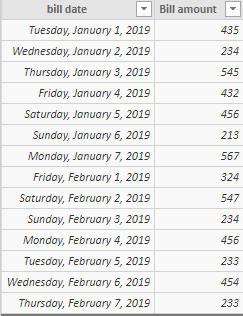
Assume that we have tables like below:
Then we can use the following DAX query to create a date table:
date =
ADDCOLUMNS (
CALENDAR ( DATE ( 2019, 1, 1 ), DATE ( 2019, 2, 20 ) ),
"week", WEEKNUM ( [Date], 1 ),
"month", MONTH ( [Date] )
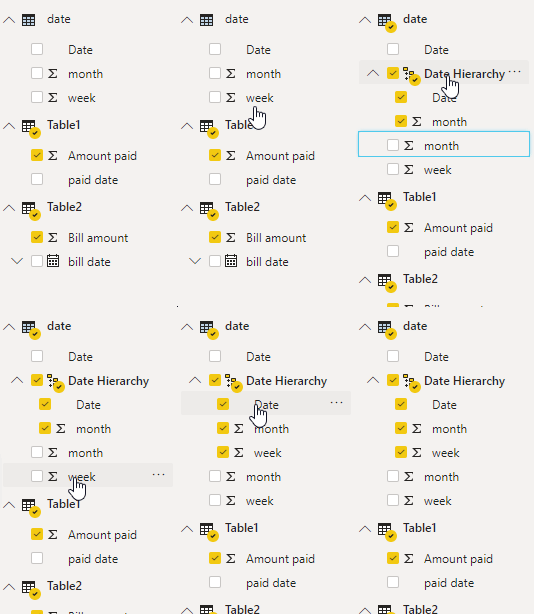
)Create relationship between date table with these two tables, then drag the week and month to the date creating the date Hierarchy:
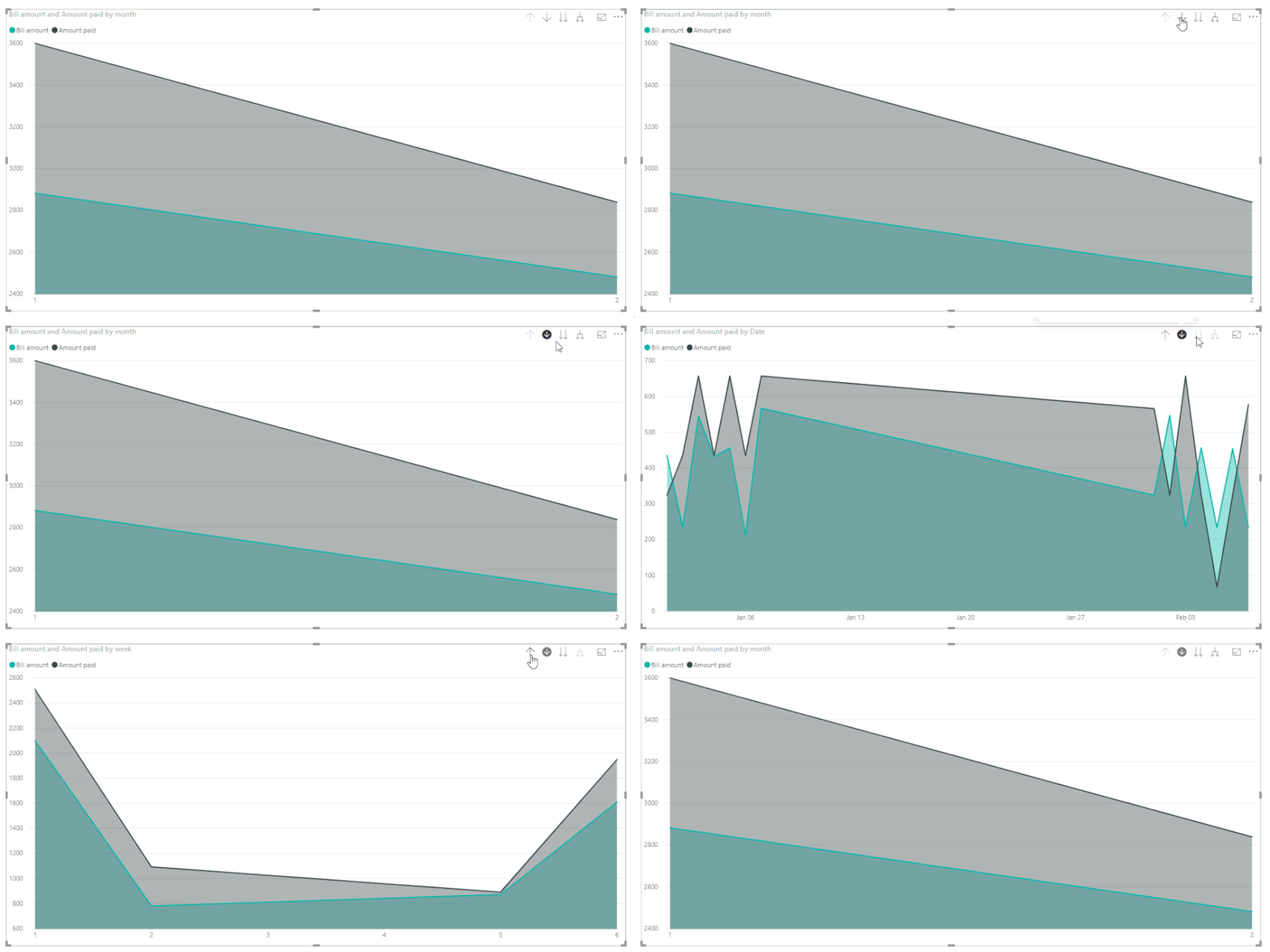
Then we can create the visual, after that, we can drill down the data from month to week to day:
Best Regards,
Teige
Hi @nm1729 ,
In your scenario, we can create a date table with Hierarchy, please refer to the following example:
Assume that we have tables like below:
Then we can use the following DAX query to create a date table:
date =
ADDCOLUMNS (
CALENDAR ( DATE ( 2019, 1, 1 ), DATE ( 2019, 2, 20 ) ),
"week", WEEKNUM ( [Date], 1 ),
"month", MONTH ( [Date] )
)Create relationship between date table with these two tables, then drag the week and month to the date creating the date Hierarchy:
Then we can create the visual, after that, we can drill down the data from month to week to day:
Best Regards,
Teige
The Power BI Data Visualization World Championships is back! It's time to submit your entry.
Check out the January 2026 Power BI update to learn about new features.
| User | Count |
|---|---|
| 60 | |
| 47 | |
| 30 | |
| 25 | |
| 23 |
| User | Count |
|---|---|
| 140 | |
| 111 | |
| 63 | |
| 38 | |
| 32 |