
Join us at FabCon Atlanta from March 16 - 20, 2026, for the ultimate Fabric, Power BI, AI and SQL community-led event. Save $200 with code FABCOMM.
Register now!Learn from the best! Meet the four finalists headed to the FINALS of the Power BI Dataviz World Championships! Register now
Hi,
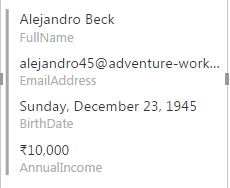
I want to show customer detail in multi row card like below
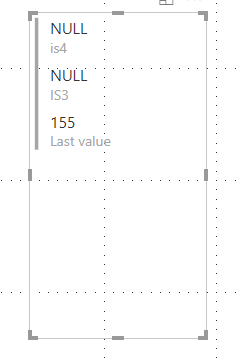
But its showing like this below
Solved! Go to Solution.
Hi @atul9063,
Based on my test, you just need to dajust the width of the visual.
Before adjust the size
After adjust the size
Regards,
Daniel He
Hi @atul9063,
Could you please tell me if your problem has been solved? If it is, could you please mark the helpful replies as Answered?
Regards,
Daniel He
Is there an option in the format section to acheive this? I want a wider version but I'm getting the longer one. And changing the width is not helping
Hi @atul9063,
Could you please tell me if your problem has been solved? If it is, could you please mark the helpful replies as Answered?
Regards,
Daniel He
Hi @atul9063,
Based on my test, you just need to dajust the width of the visual.
Before adjust the size
After adjust the size
Regards,
Daniel He
Share feedback directly with Fabric product managers, participate in targeted research studies and influence the Fabric roadmap.
Check out the February 2026 Power BI update to learn about new features.
| User | Count |
|---|---|
| 52 | |
| 51 | |
| 35 | |
| 15 | |
| 14 |
| User | Count |
|---|---|
| 92 | |
| 75 | |
| 41 | |
| 26 | |
| 25 |