cancel
Showing results for 
Search instead for 
Did you mean: 

The Power BI Data Visualization World Championships is back! Get ahead of the game and start preparing now! Learn more

Reply
dannytan111289
Frequent Visitor

Move every other column into new row

Hi everyone, 


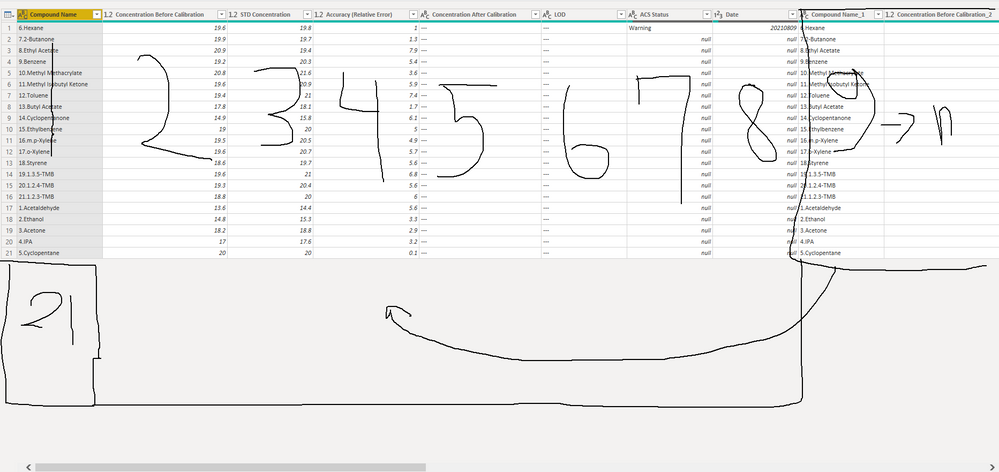
i really need your help.  i have set of data with repeated column every 8 columns. I would like to move 21 rows of every 8 column under the row of the first set of data.


Any ideas how i can solved this problem?


Thanks


image_2021_09_02T08_16_37_884Z.png

1 ACCEPTED SOLUTION
v-kelly-msft
Community Support
Community Support

Hi  @dannytan111289 ,


As in power bi ,we cant index columns directly,from my point of view,I would recommend you that first duplicate table then remove columns respectively.

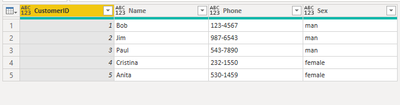
Take below table for example:

vkellymsft_0-1630917246876.png

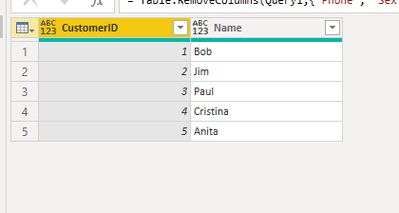
Split the table into 2 tables as below:

vkellymsft_1-1630917273378.pngvkellymsft_2-1630917281017.png

Then rename the column names in the second table to keep the same with the first one:

= Table.RenameColumns(Table.RenameColumns(#"Removed Other Columns",{"Phone","CustomerID"}),{"Sex","Name"})

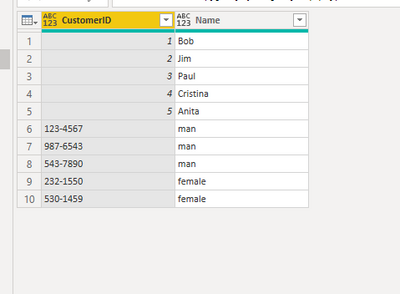
In the last step,using append to get your expected output:

vkellymsft_3-1630917364721.png

For the related .pbix file,pls see attached.


Best Regards,
Kelly

Did I answer your question? Mark my reply as a solution!

View solution in original post

2 REPLIES 2
v-kelly-msft
Community Support
Community Support

Hi  @dannytan111289 ,


As in power bi ,we cant index columns directly,from my point of view,I would recommend you that first duplicate table then remove columns respectively.

Take below table for example:

vkellymsft_0-1630917246876.png

Split the table into 2 tables as below:

vkellymsft_1-1630917273378.pngvkellymsft_2-1630917281017.png

Then rename the column names in the second table to keep the same with the first one:

= Table.RenameColumns(Table.RenameColumns(#"Removed Other Columns",{"Phone","CustomerID"}),{"Sex","Name"})

In the last step,using append to get your expected output:

vkellymsft_3-1630917364721.png

For the related .pbix file,pls see attached.


Best Regards,
Kelly

Did I answer your question? Mark my reply as a solution!

lbendlin
Super User
Super User

Please provide sample data in usable format (not as a picture - maybe insert into a table?) .

Helpful resources

Announcements
November Power BI Update Carousel

Power BI Monthly Update - November 2025

Check out the November 2025 Power BI update to learn about new features.

Fabric Data Days Carousel

Fabric Data Days

Advance your Data & AI career with 50 days of live learning, contests, hands-on challenges, study groups & certifications and more!

FabCon Atlanta 2026 carousel

FabCon Atlanta 2026

Join us at FabCon Atlanta, March 16-20, for the ultimate Fabric, Power BI, AI and SQL community-led event. Save $200 with code FABCOMM.

Top Kudoed Authors