Join us at FabCon Atlanta from March 16 - 20, 2026, for the ultimate Fabric, Power BI, AI and SQL community-led event. Save $200 with code FABCOMM.
Register now!Get Fabric Certified for FREE during Fabric Data Days. Don't miss your chance! Request now
Hi,
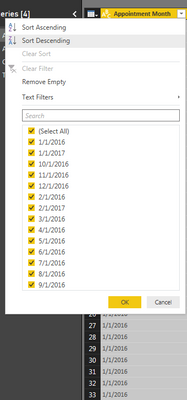
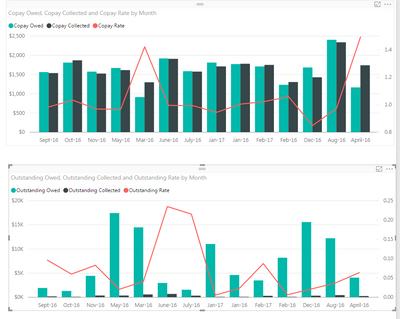
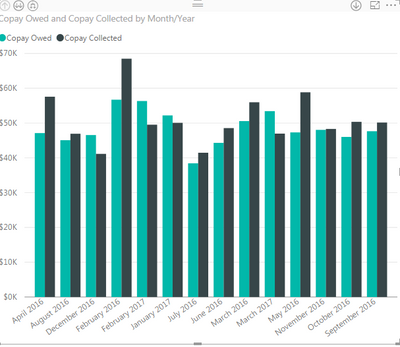
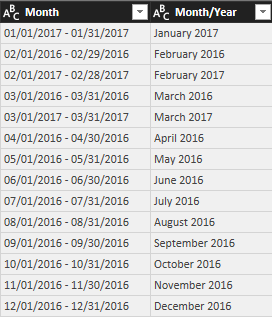
I am having a bit of trouble with the way my months are populating in my graph. I need them to populate from oldest to newest for example: Jan-16, Feb-16, Mar-16, etc., and they aren't doing that, even when I select the sort by month option. I have attached a pic of how my appointment months are generated in my query plus a snapshot of how the graph looks. The way the appointment month populates is directly from the source so I have nothing to do with that formatting.
Appointment Months
Graphs
Any guidance would be greatly appreciated!
Thanks!
Hi @delgadomk,
Have you tried the solution provided by Vvelarde above? It should work in your scenario. If you still have any question, feel free to post it here.![]()
Regards
I still can't get the months to list chronological....
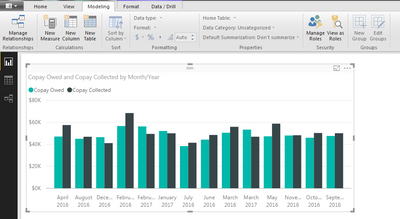
And my Sort by Column is not clickable..
This is what my query looks like...
This look like your problem
You should change type of the column to Date in power query. Then apply changes. This will allow you to drilldown and up to play and get what you are looking for.
(When adding the column to visualization you can click on the "X" on Trim to close it and keep year/month/day)
Regards,
Happy to help!
Hi, you should Use Sort by Column (In Modeling Menu)
Look this video, is not exactly like you should do:
https://www.youtube.com/watch?v=swJwaWIvVGg
Let me know if you need more help
Check out the November 2025 Power BI update to learn about new features.
Advance your Data & AI career with 50 days of live learning, contests, hands-on challenges, study groups & certifications and more!