cancel
Showing results for 
Search instead for 
Did you mean: 

The Power BI Data Visualization World Championships is back! Get ahead of the game and start preparing now! Learn more

Reply
Chapin4u
Microsoft Employee
Microsoft Employee

Message box

Hi community,


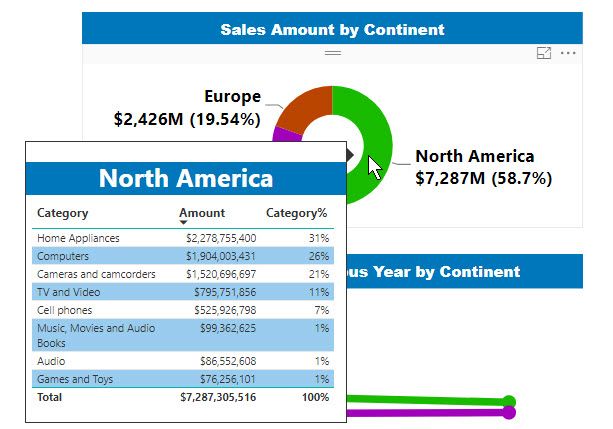
I need help with adding a message box or best practice to alert the user that in the values of the visual you can hover to see the new tooltip or it has a drill through.  The report will go on a web page. So I cant explain in person to the user so that why I am asking. Thanks for any tip in advance.

2018-06-08_8-39-55.jpg

1 ACCEPTED SOLUTION

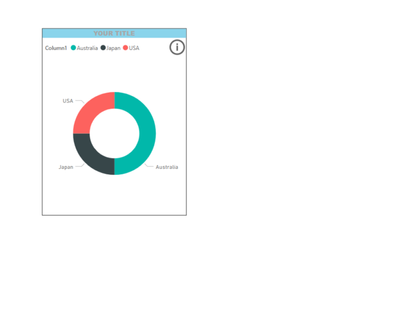
You could also use bookmarks functionality to add an information image  [i] to your visual.

When a user  clicks the information image a pop up appears explaining the options available

All users are familiar with an information icon.

Add an [x] to the pop up and the user is able to  close the pop up.

Ther are many styling options also available.

Information iconInformation iconUse bookmarks to open the information pop upUse bookmarks to open the information pop up


View solution in original post

5 REPLIES 5
Chapin4u
Microsoft Employee
Microsoft Employee

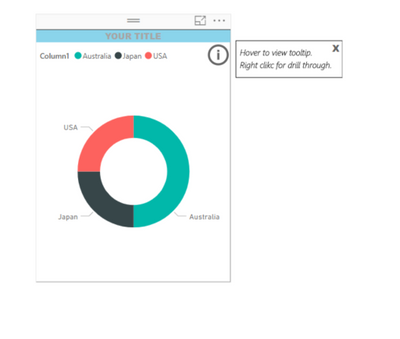
The only alternative found at the moment for a message box is this2018-06-09_14-54-01.jpg


You could also use bookmarks functionality to add an information image  [i] to your visual.

When a user  clicks the information image a pop up appears explaining the options available

All users are familiar with an information icon.

Add an [x] to the pop up and the user is able to  close the pop up.

Ther are many styling options also available.

Information iconInformation iconUse bookmarks to open the information pop upUse bookmarks to open the information pop up


Chapin4u
Microsoft Employee
Microsoft Employee

Can you explain pls how to add an [x] to the pop-up window? What other styling options are,

 Thanks.

HI,


This has been created with bookmarking functionality.

To run in desktop you need to press CTRL & Right Click to see functionality

In the Power BI service, bookmarks works as expected.

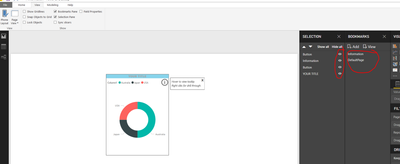
From the navigation area check Bookmarks Pane and Selection Pane.


Bookmarks.PNGF

From the Home tab use the "Buttons" to add the buttons you want

Buttons.PNG


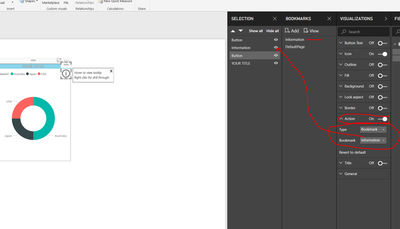
Then within visuals, select the image and set your action for this. Simply a matter of Show/Hide on the Bookmarked page.

Bookmarks Visuals.PNG


Here is the sample to assist:

SampleBookmarkFile


More details also here:

https://docs.microsoft.com/en-us/power-bi/desktop-bookmarks


Hint which helps when you have multiple icons,  give your visual/image a tile to  easily find it in the 'Selection' area but 'Hide' the title in the visuals area.

By styling optins I was referring to all the options available within Power BI. You can also use your own images for this functionality.

The [x] is a trick, just the letter x styled!

Chapin4u
Microsoft Employee
Microsoft Employee

Thanks for the great idea MariaP.

Helpful resources

Announcements
Power BI DataViz World Championships

Power BI Dataviz World Championships

The Power BI Data Visualization World Championships is back! Get ahead of the game and start preparing now!

December 2025 Power BI Update Carousel

Power BI Monthly Update - December 2025

Check out the December 2025 Power BI Holiday Recap!

FabCon Atlanta 2026 carousel

FabCon Atlanta 2026

Join us at FabCon Atlanta, March 16-20, for the ultimate Fabric, Power BI, AI and SQL community-led event. Save $200 with code FABCOMM.