
This time we’re going bigger than ever. Fabric, Power BI, SQL, AI and more. We're covering it all. You won't want to miss it.
Learn moreLevel up your Power BI skills this month - build one visual each week and tell better stories with data! Get started
Hi all,
I have a really annoying problem:
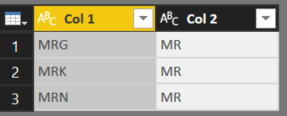
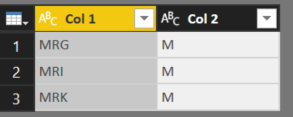
I'm trying to merge two queries and can't get the columns to match... to illustrate the problem I have reduced my tables to only two columns each and only three rows. Please see pictures:
Table A
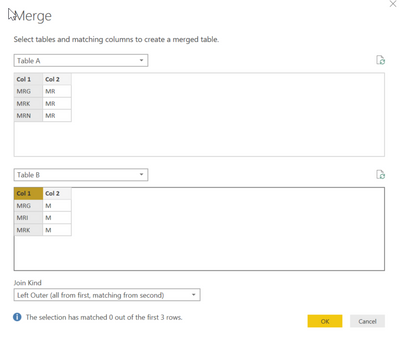
Table BI press "Merge Queries as New" and select Col 1 for both tables. No mather what options I choose from the "Join Kind" option I get 0 matching rows... Please see the next two pictures..
Zero matches!!!
Zero matches!I believe this is due to some kind of formatting error but everything seems okay to me. Does somebody have any suggestions on how to trouble shoot this error!?
Thank you!!
Solved! Go to Solution.
Hi @Anonymous
Could there be some extra space after some text..?
For example "MRG " in one table ..."MRG" in another
You can use custom Column to check this
Text.Length([Col 1])
Hi @Anonymous
Could there be some extra space after some text..?
For example "MRG " in one table ..."MRG" in another
You can use custom Column to check this
Text.Length([Col 1])
Check out the April 2026 Power BI update to learn about new features.
Sign up to receive a private message when registration opens and key events begin.
If you have recently started exploring Fabric, we'd love to hear how it's going. Your feedback can help with product improvements.
| User | Count |
|---|---|
| 31 | |
| 25 | |
| 21 | |
| 18 | |
| 17 |
| User | Count |
|---|---|
| 62 | |
| 34 | |
| 33 | |
| 24 | |
| 23 |